How to Manage My BigShop?
Update Time: 16 Apr 2026 10:46
If you are a supplier, BigShop provides a professional product showcase designed specifically for your distribution partners. By offering exclusive invitation links and a personalized "mini-site" sourcing experience, it significantly lowers the barrier to recruiting new distributors.
Suppliers simply need to send their BigShop promotion link to distributors; once estabilshed the partnership, partners can claim distribution products with one click and quickly list them in their own stores. This streamlined workflow makes supply-demand collaboration more efficient and convenient than ever before.
Basic Settings
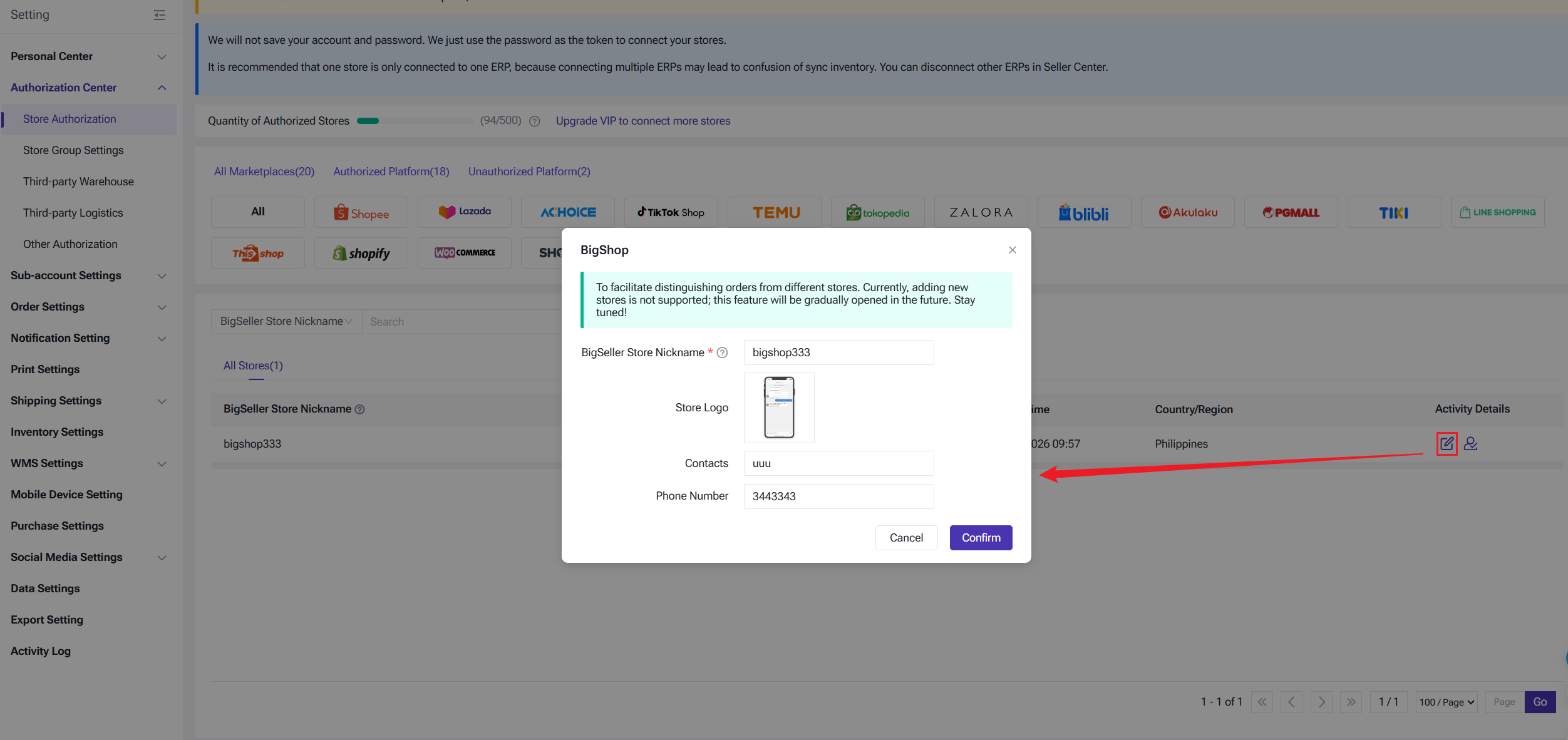
After successfully enabling the Distribution feature and finish supplier onboarding, the system will automatically create a BigShop store. Path: Settings > Authorization > Store Authorization > Select BigShop Platform
You can complete the following details:
- BigSeller Store Nickname
- Store Logo
- Contact Person & Phone Number
This information will be displayed directly on your BigShop homepage, allowing distributors to get in touch with you at any time.
Note: The BigShop store status is set to "Enabled" by default and cannot be disabled at this time.
Get Your Promotion Link
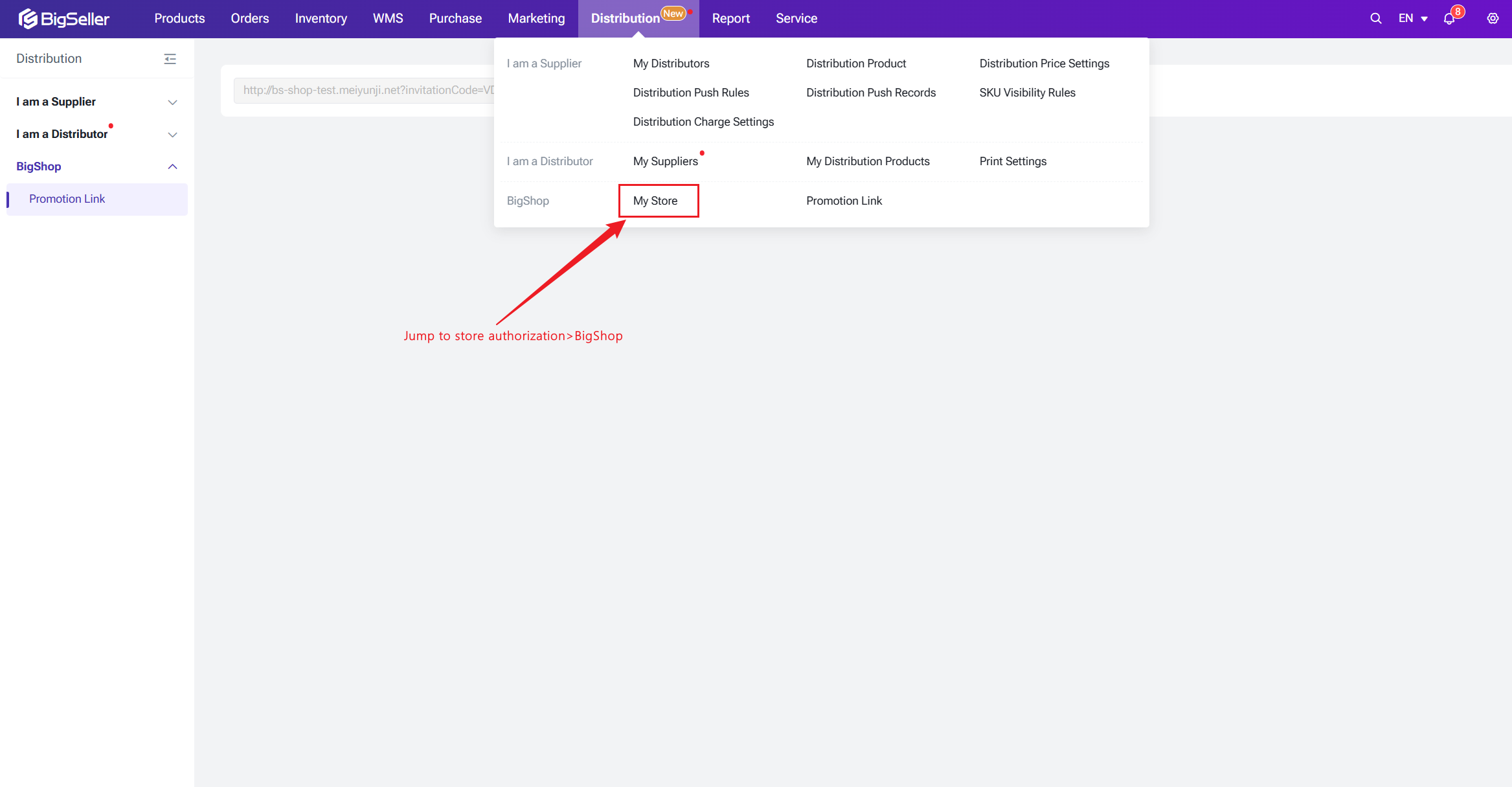
After BigShop is created, a new “BigShop” section will appear under the Distribution module, featuring two key functions:
- My Store: Enter the BigShop store list page where you can edit basic information.
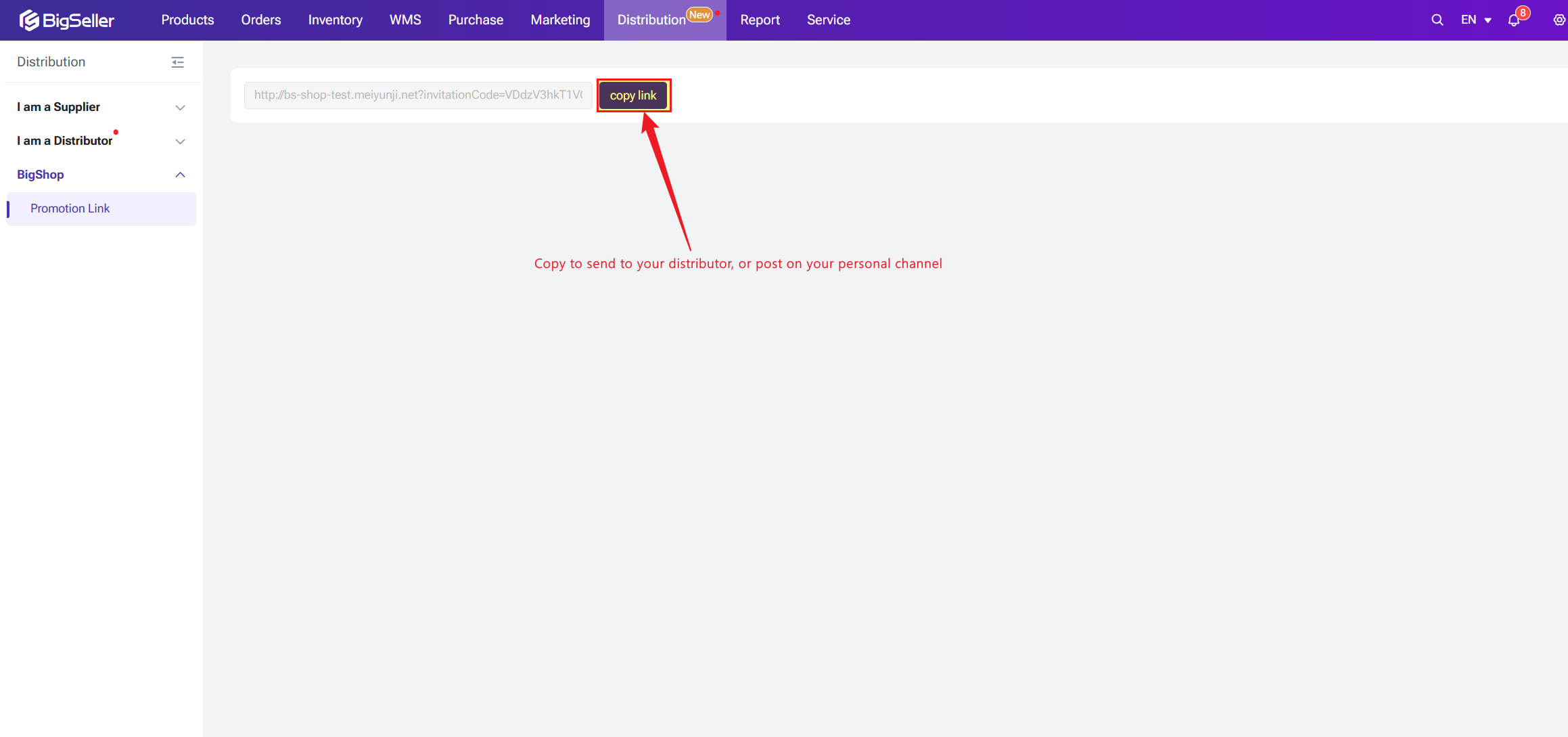
- Promotion Link: Copy your invitation link here to send to distributors. Partners can use this link to access your BigShop website directly.
BigShop Homepage Guide
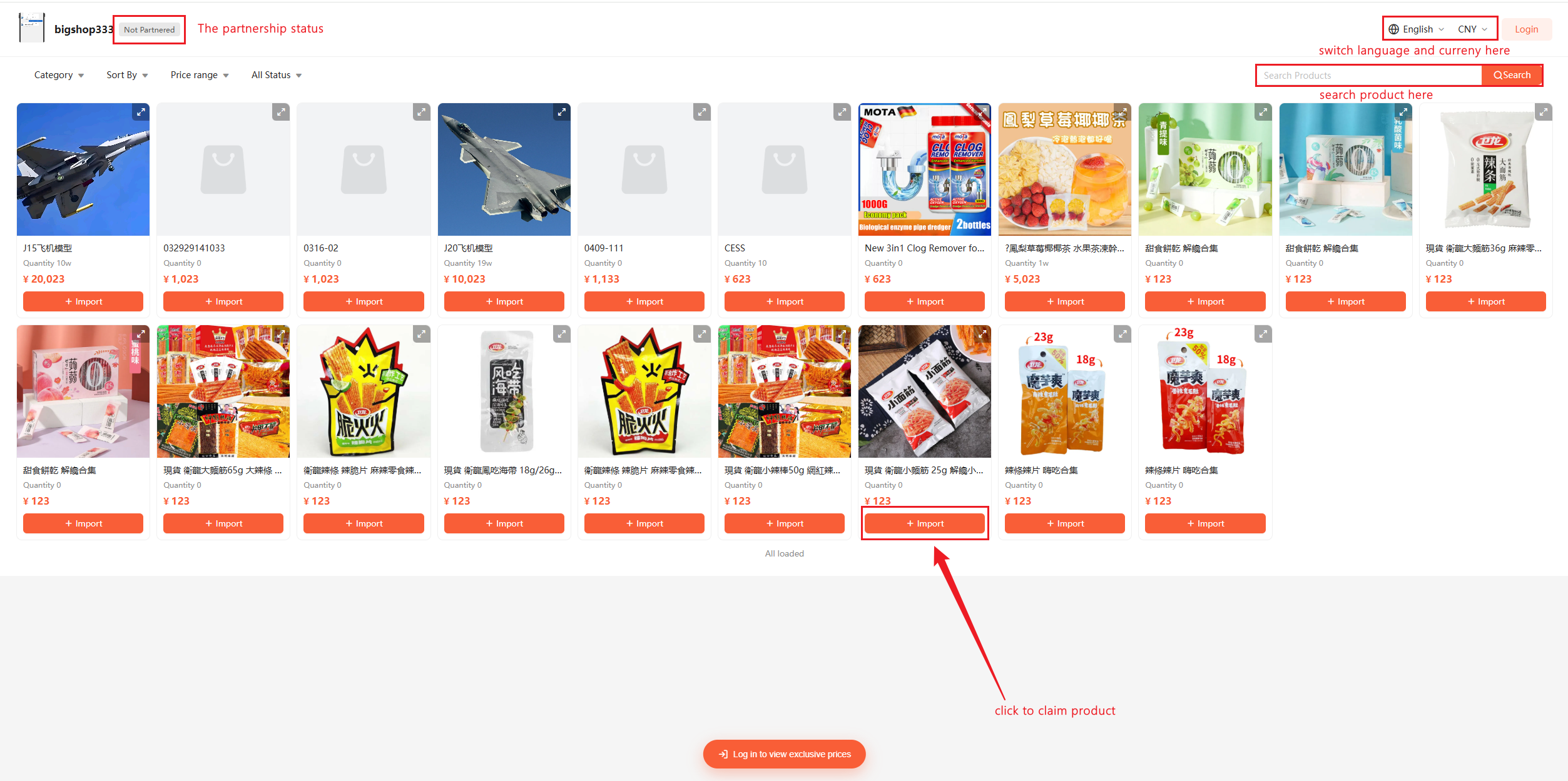
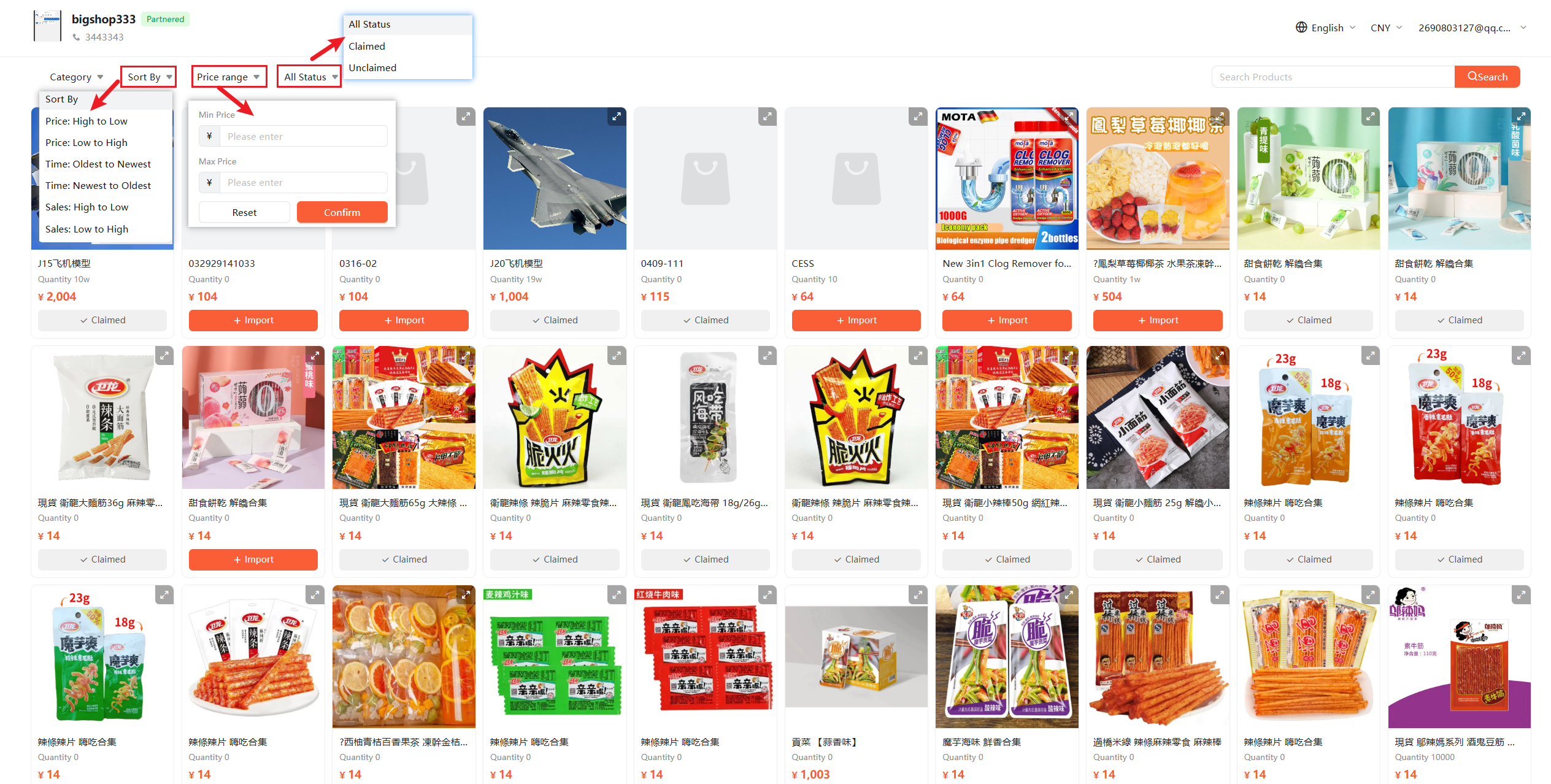
The BigShop homepage centralizes the supplier's core information, including the Company Logo, Supplier Name, Contact Phone, and Current Cooperation Status. Additionally, distributors can switch between 6 Southeast Asian languages and multiple currencies based on their preferences. The product list is sorted by Valid Sales by default to help distributors quickly identify trending items.
When not logged in, distributors browse as "Guests" with the following limitations:
- Partnership Status: Displays as "Not Partered."
- Browsing Limit: Only the first 20 products are visible.
- Price Display: Product unit prices are hidden and replaced with "Log in to view exclusive price."
- Interactive Guidance: Clicking "+ Claim" or "Apply for Cooperation" will trigger a login pop-up.
- Full Access: Distributors in a "Connected" status can unlock the full product catalog and view real distribution prices.
- One-Click Claim: Click "Claim" to sync products to their own stores instantly. Once successful, the button changes to "Claimed" for easy tracking.
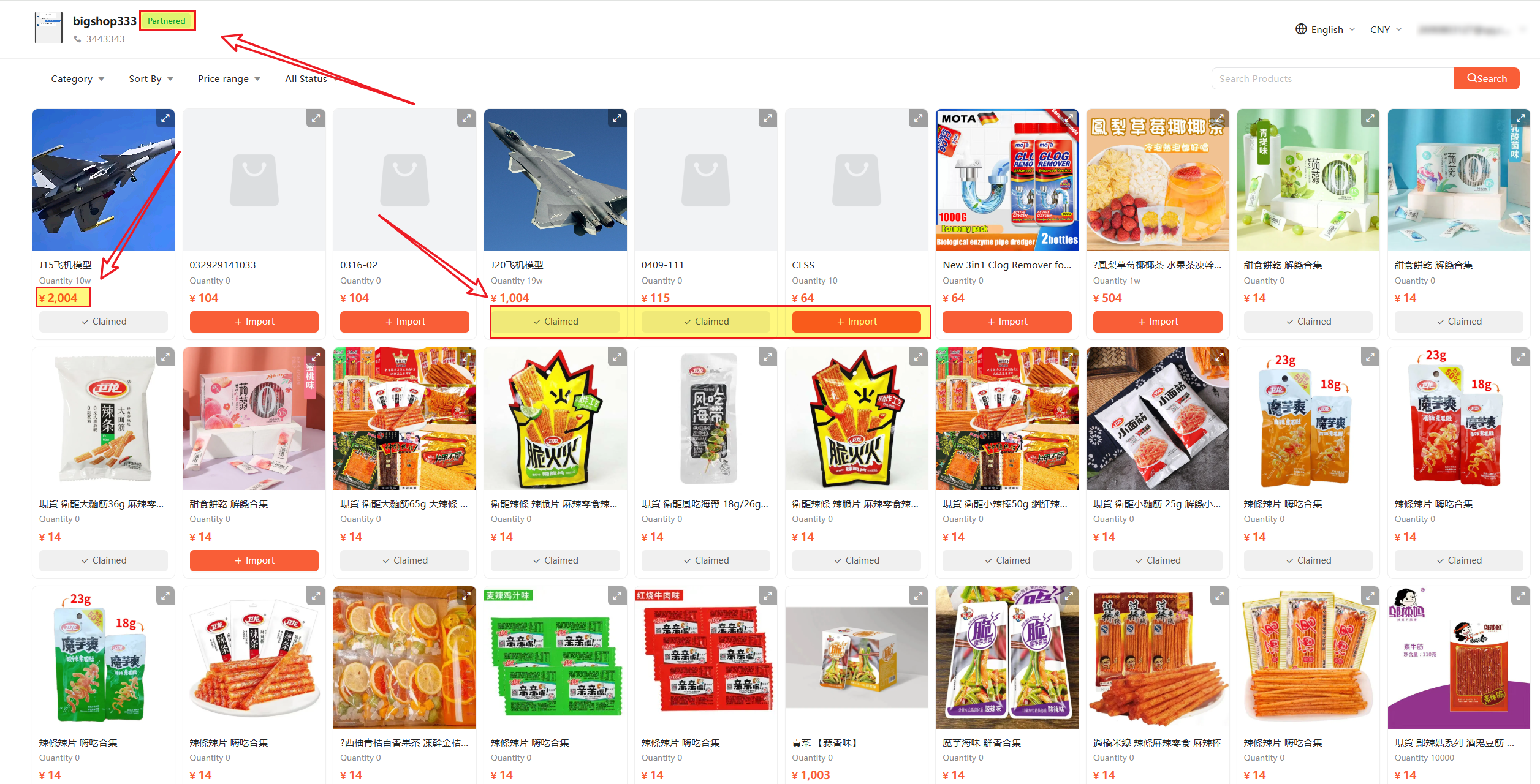
As for viewing Distribution Products, the following points need to be noticed:
- Search & Sort: Products are sorted by "Valid Sales" (updated on a T+1 basis), allowing distributors to lock onto bestsellers.
- Product Details: On the detail page, distributors can select specific Merchant SKUs to claim.
- Data Accuracy: "Valid Sales" automatically excludes cancelled or post-sale orders. Data is updated every 24 hours (T+1)
Is this content helpful?
Thank you for your feedback. It drives us to provide better service.
Please contact us if the document can't answer your questions