How to Issue an Invoice for Your Affiliate Revenue?
Copy link & title
Update Time: 21 Jul 2026 06:58
When affiliate partners request a commission withdrawal, an invoice must be provided before payment can be processed. BigSeller follows a "invoice first, payment later" process, which means BigSeller can only release the payment after receiving a valid invoice.
If the affiliate partner is a company, they usually have the ability to issue invoices directly. If the affiliate partner is an individual who does not have the ability to issue an invoice, they can use the method described in this article to create an invoice.
If the affiliate partner is a company, they usually have the ability to issue invoices directly. If the affiliate partner is an individual who does not have the ability to issue an invoice, they can use the method described in this article to create an invoice.
Step 1: Create an Invoice
You can use the following free invoice generator:
Affiliate partners can open the website, complete the required information, and export the invoice.
Note: Please select the correct payment currency in Invoice Settings before exporting the invoice.
Note: Please select the correct payment currency in Invoice Settings before exporting the invoice.
Step 2: Complete Required Fields
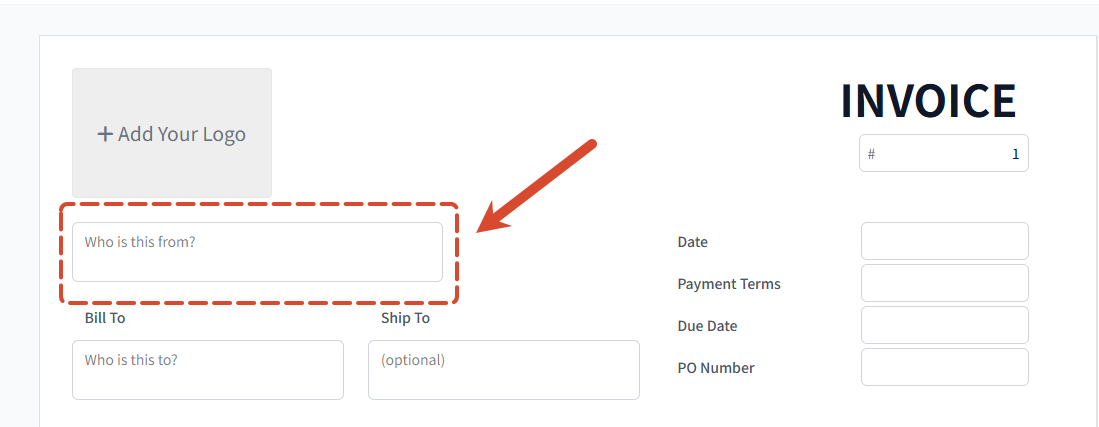
1. Who is this from?
This section should contain the information of the invoice issuer.
→ For individuals, please provide:
This section should contain the information of the invoice issuer.
→ For individuals, please provide:
- Full name
- Identification number
- Residential address
→ For companies, please provide:
- Company name
- Tax identification number
- Company address
2. Bill To
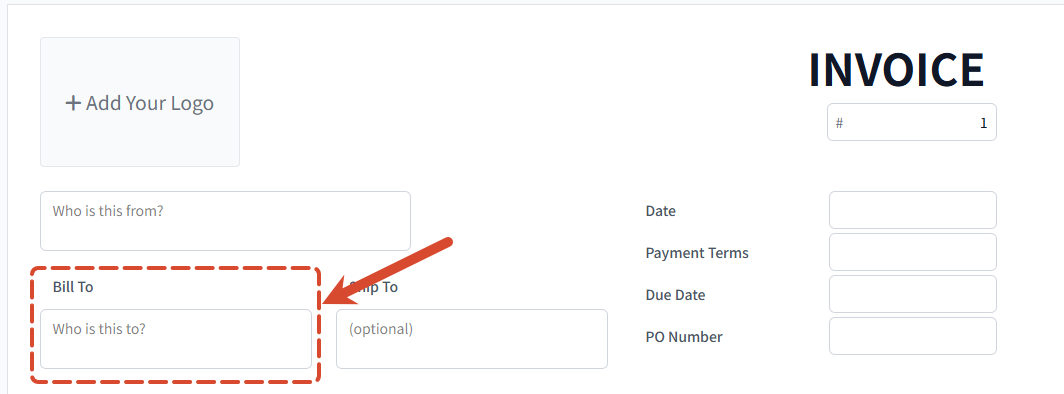
In this section, enter the BigSeller company entity that has signed the contract with you. You can find the relevant company information in the contract signed with BigSeller.
3. Note
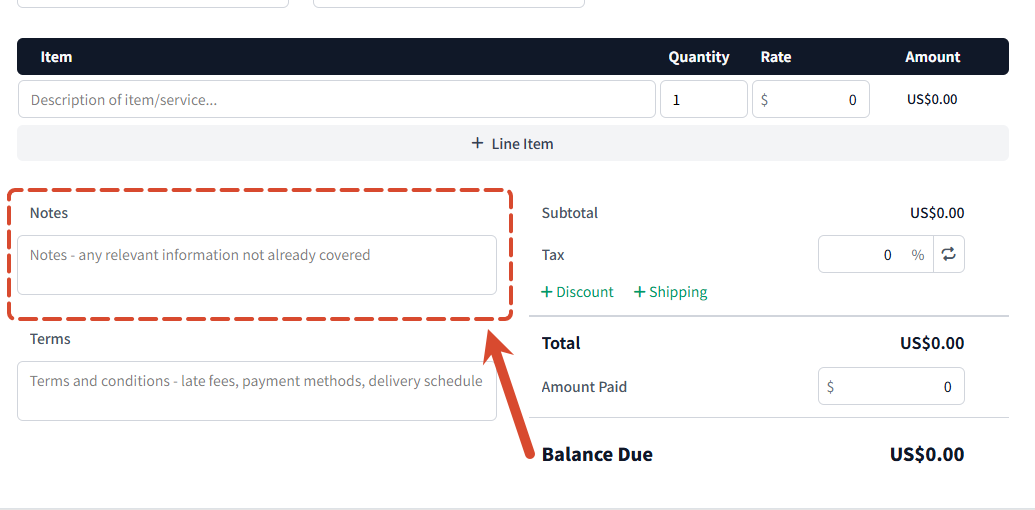
Please enter your payment information in this section:
- Bank name (required)
- Account holder name (required)
- Bank account number (required)
- SWIFT code (optional)
4. Date
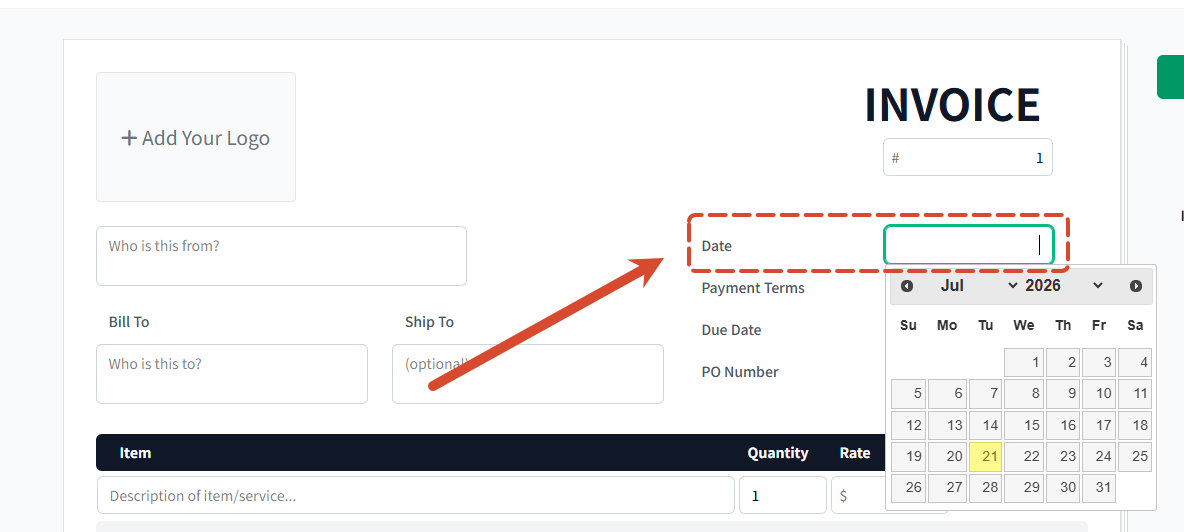
You also need to fill the the Issue Date to make it valid.
Other fields not mentioned here are optional
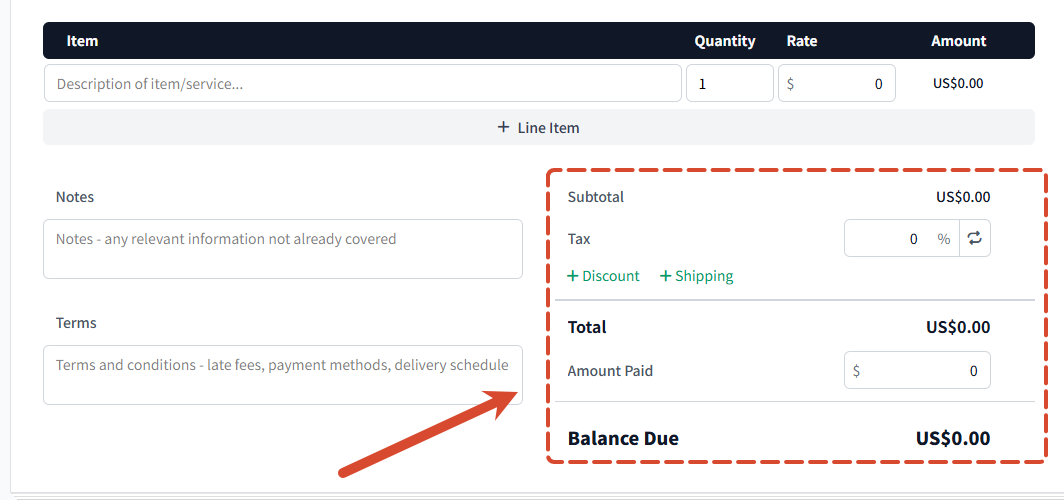
Step 3: Add Tax Information
The invoice must clearly show applicable tax items, including:
- Value-added tax (VAT)
- Withholding tax
Please list the tax details separately on the invoice. However, the total invoice amount should represent the full commission amount payable to the affiliate partner, which means the invoice should reflect the total commission amount for this payment.
If VAT is applicable, the affiliate partner must provide a valid official tax invoice with the VAT included.
Important Notes
If VAT is applicable, the affiliate partner must provide a valid official tax invoice with the VAT included.
Important Notes
- Please make sure all required information is completed accurately.
- Select the correct payment currency in Invoice Settings before exporting the invoice.
- The invoice must be submitted before BigSeller can process the affiliate commission payment.
Is this content helpful?
Thank you for your feedback. It drives us to provide better service.
Please contact us if the document can't answer your questions