How to Set Up System Currency in BigSeller
Copy link & title
Update Time: 29 Apr 2026 07:13
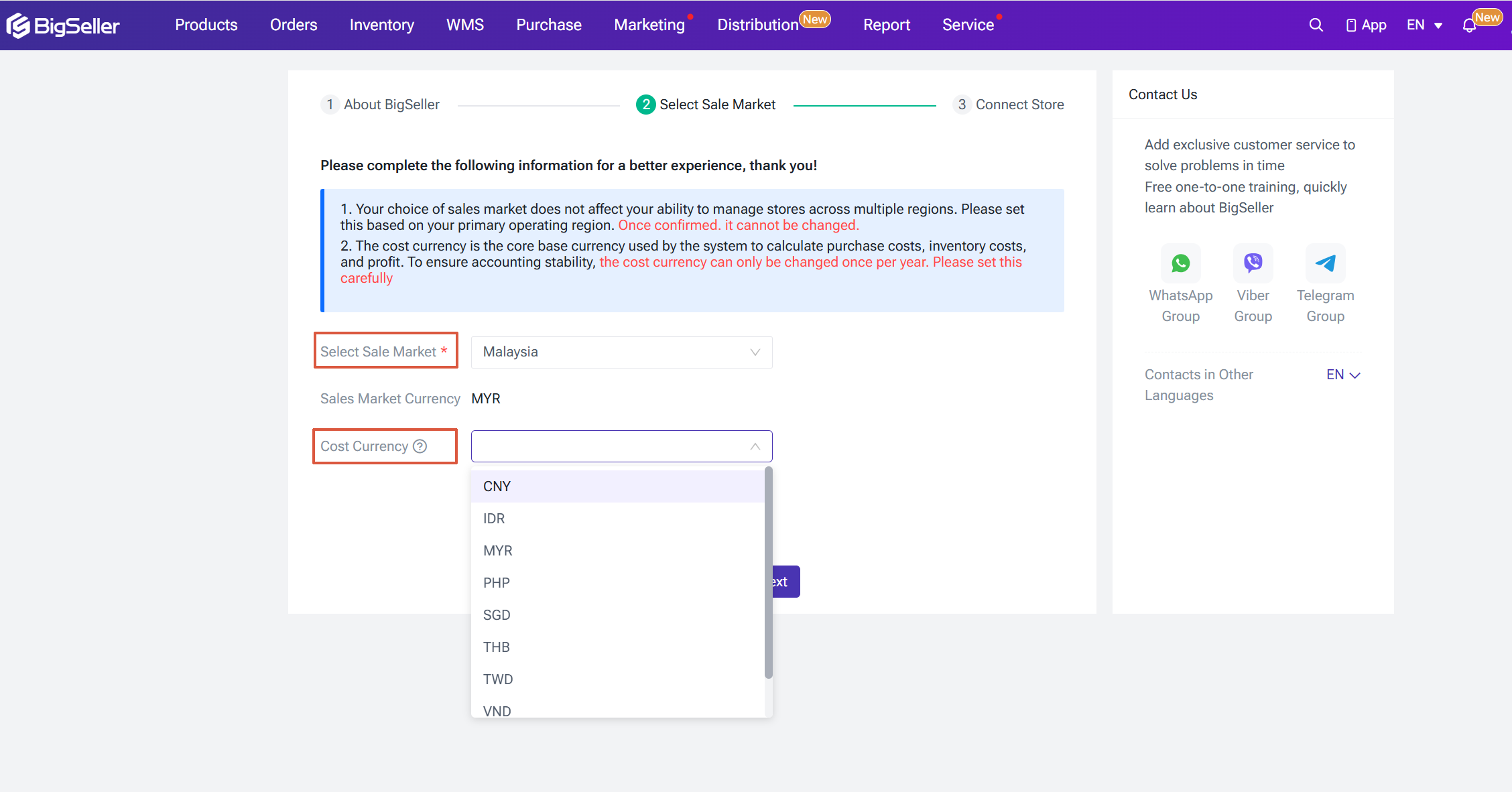
After registering your account, you will need to select a Sales Market. Your choice of sales market does not affect your ability to manage stores across multiple regions — simply select the region where your primary business operations are based.
The Cost Currency is the core base currency the system uses to calculate purchase costs, inventory costs, and profit.
The Cost Currency is the core base currency the system uses to calculate purchase costs, inventory costs, and profit.
- Available Sales Markets: Indonesia, Malaysia, Philippines, Singapore, Vietnam, Thailand, Taiwan
- Available Cost Currencies: CNY, IDR, MYR, PHP, SGD, TWD, VND, USD
NOTE: If you need to change your Sales Market or Cost Currency at a later date due to business needs, please contact our customer support team for assistance. To ensure stable data accounting, the Cost Currency can only be modified once per year — please configure this setting carefully.
Changing Your Cost Currency
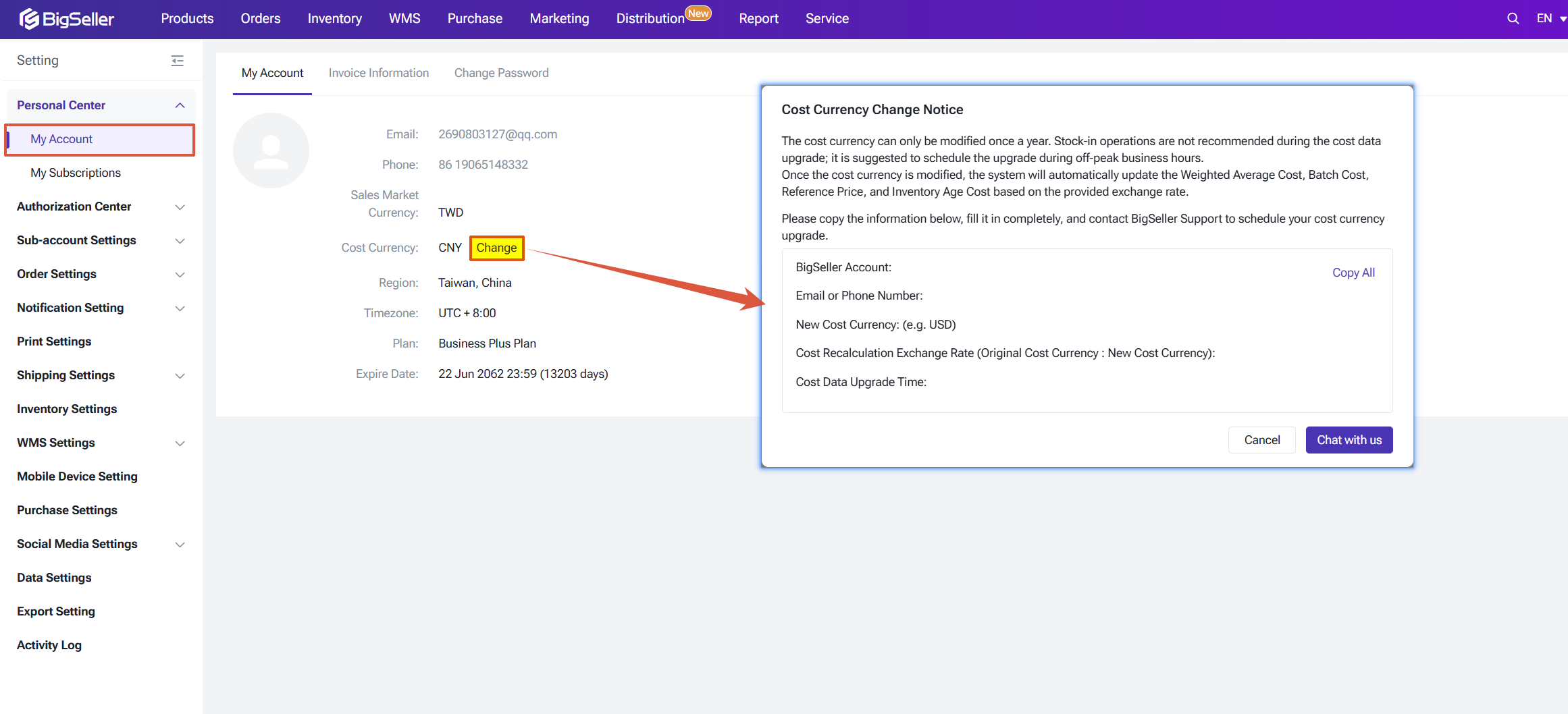
To request a Cost Currency change, go to Personal Center > My Account, copy the provided template, fill in the required details, and submit your request to BigSeller customer support.
What Changes After Switching Cost Currency
Stock Movement Records & Batch Stock Movement Records
Changing Your Cost Currency
To request a Cost Currency change, go to Personal Center > My Account, copy the provided template, fill in the required details, and submit your request to BigSeller customer support.
What Changes After Switching Cost Currency
Stock Movement Records & Batch Stock Movement Records
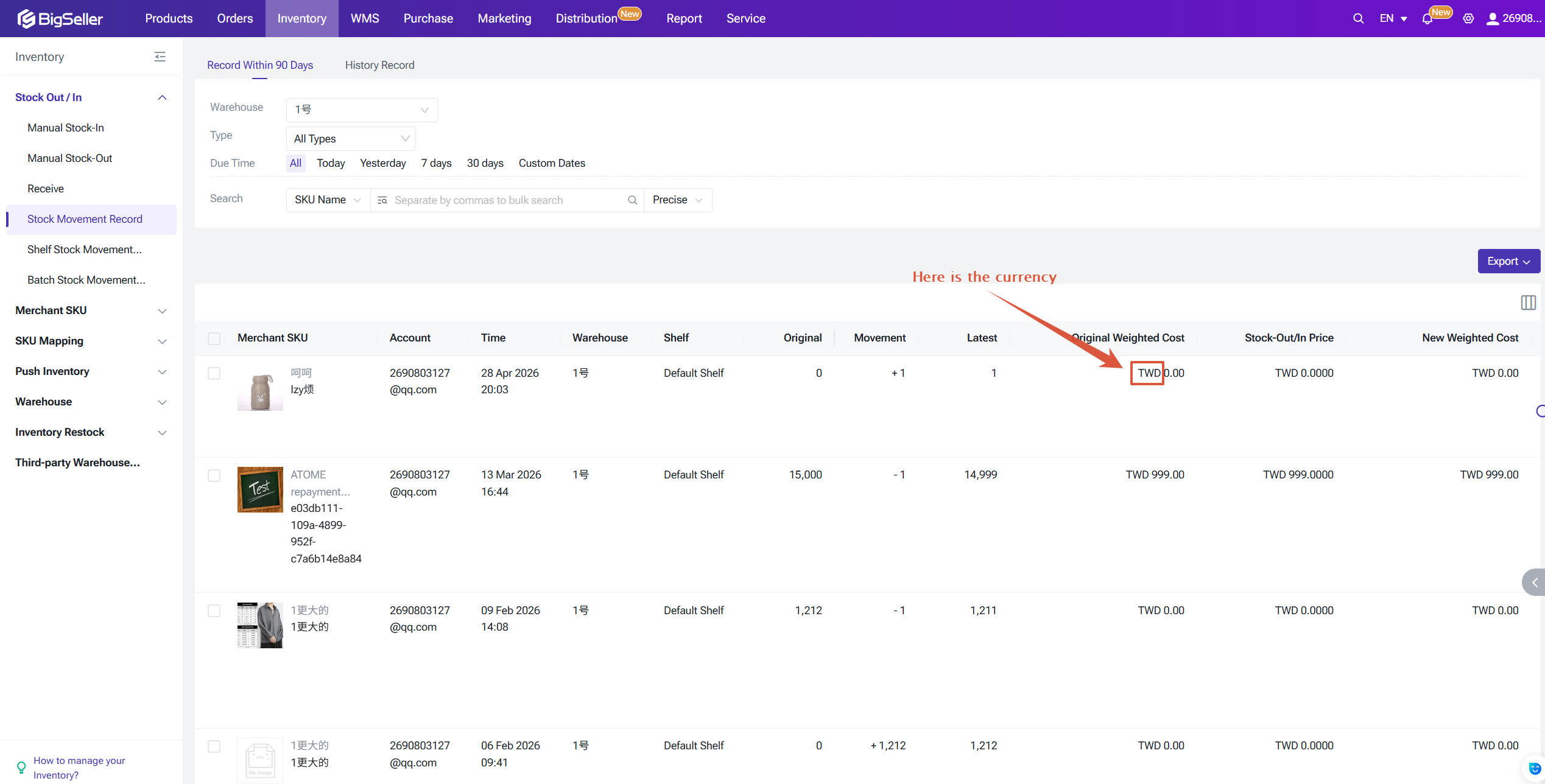
- Records created before the currency switch will continue to display the original cost currency.
- Records created after the currency switch will display the new cost currency.
Stock-in Cost Calculation
When stock is received, the system checks whether the currency of the stock-in unit price matches the current Cost Currency.
1. If the currencies match: The original inbound price is used directly as the inbound cost.
2. If the currencies do not match:
- The system first applies the fixed exchange rate (if available) to convert the original currency into the current Cost Currency.
- If no fixed exchange rate is available, the real-time exchange rate is used instead.
- The converted amount is then used as: (a) the batch cost price, and (b) an input for the moving weighted average cost calculation.
Return - Stock in & Cancelled Order Restocking
When processing a return or restocking a cancelled order item, the system uses the original stock-out price of the SKU as the stock-in price.
Reference Prices (NEW)
When creating a Merchant SKU, the following changes apply to price fields:
When processing a return or restocking a cancelled order item, the system uses the original stock-out price of the SKU as the stock-in price.
Reference Prices (NEW)
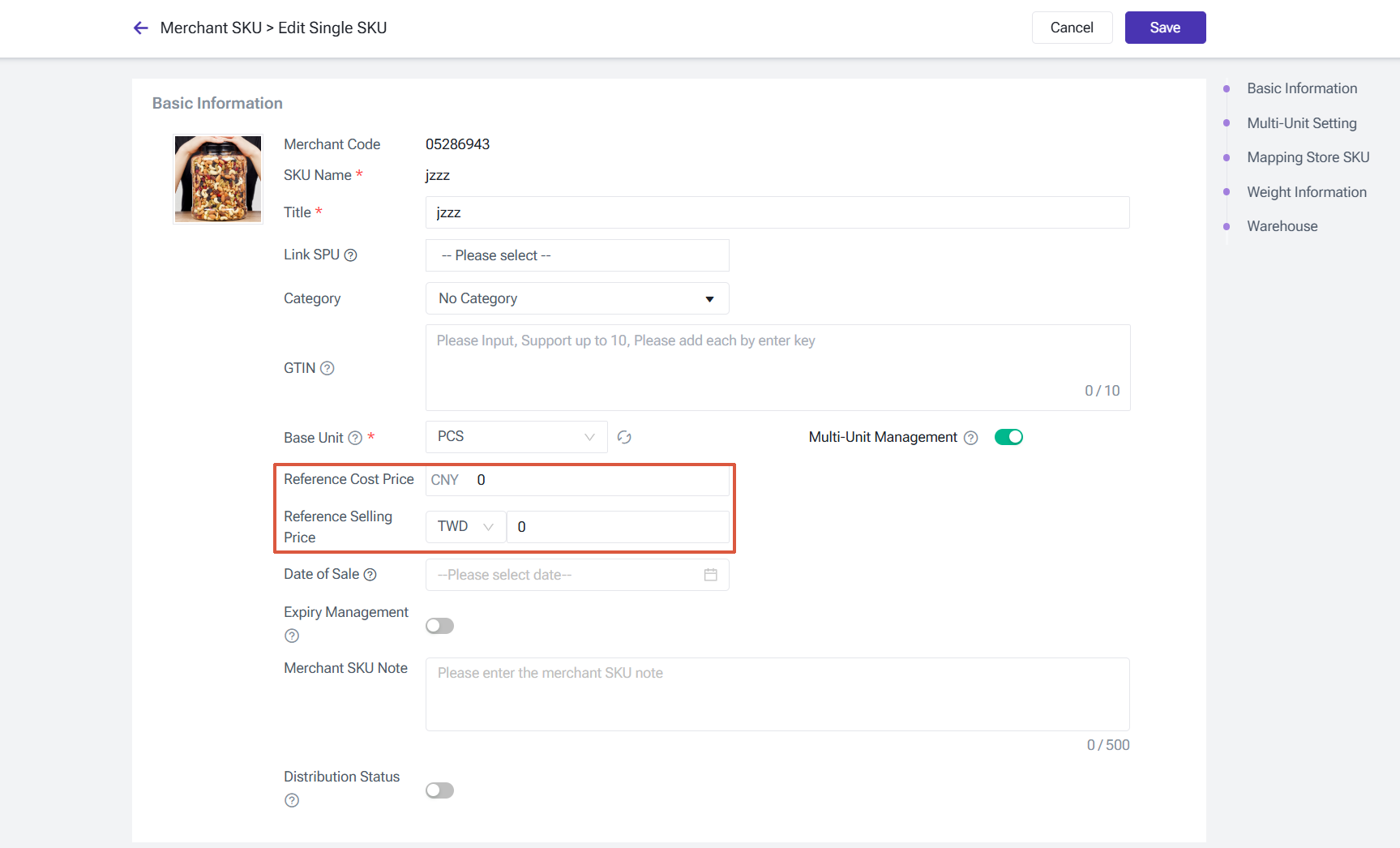
When creating a Merchant SKU, the following changes apply to price fields:
- The former Reference Price field is renamed to Reference Cost Price.
- A new Reference Selling Price field is added.
Is this content helpful?
Thank you for your feedback. It drives us to provide better service.
Please contact us if the document can't answer your questions