Introduction to Salesperson Management
Copy link & title
Update Time: 13 Apr 2026 10:45
BigSeller's Salesperson Management feature helps sellers achieve refined binding management between salespersons, orders, and customers — resolving issues around unclear performance attribution and disorganized data maintenance.
- Owners / Managers can use this feature to track team members' customer engagement and order follow-up activity, review overall sales data, and assign operation permissions by role.
- Salespersons can quickly locate the customers and orders they are responsible for, ensuring accurate performance attribution with no missed or misallocated records.
⚠️ Important note:
- Currently, only manual orders, messenger orders, and distribution orders support salesperson binding. Platform-synced orders (e.g. Shopee, Lazada) are not supported at this time.
Managing Salesperson Information
Salesperson records are maintained via the Manage Salespersons entry point in the Customer List. You can add, search, edit, and delete salesperson profiles here.
Navigation path: Marketing › Customer List › Manage Salespersons
Salesperson names must be unique — the system performs a uniqueness check to prevent duplicates.
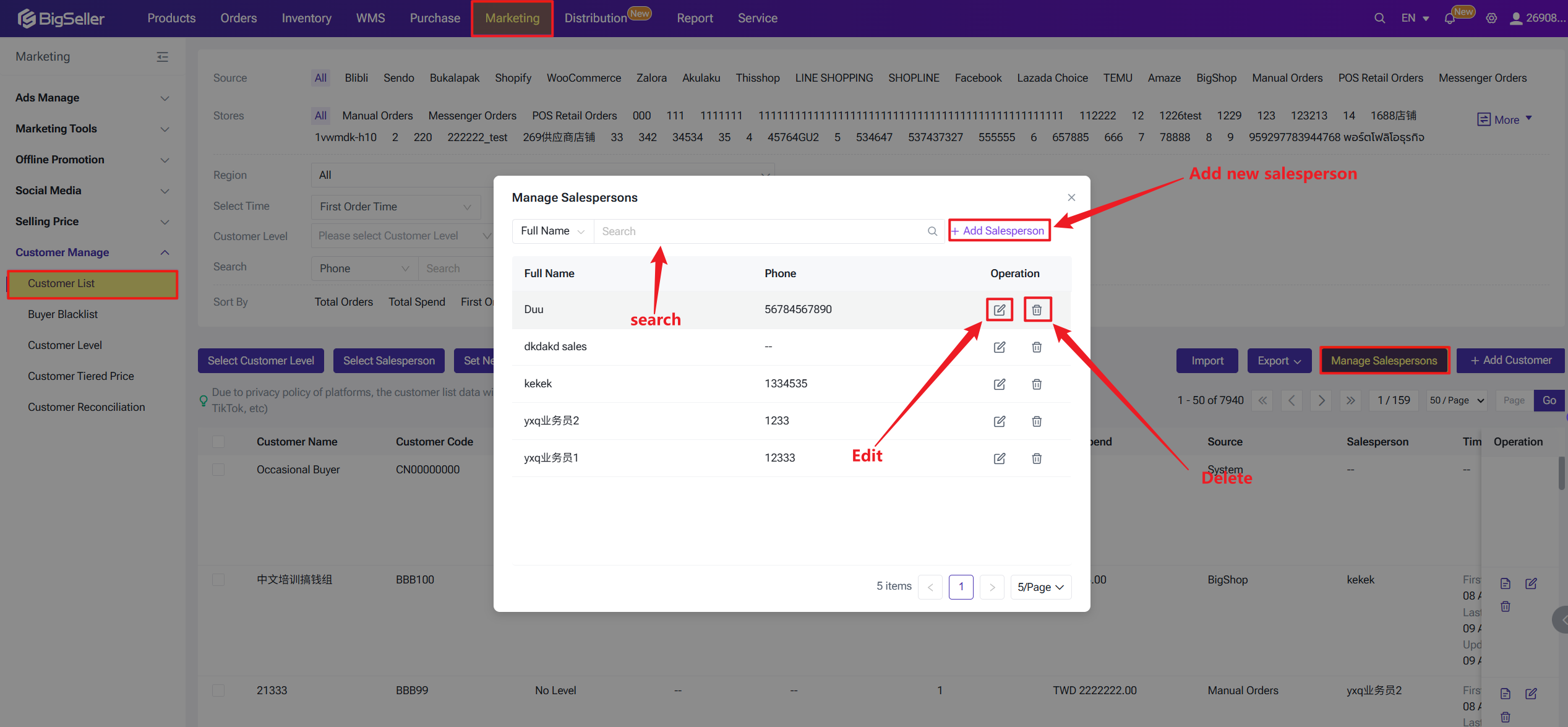
Navigation path: Marketing › Customer List › Manage Salespersons
Salesperson names must be unique — the system performs a uniqueness check to prevent duplicates.
Binding a Salesperson to a Customer
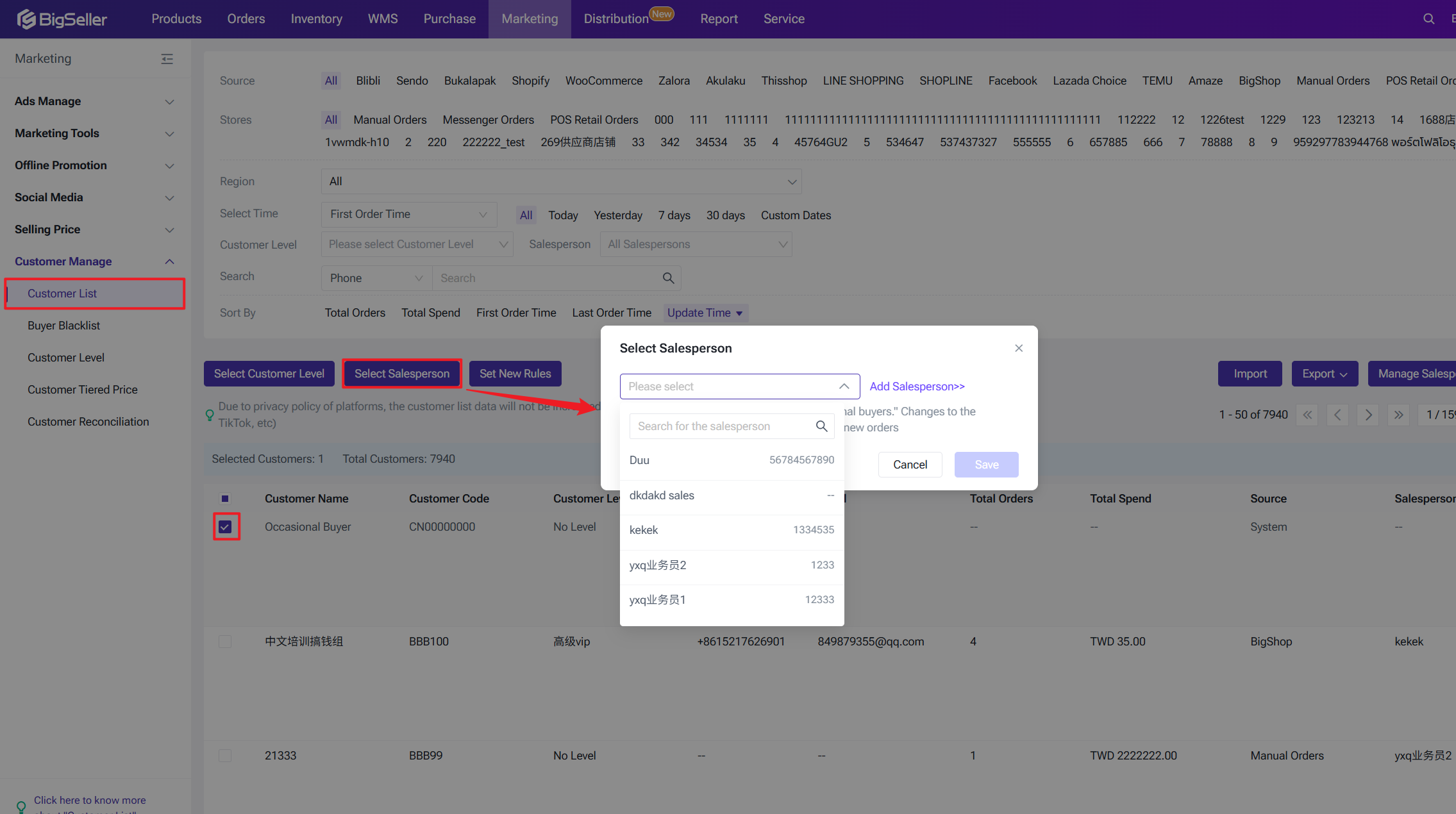
You can bind or change the assigned salesperson for a customer directly from the Customer List page.
Once a salesperson is bound, their name will appear against the customer in the Customer List.
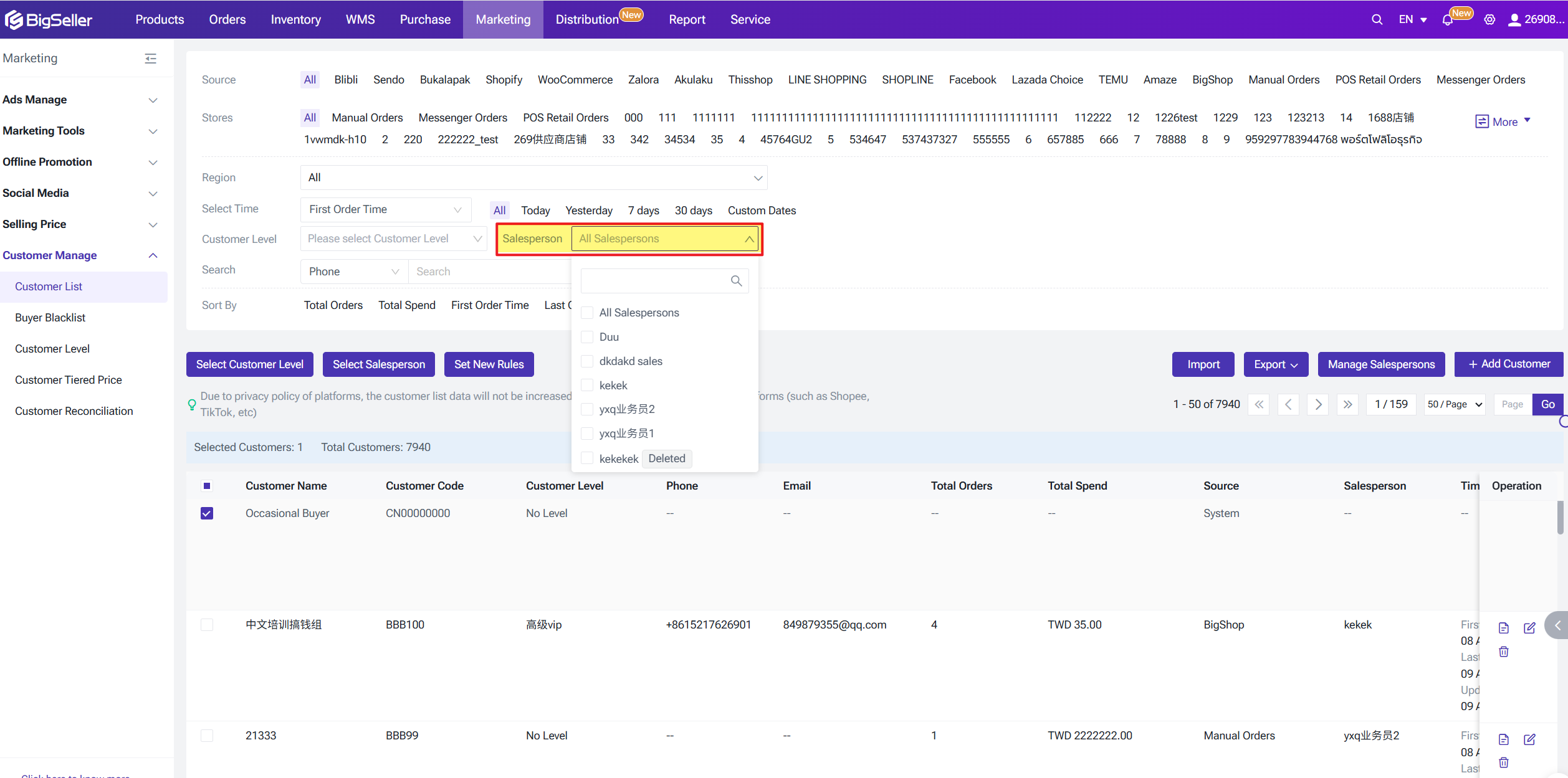
You can also use the salesperson filter in the filter bar to quickly locate customers assigned to a specific salesperson.
Note: Changing a customer's salesperson only applies to new orders created after the change. It does not modify the salesperson recorded on historical orders.
Once a salesperson is bound, their name will appear against the customer in the Customer List.
You can also use the salesperson filter in the filter bar to quickly locate customers assigned to a specific salesperson.
Note: Changing a customer's salesperson only applies to new orders created after the change. It does not modify the salesperson recorded on historical orders.
Salesperson in Customer Reconciliations
The Customer Reconciliarion list now includes a salesperson field that supports filtering, display, and export — making it easy to reconcile sales data by salesperson.
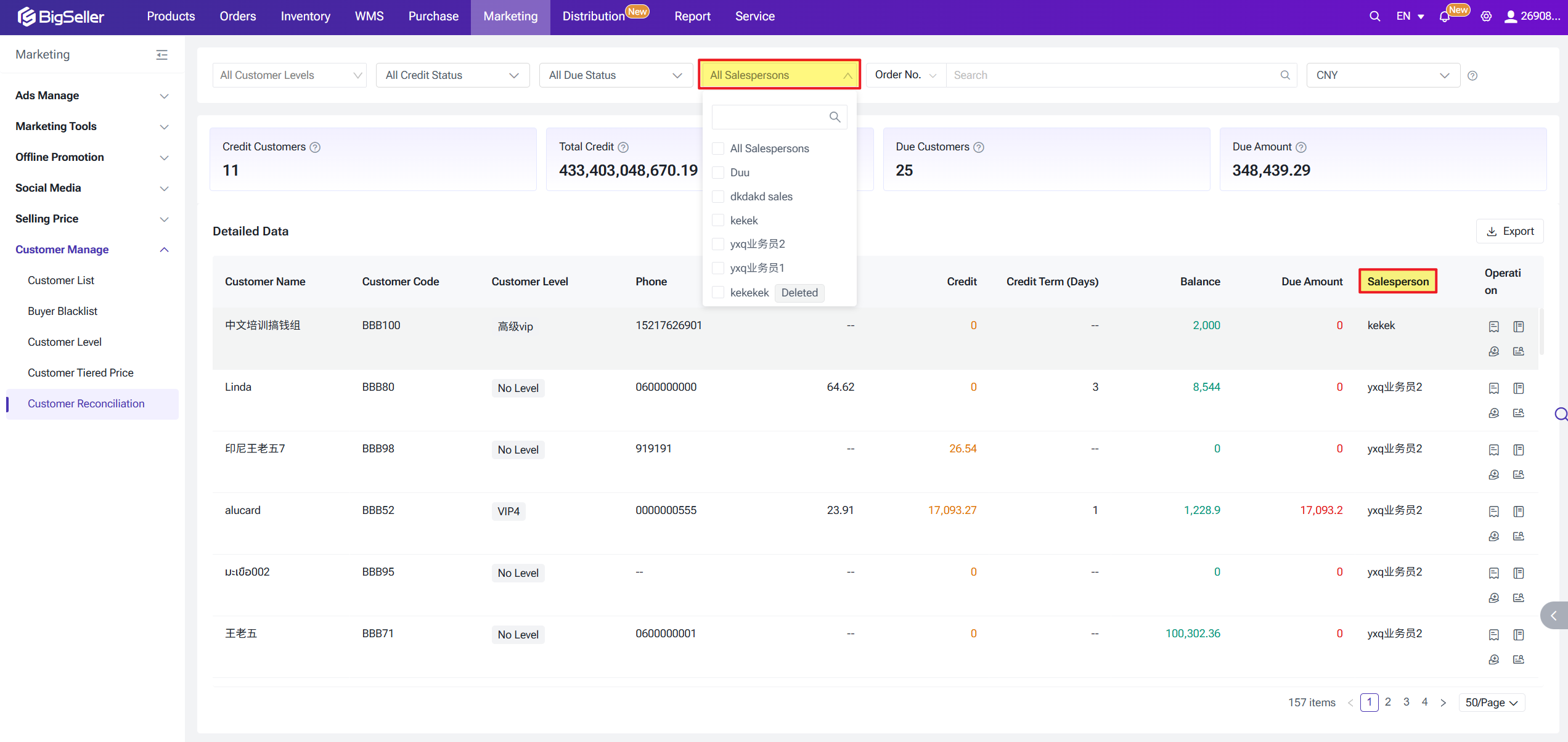
Associating a Salesperson with Orders
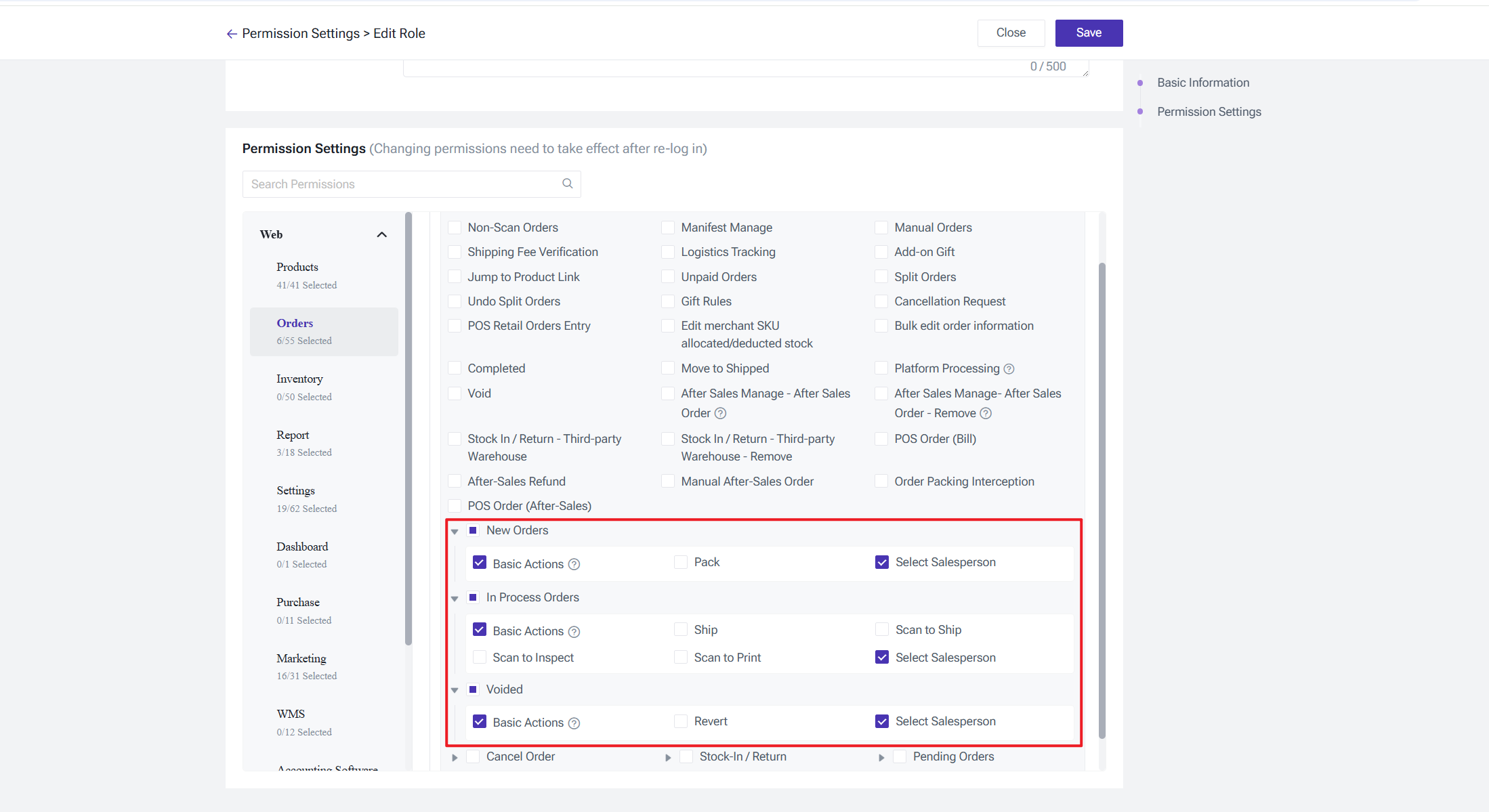
The following order list views support adding or modifying the salesperson associated with an order: New Orders, In Processing Orders, Voided Order, and Order Entry – Pending Review.
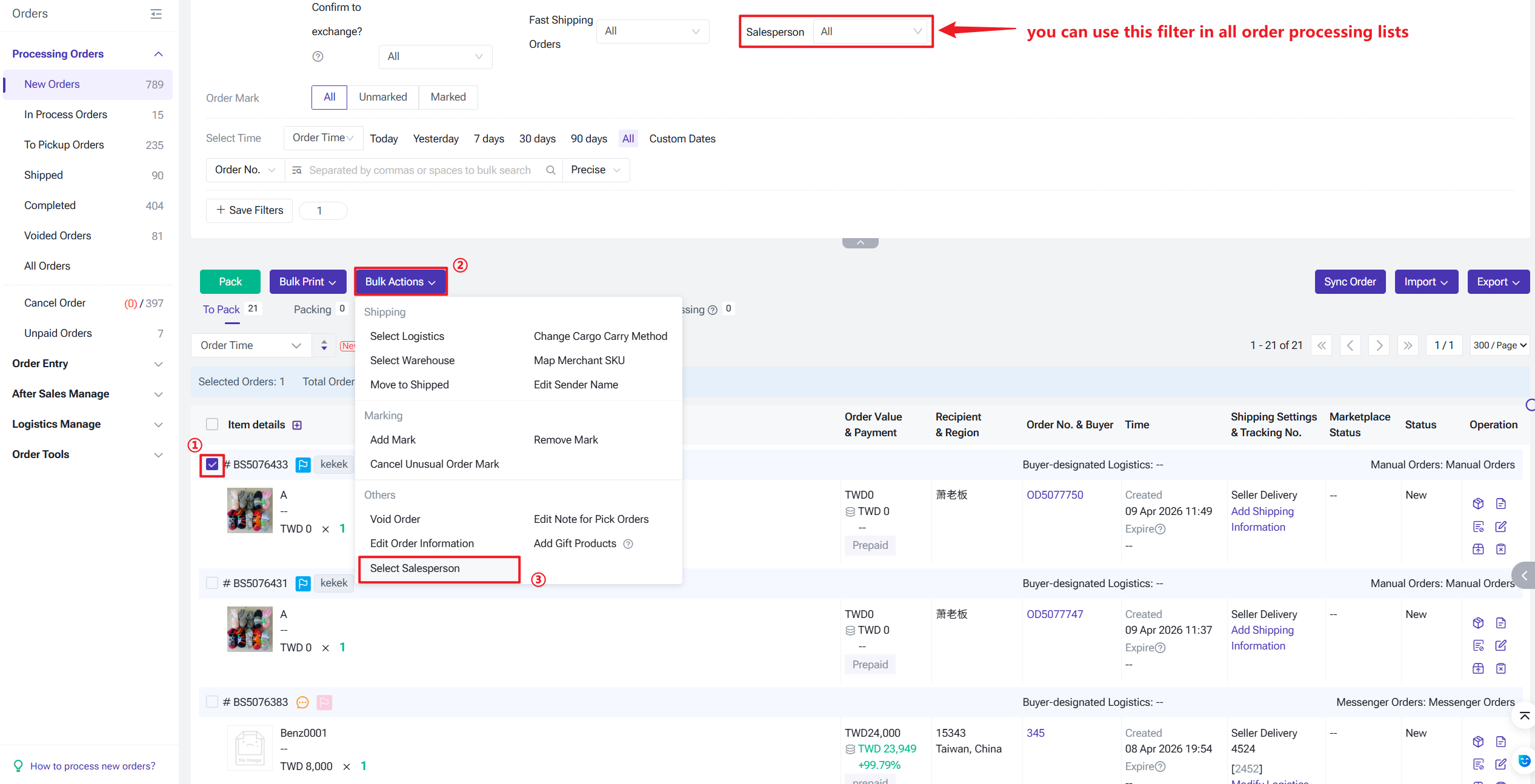
You can also open an individual order's Edit page to modify its assigned salesperson.
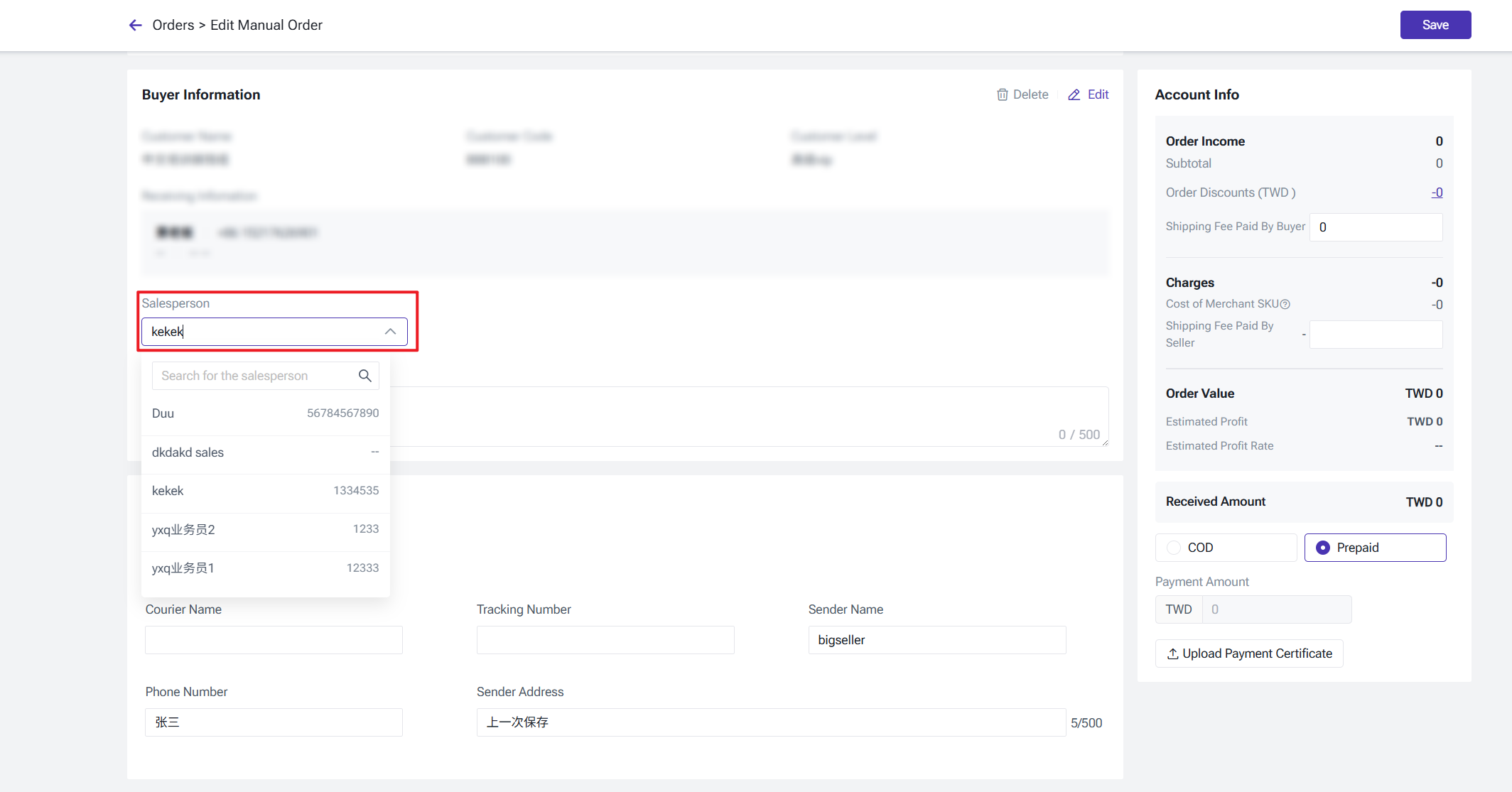
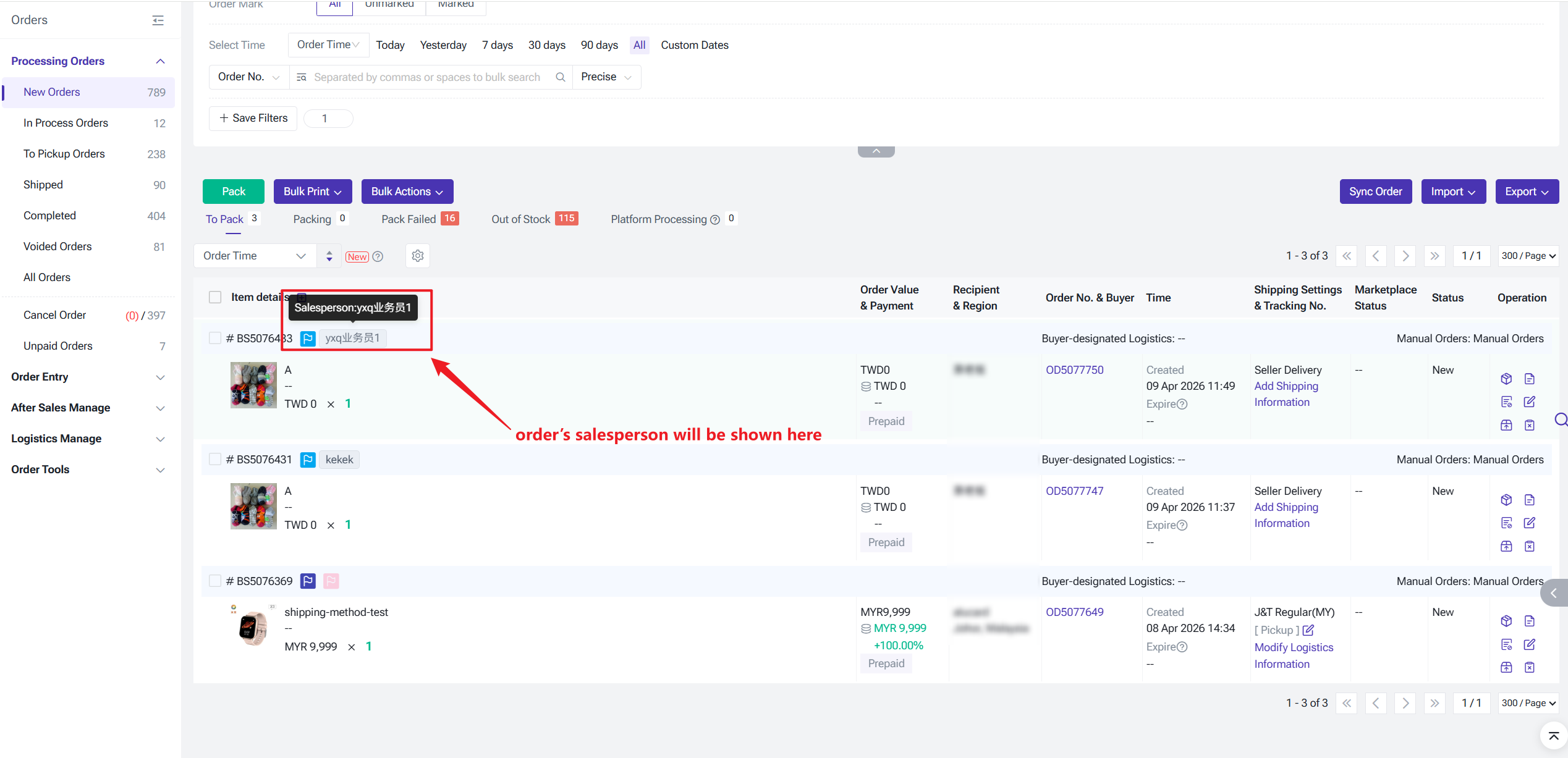
When creating or editing a manual order, messenger order, or distribution order, the salesperson field follows the buyer information and is managed within the buyer information section.
Modifying an order's salesperson does not change the salesperson bound to the customer profile.
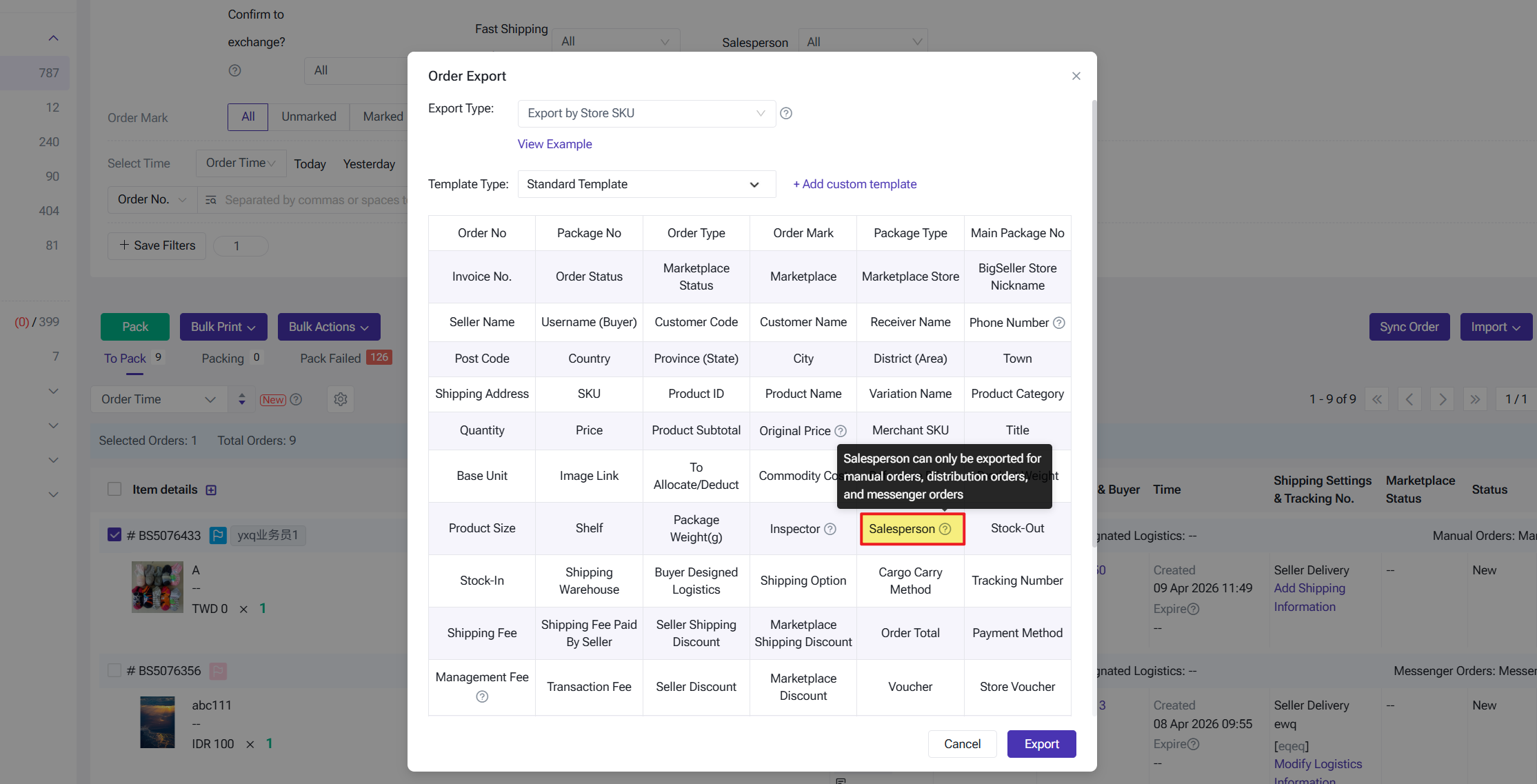
Salespersons for orders can also be exported for further analysis.
You can also open an individual order's Edit page to modify its assigned salesperson.
When creating or editing a manual order, messenger order, or distribution order, the salesperson field follows the buyer information and is managed within the buyer information section.
Modifying an order's salesperson does not change the salesperson bound to the customer profile.
Salespersons for orders can also be exported for further analysis.
Permission Controls
Administrators can configure fine-grained access permissions for salesperson-related features across sub-accounts via Role Settings.
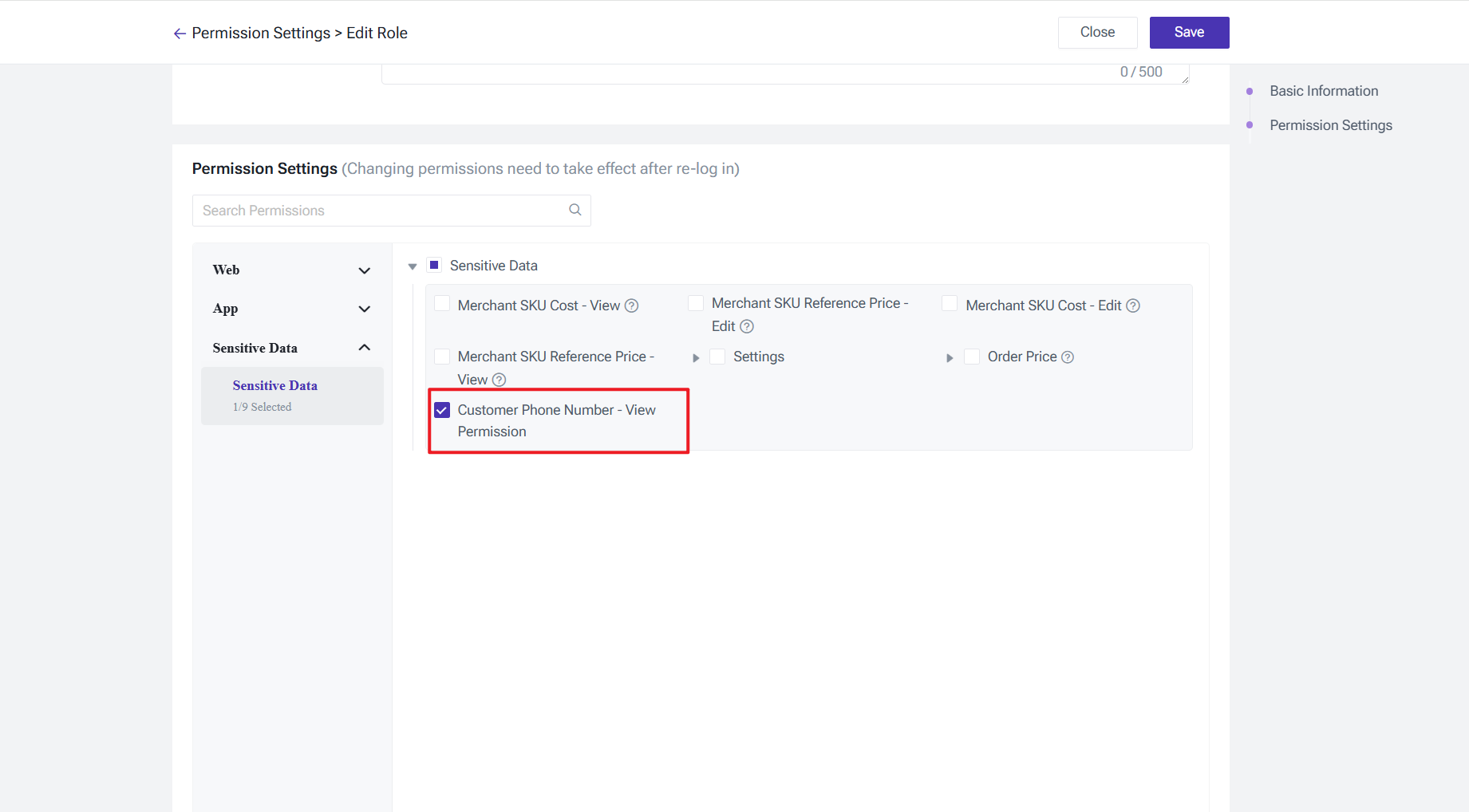
A new Customer Phone Number – View Permission has been added under Role Settings → Sensitive Data:
A new Customer Phone Number – View Permission has been added under Role Settings → Sensitive Data:
- Enabled: Full phone numbers are displayed normally.
- Disabled: In order details and exported files, phone numbers display only the last 4 digits (e.g. +86 *******7413).
Is this content helpful?
Thank you for your feedback. It drives us to provide better service.
Please contact us if the document can't answer your questions