How to Process Third Party Warehouse Orders Using the BigSeller APP?
Update Time: 24 Nov 2025 14:07
On the New Orders, In Process / Shipping, and To Pickup pages, you can filter orders by third-party warehouse.
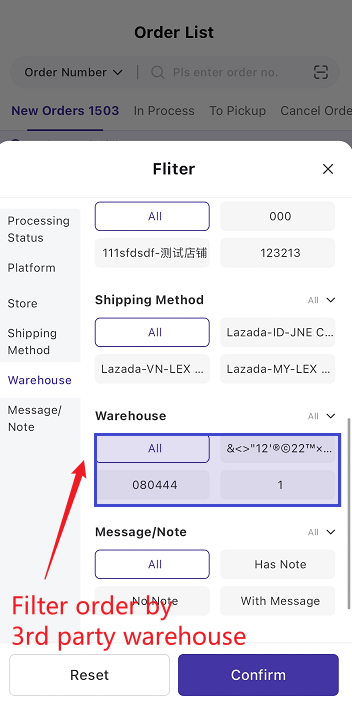
1. Notes
-
Third-party warehouse orders are supported for Shopee, Lazada, TikTok, Blibli, Bukalapak, and Temu.
-
Manual orders are only supported for certain third-party warehouses.
-
When an order status is updated, BigSeller will automatically sync the latest status from the platform.
-
If the fulfillment warehouse is a third-party warehouse and the order contains SKUs that have not been pushed to the warehouse, you must first push the SKU to the warehouse before arrangement.
-
Orders using Seller Delivery cannot be fulfilled by third-party warehouses. Only platform-assigned logistics orders can be pushed to third-party warehouses. Please do not push offline/self-delivery orders to third-party warehouses, otherwise the order cannot be shipped and may become overdue.
2. Order Processing Flow in the APP
Step 1: When new orders sync into the system, they will appear in the New Orders list.
Tap [Pack] to pack the order.
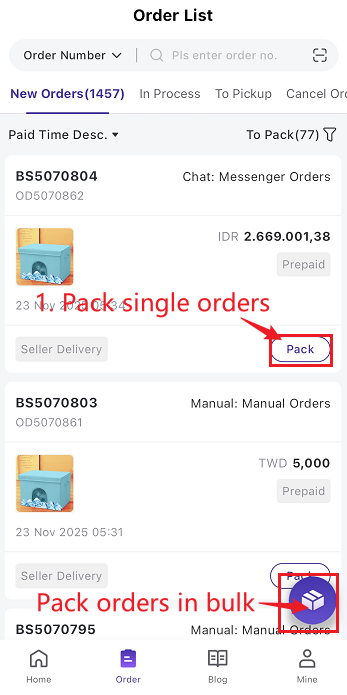
Step 2: After packing successfully, orders will be pushed to third party warehouse and move to In Process Orders / Shipping.
You can check the push status on In Process Orders / Shipping Page > Third-Party Warehouse tab.
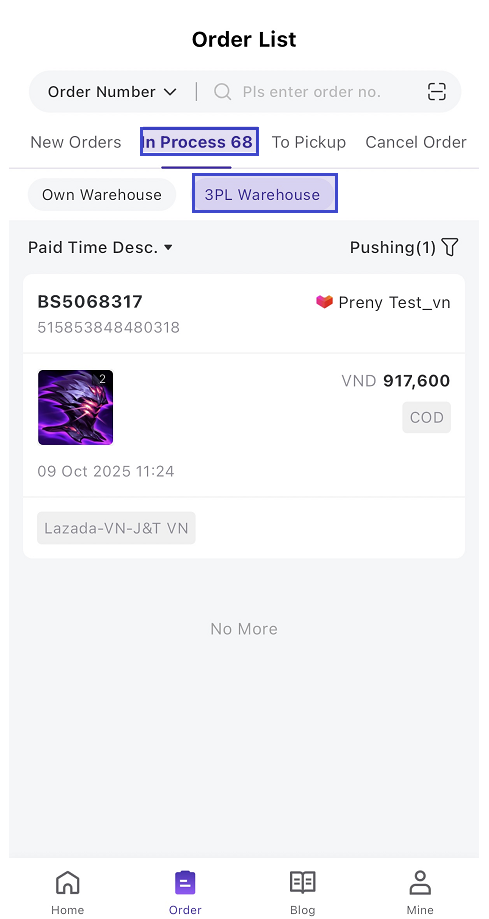
Push Status Types: Pushing, Push Successful, Push Failed, Withdrawn, Withdraw Failed
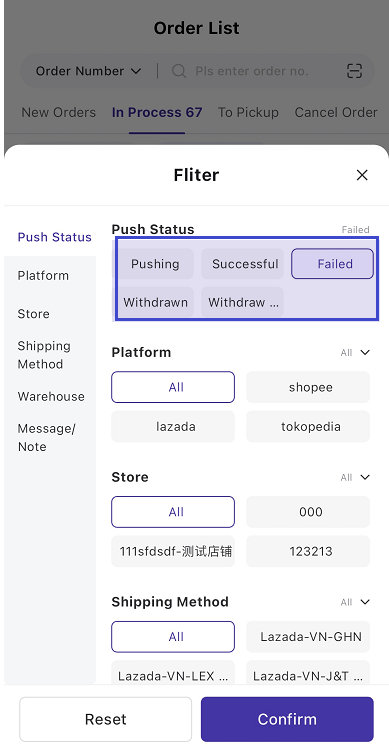
- If the push succeeds → moved to Push Successful
- If the push fails → moved to Push Failed
2) Push Successful
- Orders that have been successfully created in the third-party warehouse system.
- Manual withdrawal is supported, except for orders that have already been shipped by the warehouse.
- Withdraw successful → moved to Withdrawn and can be pushed again
- Withdraw Failed → moved to Withdraw Failed with error details
3) Push Failed
- If an order fails to be pushed due to specific reasons, you can manually re-push it.
Step 3: After a successful push, the system automatically receives status updates returned by the warehouse.
Once the warehouse ships the order, it will move to the To Pickup Orders page.
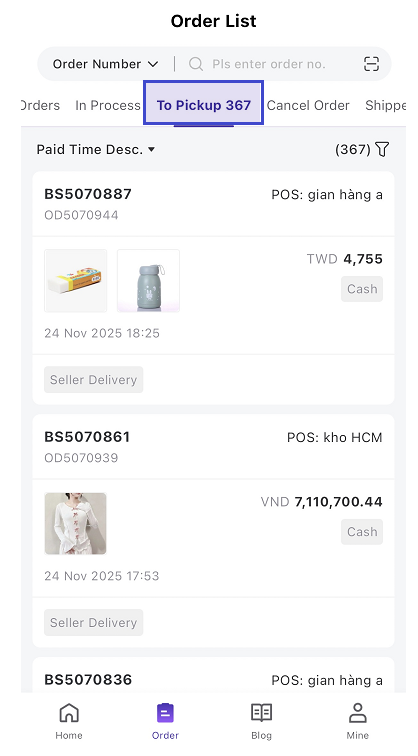
The system will automatically update the order status according to logistics information, moving it sequentially to Shipped and Completed.
3. FAQ
Q1. If an order already pushed to a third-party warehouse is cancelled or partially cancelled, will BigSeller automatically withdraw it?
A1. After an order is pushed to a third-party warehouse, when the platform updates the order status to “Cancelled” or “Partially Cancelled,” BigSeller will automatically withdraw the order.
- Orders successfully withdrawn will appear in the Withdrawn list.
- Orders that fail to withdraw will appear in the Withdraw Failed list.
1) BigSeller always performs a full withdrawal, regardless of whether the cancellation is partial or full. For partially cancelled orders, you can manually re-push the order; BigSeller will only push the non-cancelled items to the warehouse.
2) If an order has already been withdrawn and the buyer later reverses the cancellation, BigSeller will not automatically re-push the order. You must manually push it again from the Withdrawn list.
Q2. What should I do if withdrawing an order shows “Warehouse has already shipped; withdraw is not supported”?
A2. Please contact the warehouse staff immediately and request them not to process or dispatch the order..
Q3. Can I manually withdrawl an order that has been pushed to the warehouse?
A3. Yes.But orders already shipped by the warehouse cannot be withdrawn.
Is this content helpful?
Thank you for your feedback. It drives us to provide better service.
Please contact us if the document can't answer your questions