How to Authorize Pos Laju (Malaysia)?
Copy link & title
Update Time: 06 Jul 2026 01:23
Pos Malaysia is Malaysia’s national post and parcel service provider, holding the sole mandate to deliver services under the universal postal service obligation for the country.
Nowadays, you can authorize your POS Laju account on BigSeller and use it as a 3PL in daily workflow.
Once a 3PL is authorized, you can select the shipping methods it provides when processing orders in BigSeller. When an order is packed, BigSeller will automatically retrieve the tracking number and shipping label from the logistics provider.

Nowadays, you can authorize your POS Laju account on BigSeller and use it as a 3PL in daily workflow.
Once a 3PL is authorized, you can select the shipping methods it provides when processing orders in BigSeller. When an order is packed, BigSeller will automatically retrieve the tracking number and shipping label from the logistics provider.
Step 1: Obtain your API credentials
Log in to the Pos Laju dashboard and go to Integration > Add Store to generate your credentials.
On the store creation page, enter the required information (including your store URL) to generate your Client ID and Client Secret. Copy both values once generated.
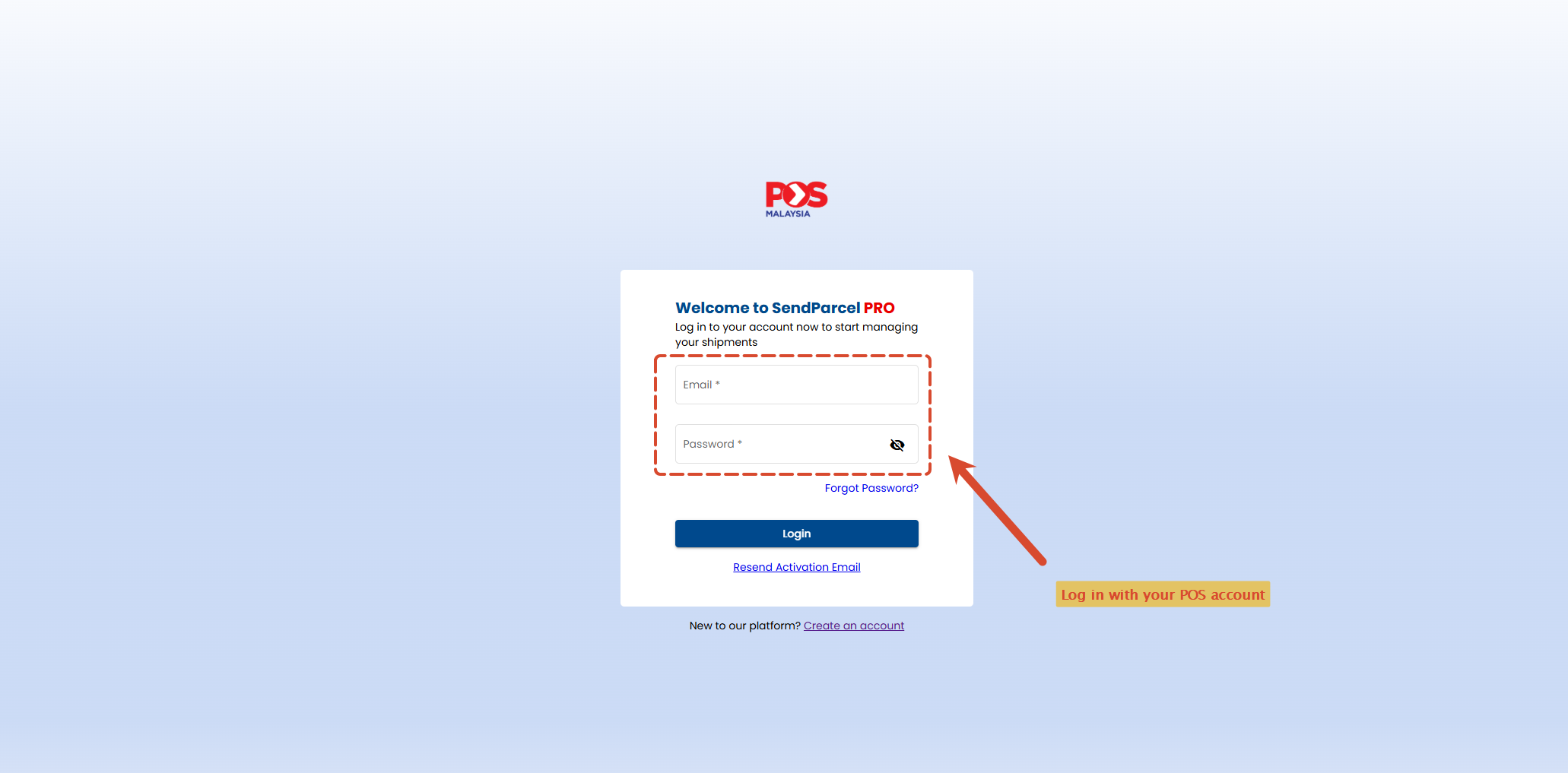
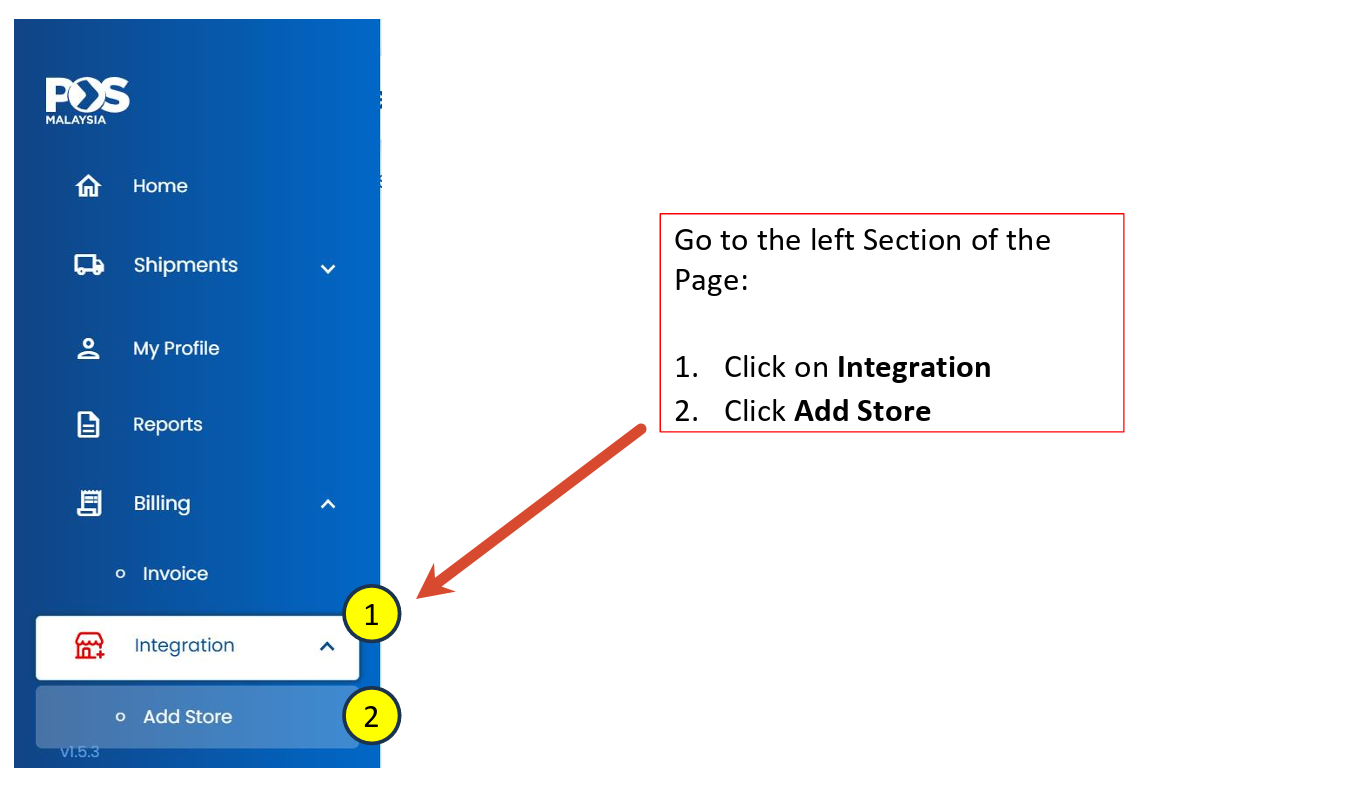
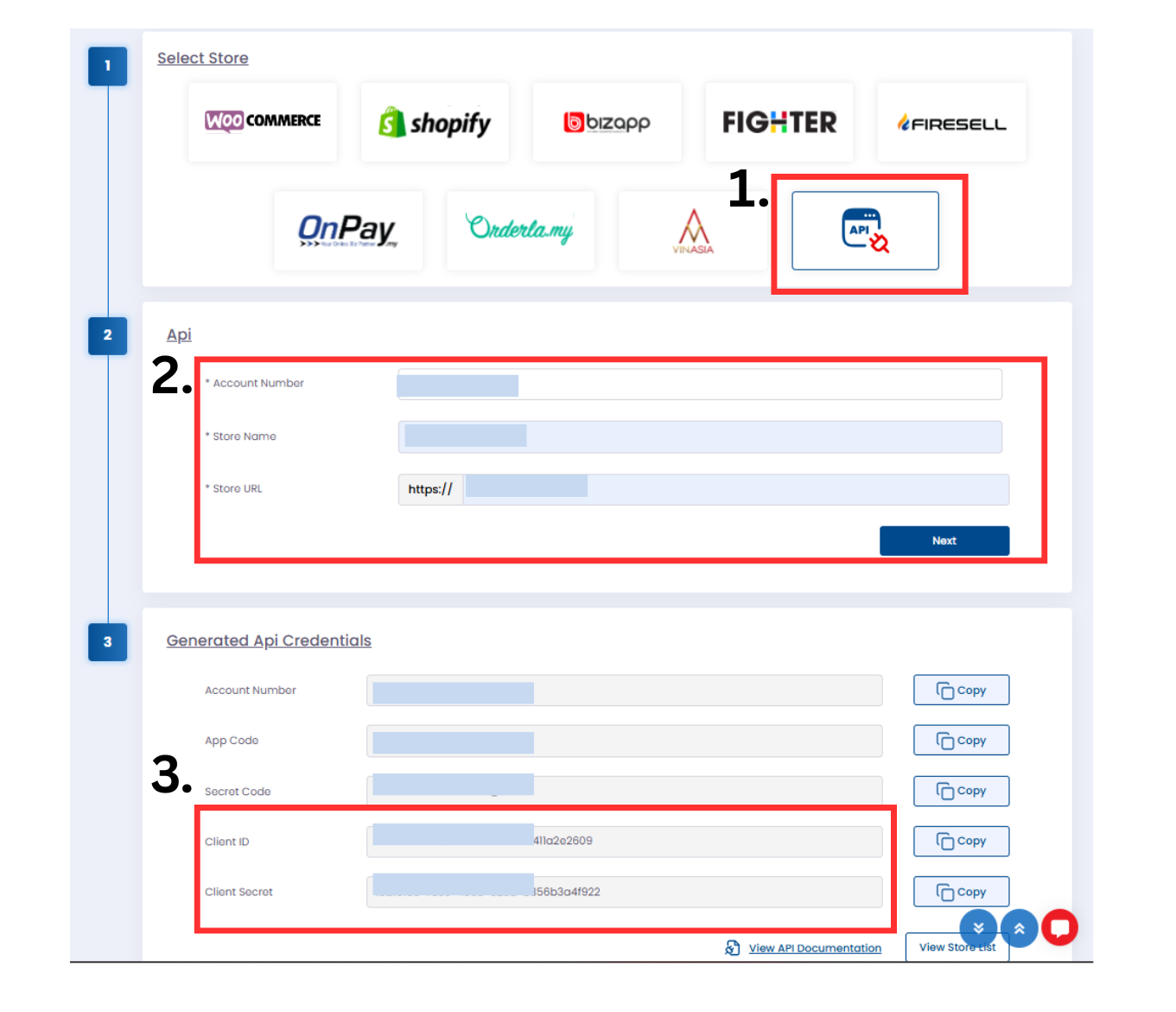
On the store creation page, enter the required information (including your store URL) to generate your Client ID and Client Secret. Copy both values once generated.
Step 2: Authorize in BigSeller
Go to Settings > Authorization Center > Authorize Third-Party Logistics > Select a site > Click Authorize. In the authorization window, paste your Client ID, Client Secret and Account Number to complete the authorization.
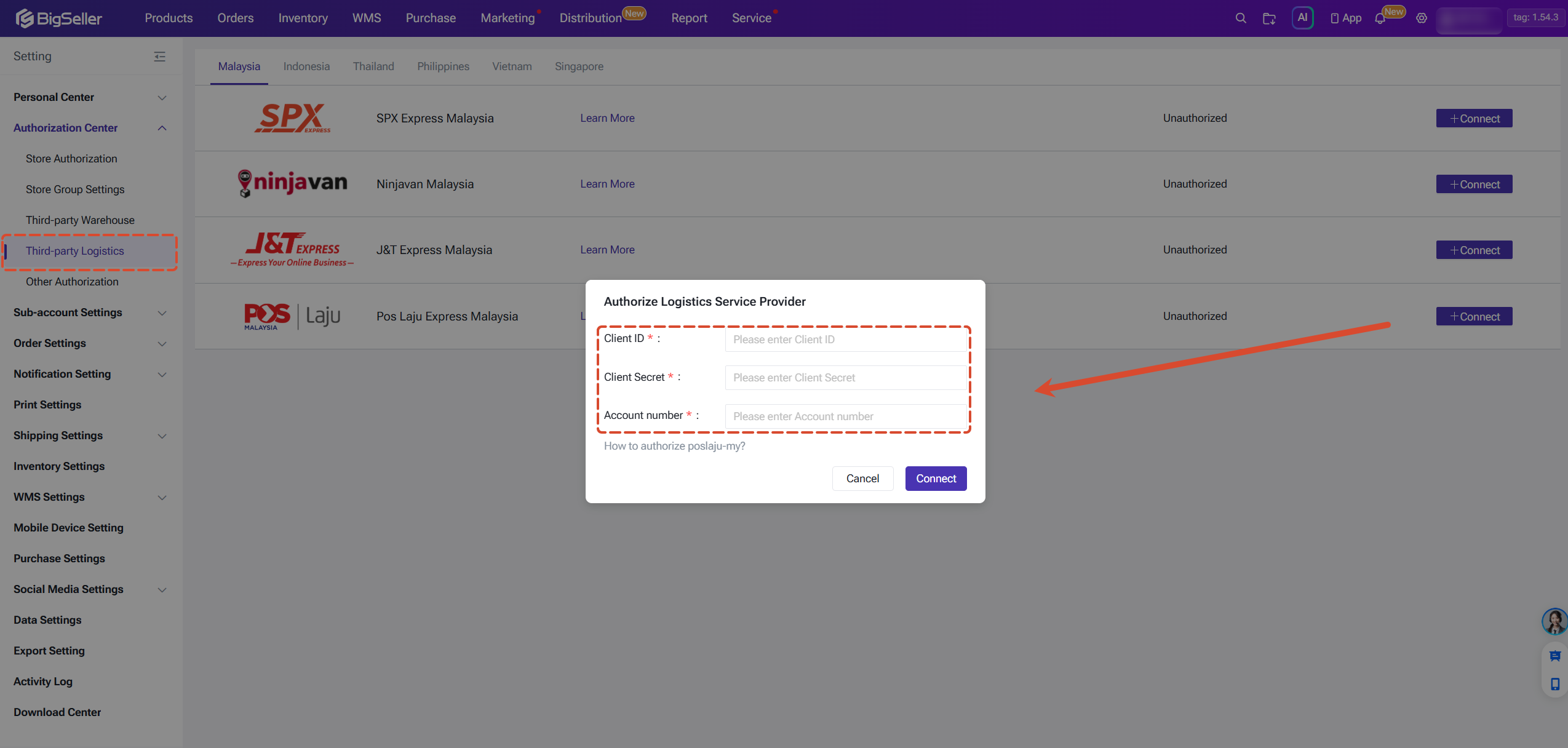
Step 3: Enable & Configure Logistics Settings
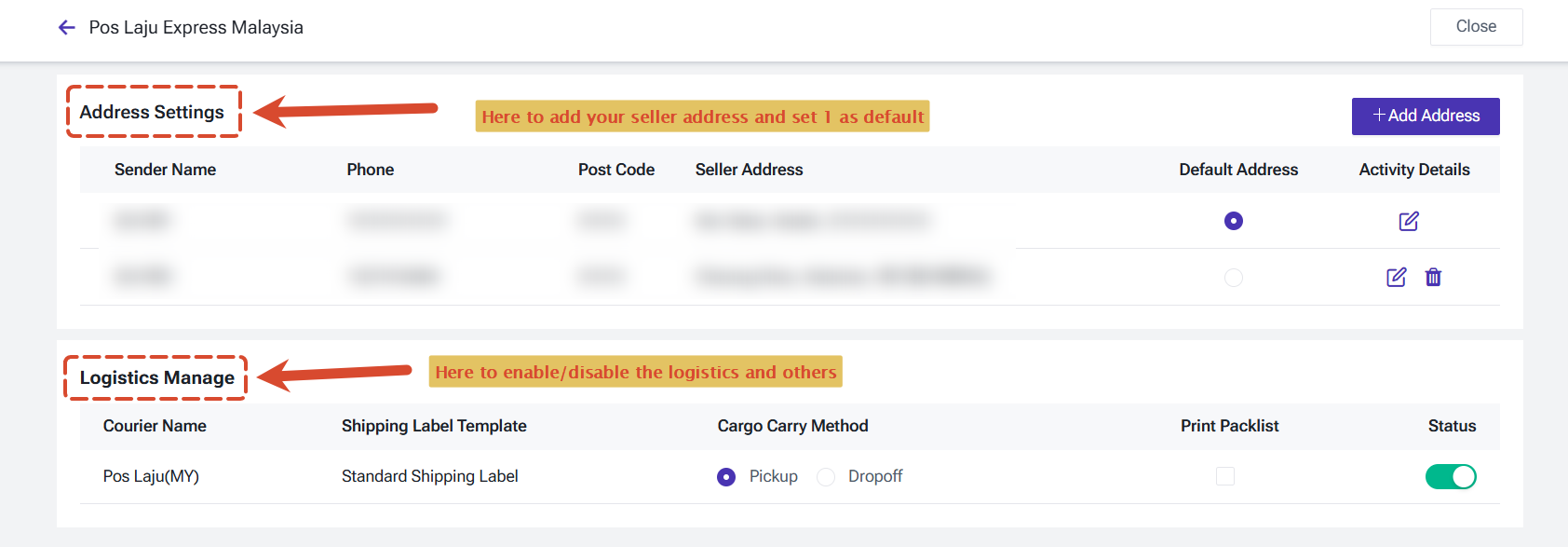
After authorization, go to Settings > Authorization Center > Third-Party Logistics > Click Edit to configure your sender address, pickup method, whether to attach a packing list, and the enabled/disabled status of each shipping method.
After successful authorization, you can officially use POS Laju service on BigSeller. See details in: How to use 3PL logistics service in BigSeller?
After successful authorization, you can officially use POS Laju service on BigSeller. See details in: How to use 3PL logistics service in BigSeller?
Is this content helpful?
Thank you for your feedback. It drives us to provide better service.
Please contact us if the document can't answer your questions