How to connect EasyParcel Singapore with BigSeller?
Copy link & title
Update Time: 04 Nov 2026 09:35
You can connect EasyParcel Singapore with BigSeller to pack and ship your manual orders/ messenger orders/ Facebook orders/ Shopify orders/ WooCommerce orders.
1. Logistics Introduction
- As a web-based parcel consolidator and E-commerce shipping solutions provider, EasyParcel provides easy-access solutions for delivery service bookings, connecting with more than 10 logistics service providers including J&T Express, NinjaVan and Singpost.
- After connecting with EasyParcel in BigSeller, you can select the logistics that EasyParcel connects to after checking the shipping fee on New Orders list.
- *Before you ship orders with EasyParcel, please ensure that there is sufficient balance in your EasyParcel account. (Please go to the official website of EasyParcel for details.)
2. Connection Steps
Step 1: Register an EasyParcel account (Official Website: https://easyparcel.com/sg/)
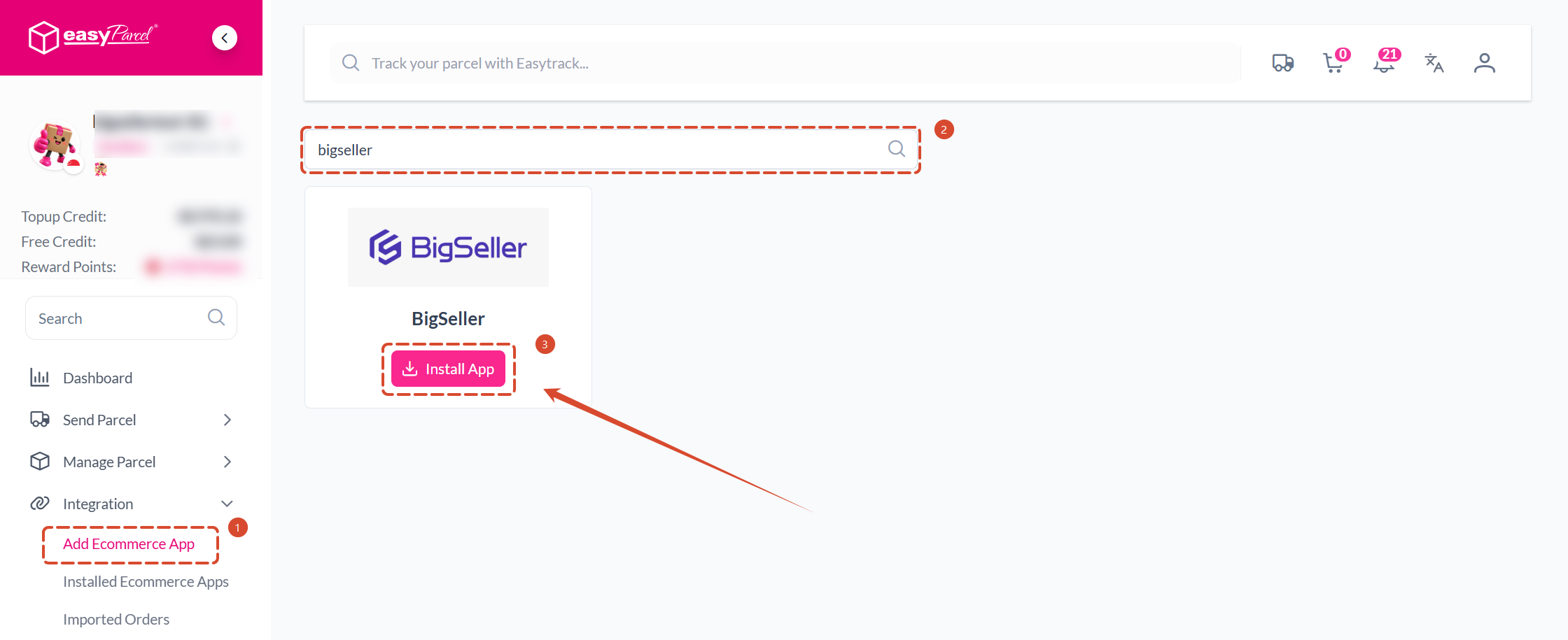
Step 2: Login EasyParcel > Integration > Add Ecommerce App, search for BigSeller and install the App.
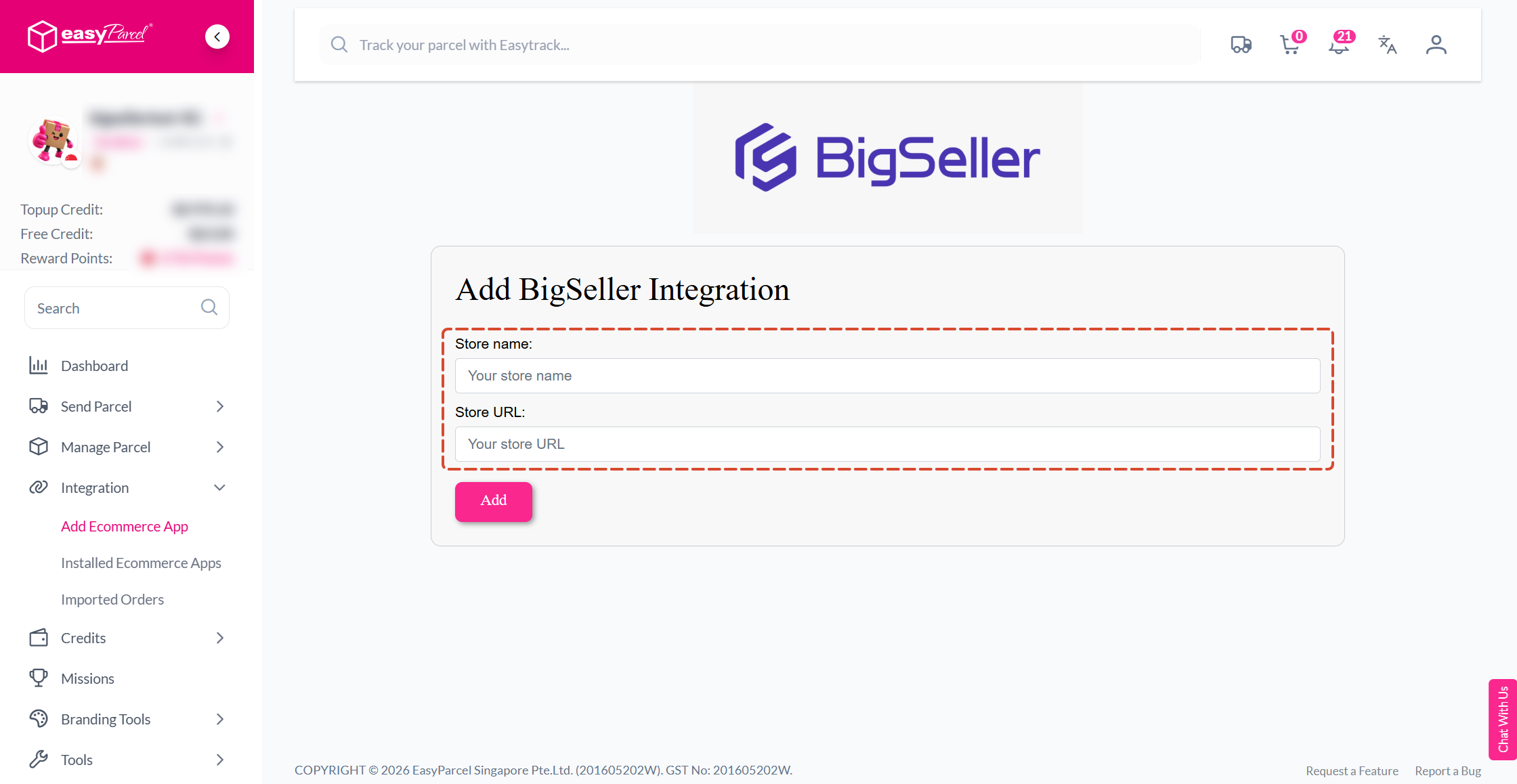
Fill in the corresponding Store Name and URL.
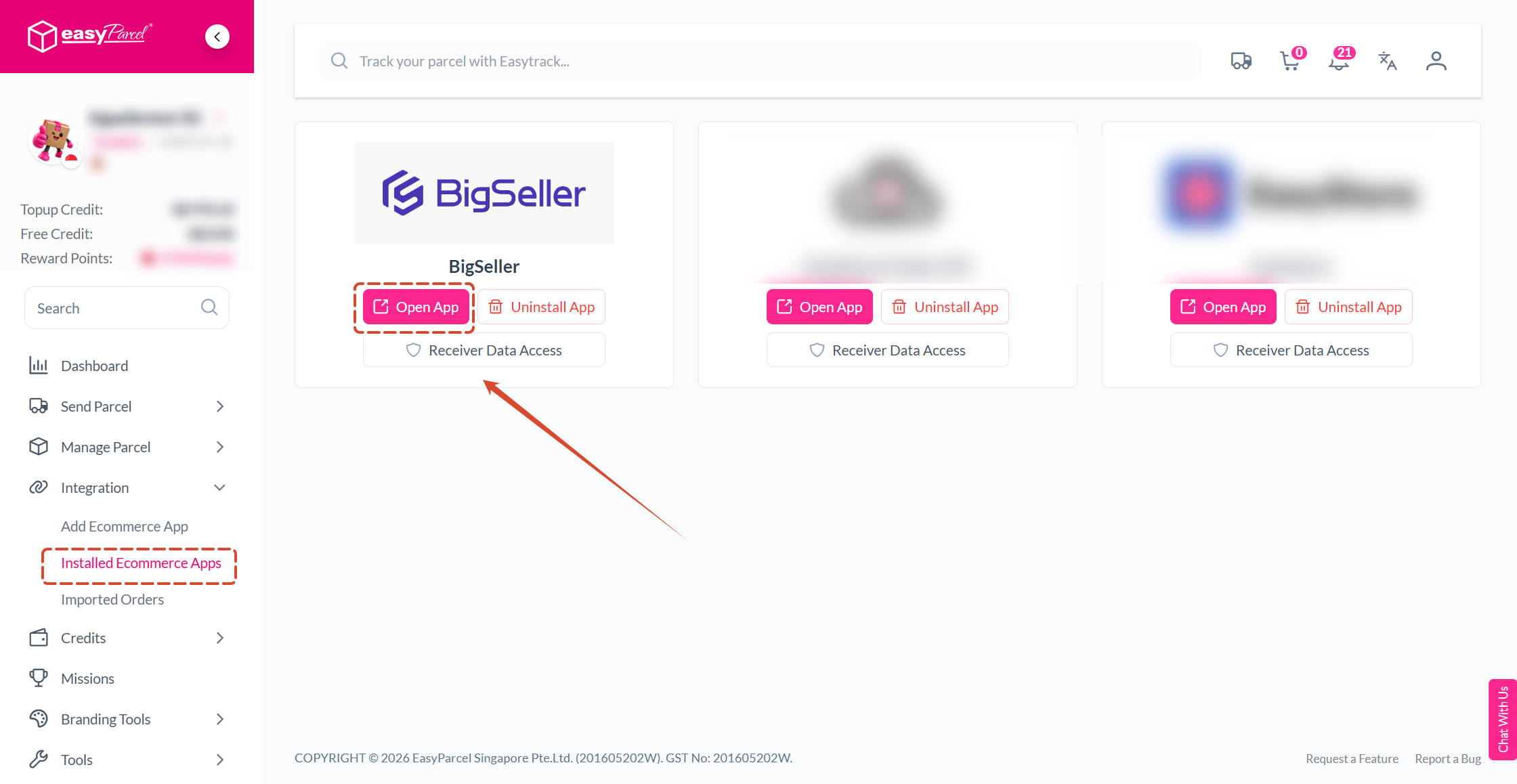
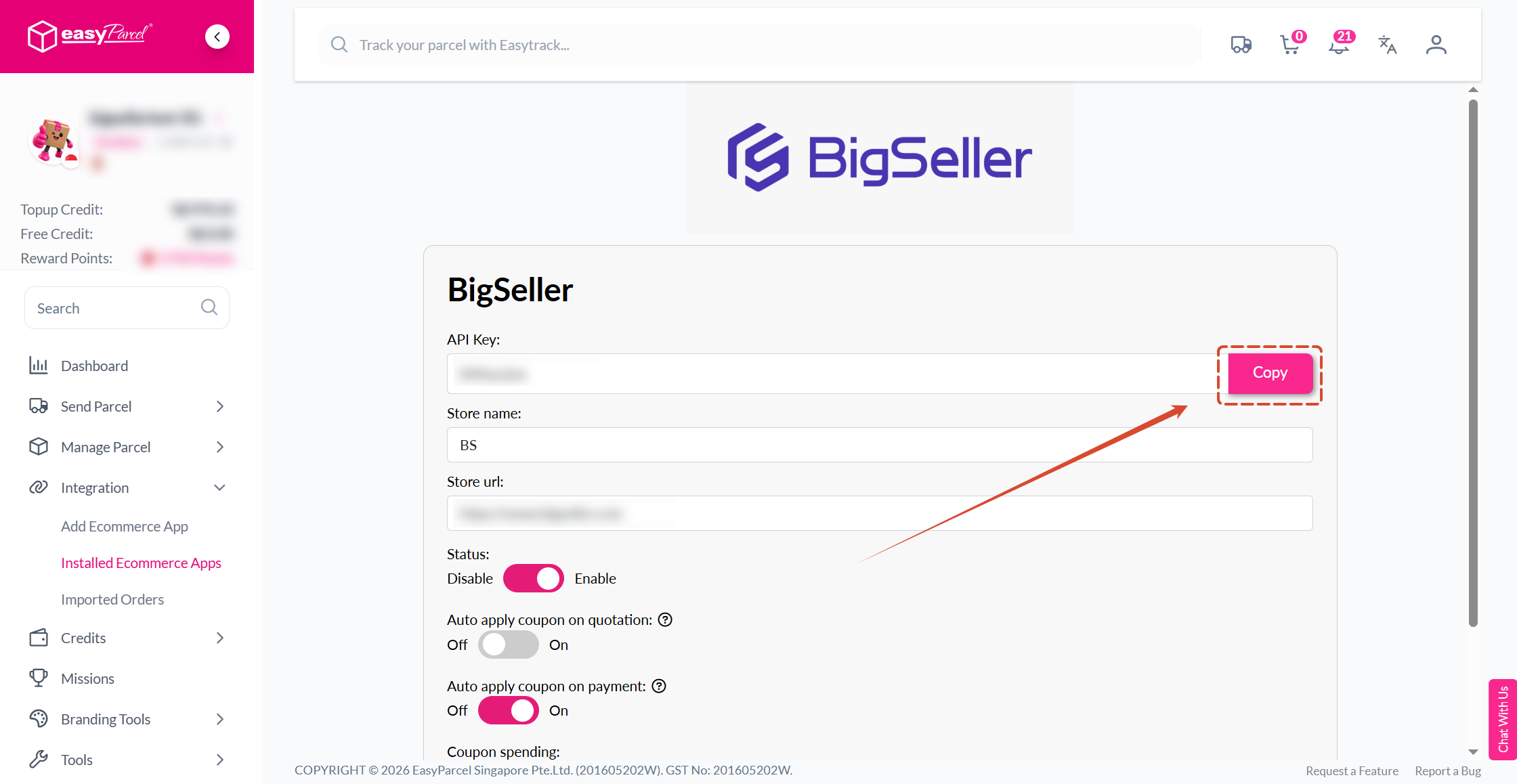
Go to: Installed Ecommerce Apps, open the App, and copy your API Key.
Step 3: login BigSeller > go to Setting > Authorization Center > Third-party Logistics > Singapore > EasyParcel Singapore > Connect


Step 4: Set Shipping Info


Step 2: Login EasyParcel > Integration > Add Ecommerce App, search for BigSeller and install the App.
Fill in the corresponding Store Name and URL.
Go to: Installed Ecommerce Apps, open the App, and copy your API Key.
Step 3: login BigSeller > go to Setting > Authorization Center > Third-party Logistics > Singapore > EasyParcel Singapore > Connect
Step 4: Set Shipping Info
3. Compare Shipping Rate
3.1 Order Creating Page
After filling in the buyer info and Merchant SKU info, you can click "Compare EasyParcel shipping rate" to choose logistics based on the shipping fee.


3.2 Bulk Modification
On New Orders page, you can select/change logistics for multiple orders.


After selecting and saving the order, you can ship your orders with 3PL. How to use 3PL logistics service in BigSeller?
After filling in the buyer info and Merchant SKU info, you can click "Compare EasyParcel shipping rate" to choose logistics based on the shipping fee.
3.2 Bulk Modification
On New Orders page, you can select/change logistics for multiple orders.
After selecting and saving the order, you can ship your orders with 3PL. How to use 3PL logistics service in BigSeller?
Is this content helpful?
Thank you for your feedback. It drives us to provide better service.
Please contact us if the document can't answer your questions