How can I fix the issue that my Claude can't call the BigSeller MCP?
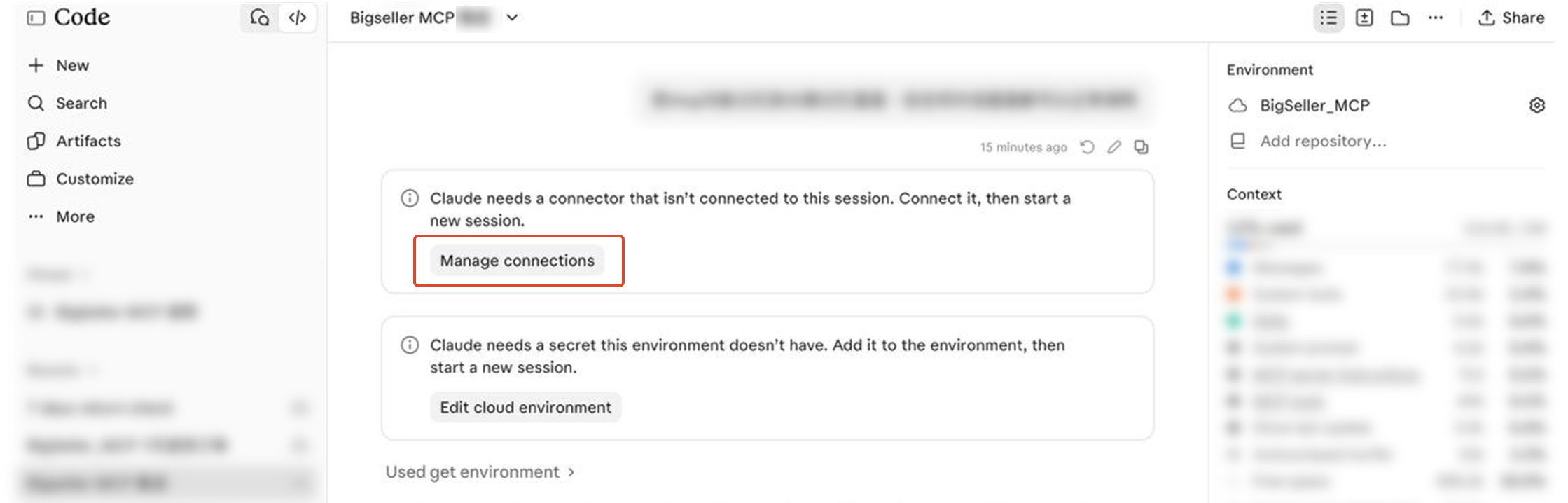
Step 1: If Claude AI prompts you to add a connector, click Manage Connections.
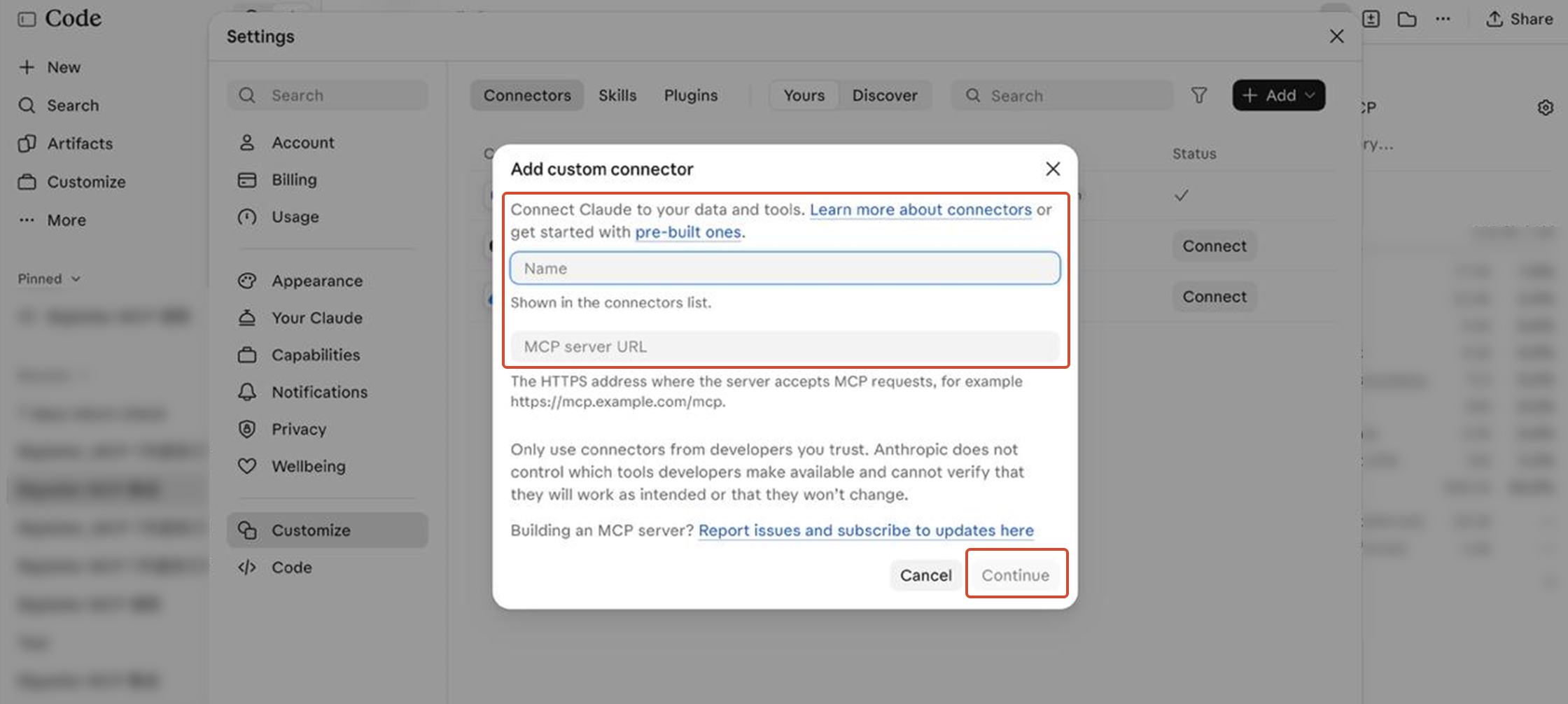
Step 2: Enter BigSeller MCP as the name and paste the following URL:
https://mcp.bigseller.pro/mcp?app_id=(insert your add id)&app_key=(insert your add key)
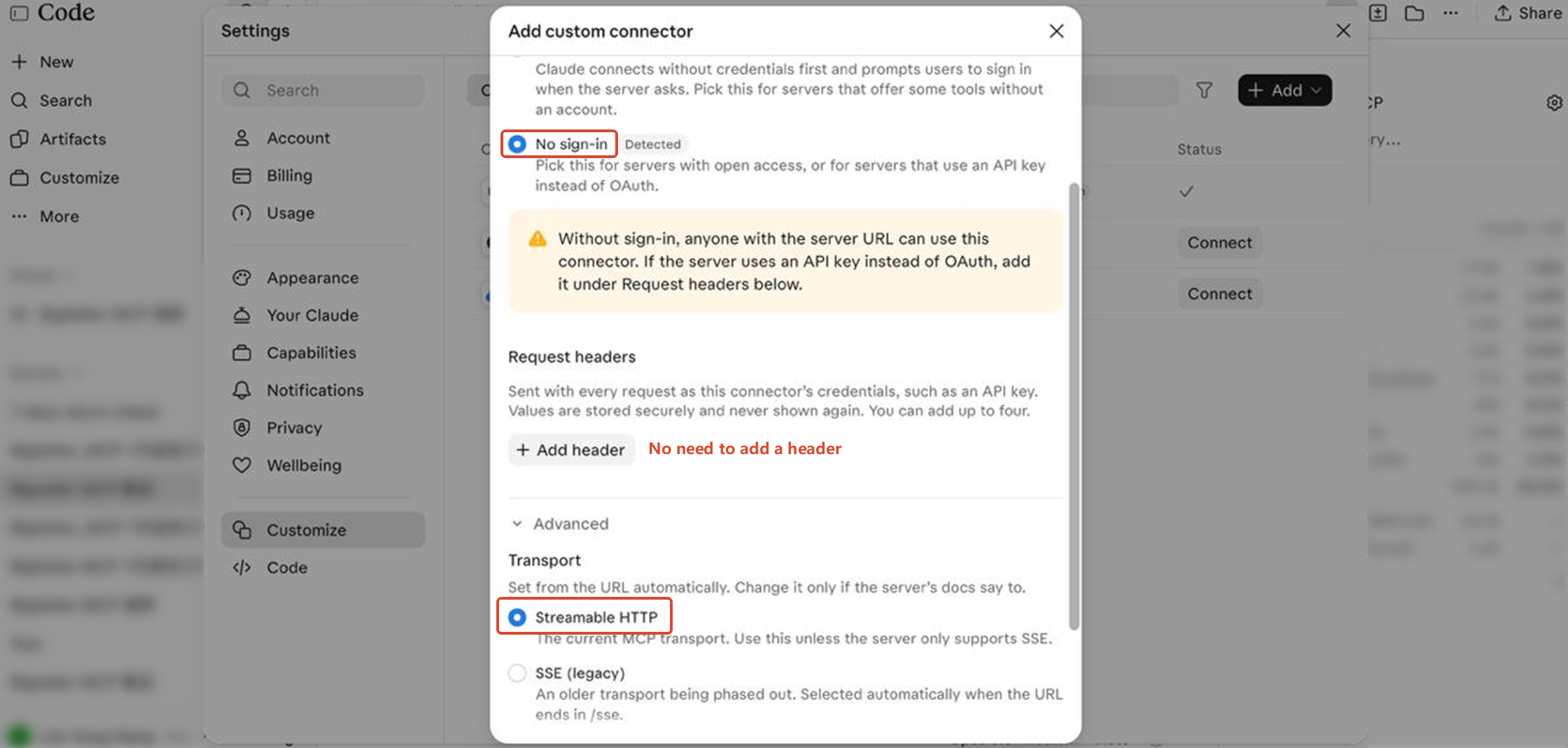
Step 3: Select No sign-in and Streamable HTTP, then click Add.
Once you've completed these steps, the connection will be set up successfully, and you can continue using BigSeller MCP with Claude.