How to Configure Rounding Settings for POS Orders?
Update Time: 28 Apr 2026 02:54
BigSeller now supports flexible cash rounding configurations for POS order checkout. You can configure the rounding method, precision, and maximum rounding amount to suit different business scenarios and regional requirements. By this feature, sellers can:
- Simplifies the checkout process by eliminating manual calculations, improving cashier efficiency and customer experience.
- Standardizes rounding rules across all stores, reducing customer disputes and internal management confusion.
- Lowers financial reconciliation difficulty and management costs
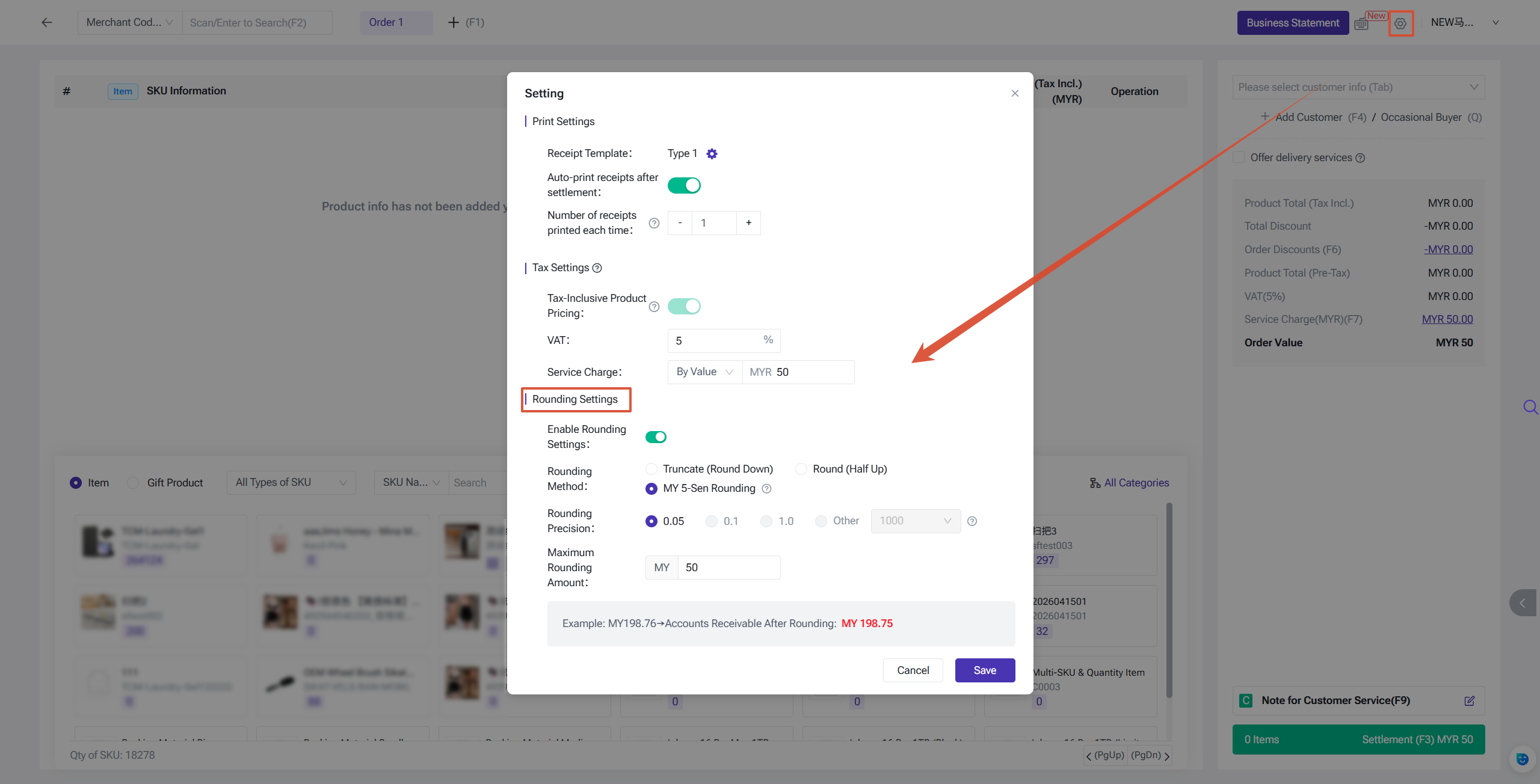
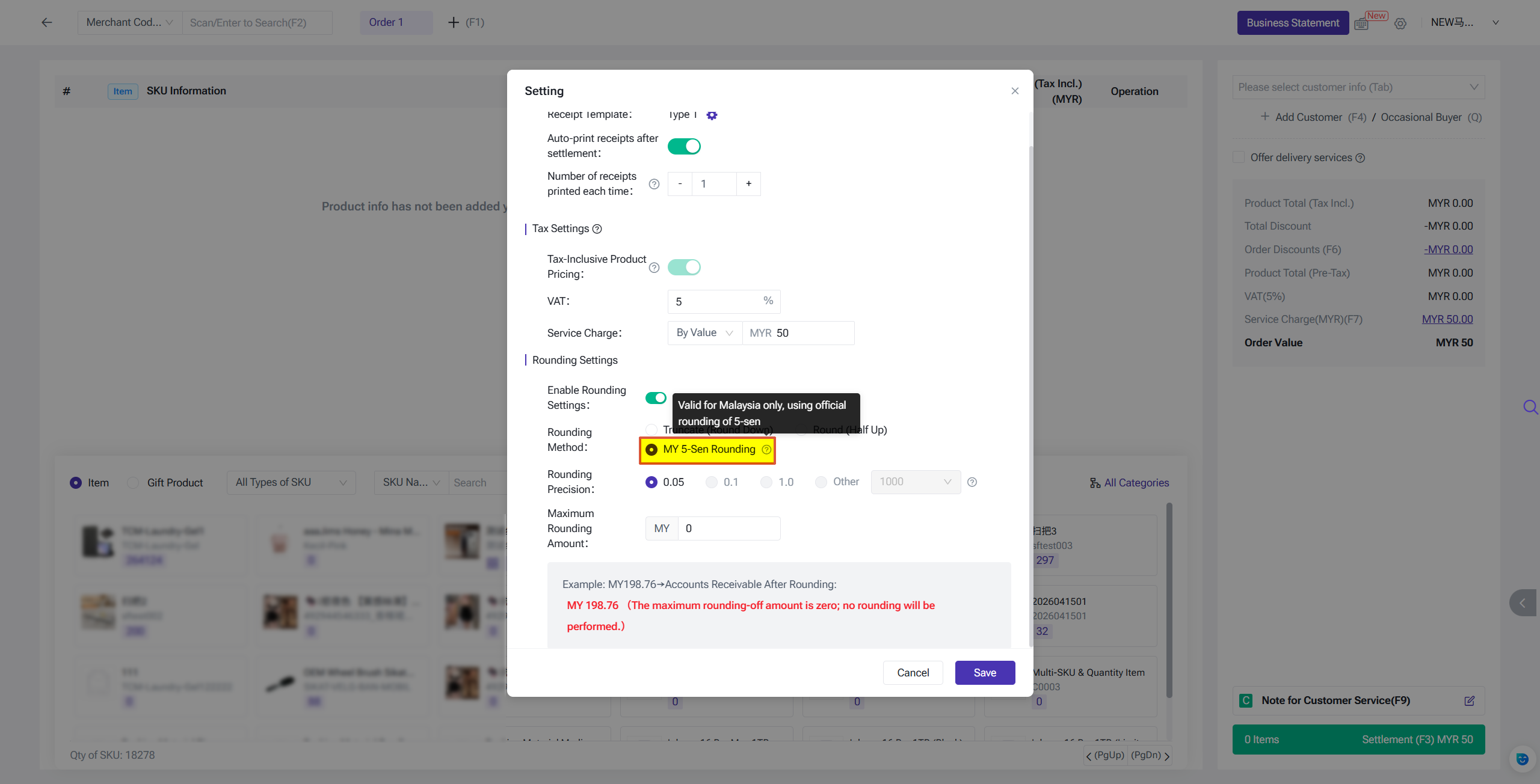
To enable this feature, you can go to Create POS Orders > Setting. Note: Rounding settings only take effect when the payment method is Cash.
Rounding Methods
BigSeller offers multiple rounding methods depending on your country/site and currency.
1. Truncate (Round Down)
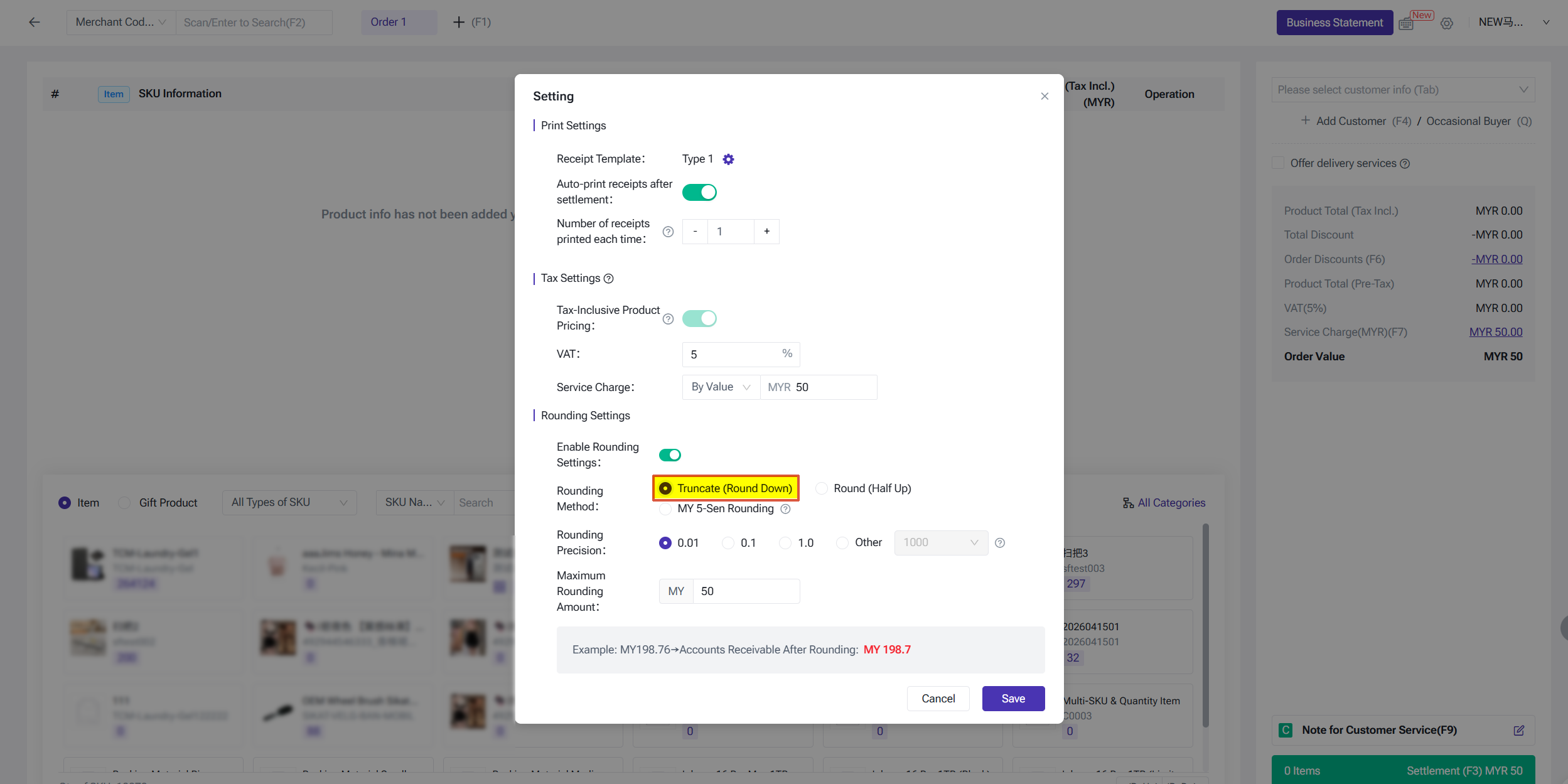
When this method is selected, the trailing digit(s) of the order amount are dropped directly. Set the rounding precision (e.g., 0.01 or 0.1) to determine which decimal place is truncated.
- Example: $10.76 → $10.70 (precision: 0.1)
- Example: $10.769 → $10.76 (precision: 0.01)
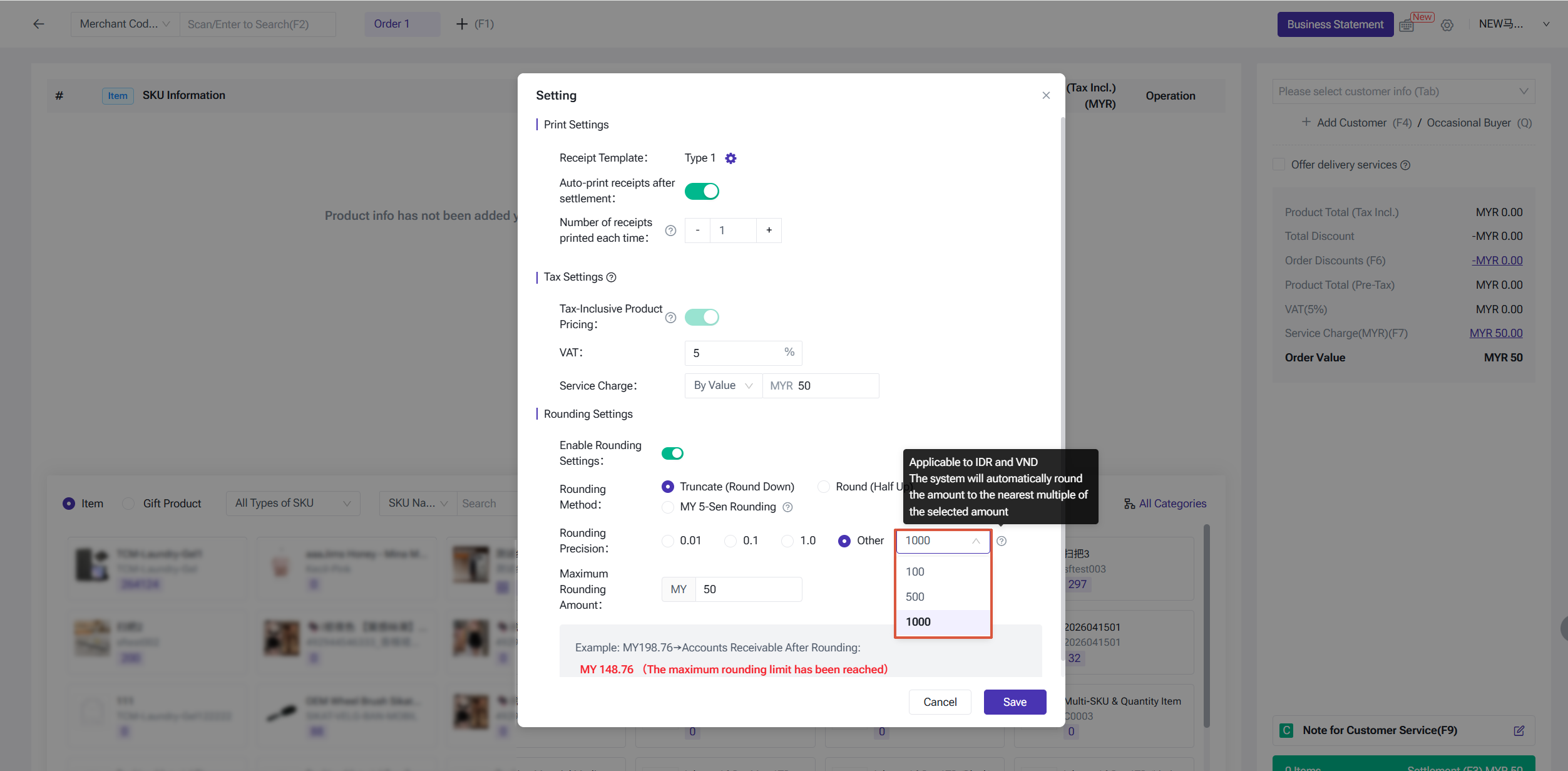
For IDR and VND (Indonesian Rupiah / Vietnamese Dong), you can also select precision values of 100, 500, or 1000. The system rounds the amount down to the nearest multiple of the selected value.
- Example: Rp 15,750 → Rp 15,500 (precision: 500)
- Example: Rp 15,750 → Rp 15,000 (precision: 1000)
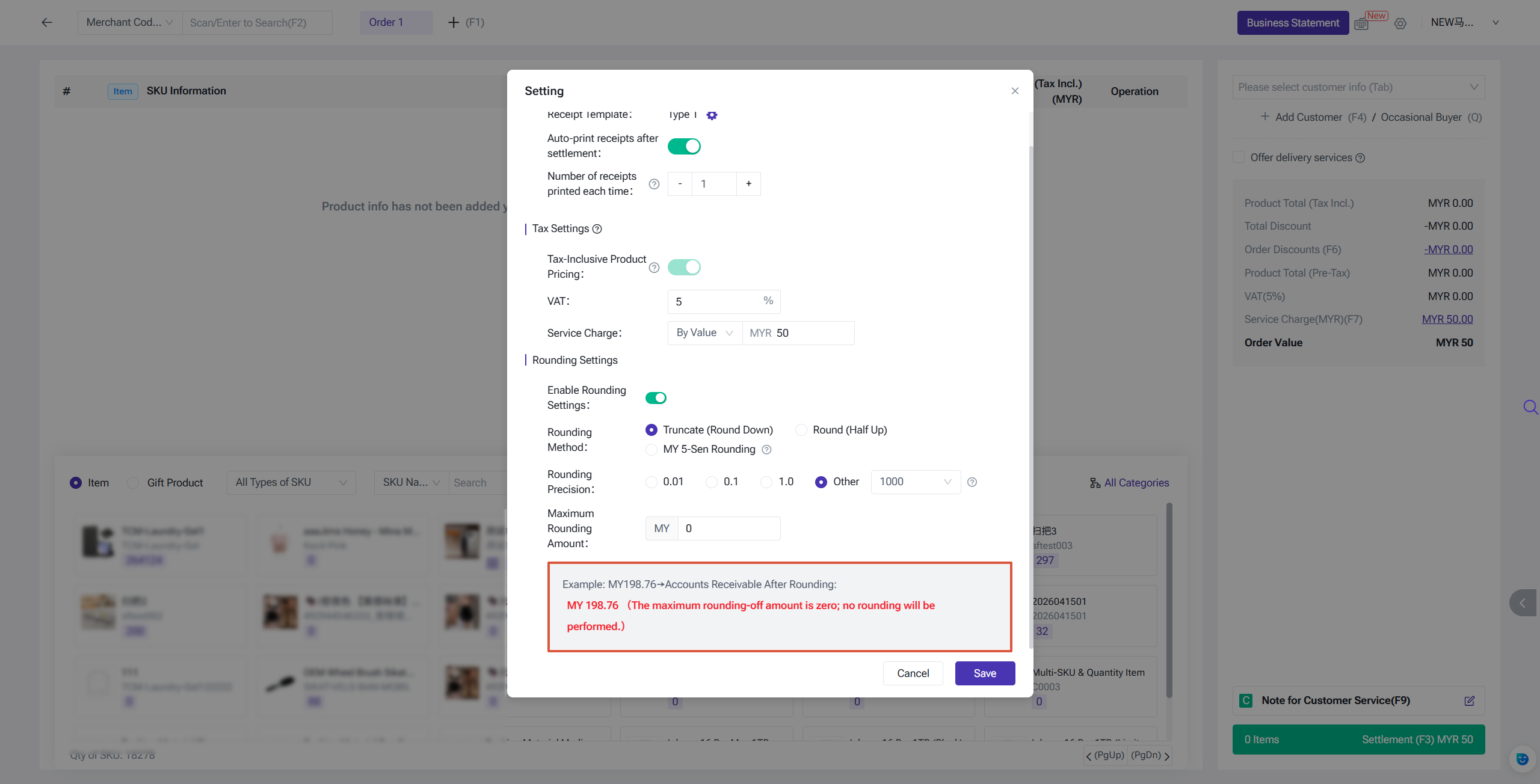
You can also set a maximum rounding amount. If the maximum rounding amount is set to 0, no rounding will be applied.
2. Round (Half Up)
When this method is selected, set the corresponding rounding precision to determine which decimal place is rounded up or down using the standard half-up rule.
- Example: $10.75 → $10.80 (precision: 0.1, rounds up)
- Example: $10.74 → $10.70 (precision: 0.1, rounds down)
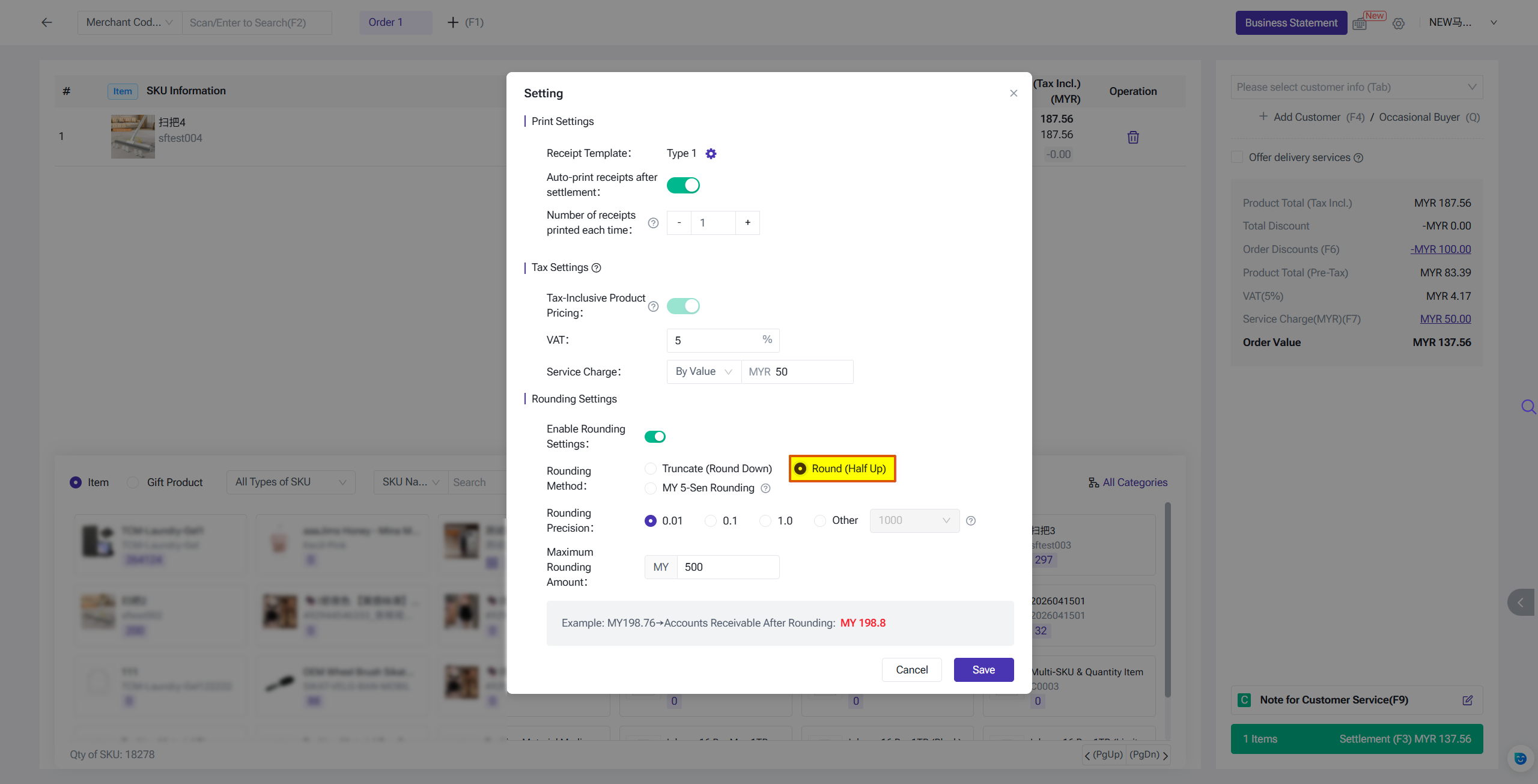
3. MY 5-Sen Rounding (Malaysia Only)
This method applies exclusively to POS stores on the Malaysia site. It follows the official Malaysian legal 5-sen rounding standard, with a fixed precision of 0.05.
Rounding Rules:
- 1 sen, 2 sen → Round down to nearest 0 sen (e.g., RM 10.02 → RM 10.00)
- 3 sen, 4 sen → Round up to nearest 5 sen (e.g., RM 10.04 → RM 10.05)
- 6 sen, 7 sen → Round down to nearest 5 sen (e.g., RM 10.07 → RM 10.05)
- 8 sen, 9 sen → Round up to nearest 10 sen (e.g., RM 10.09 → RM 10.10)
You can view examples of all rounding methods at the bottom of the rounding settings page in BigSeller.
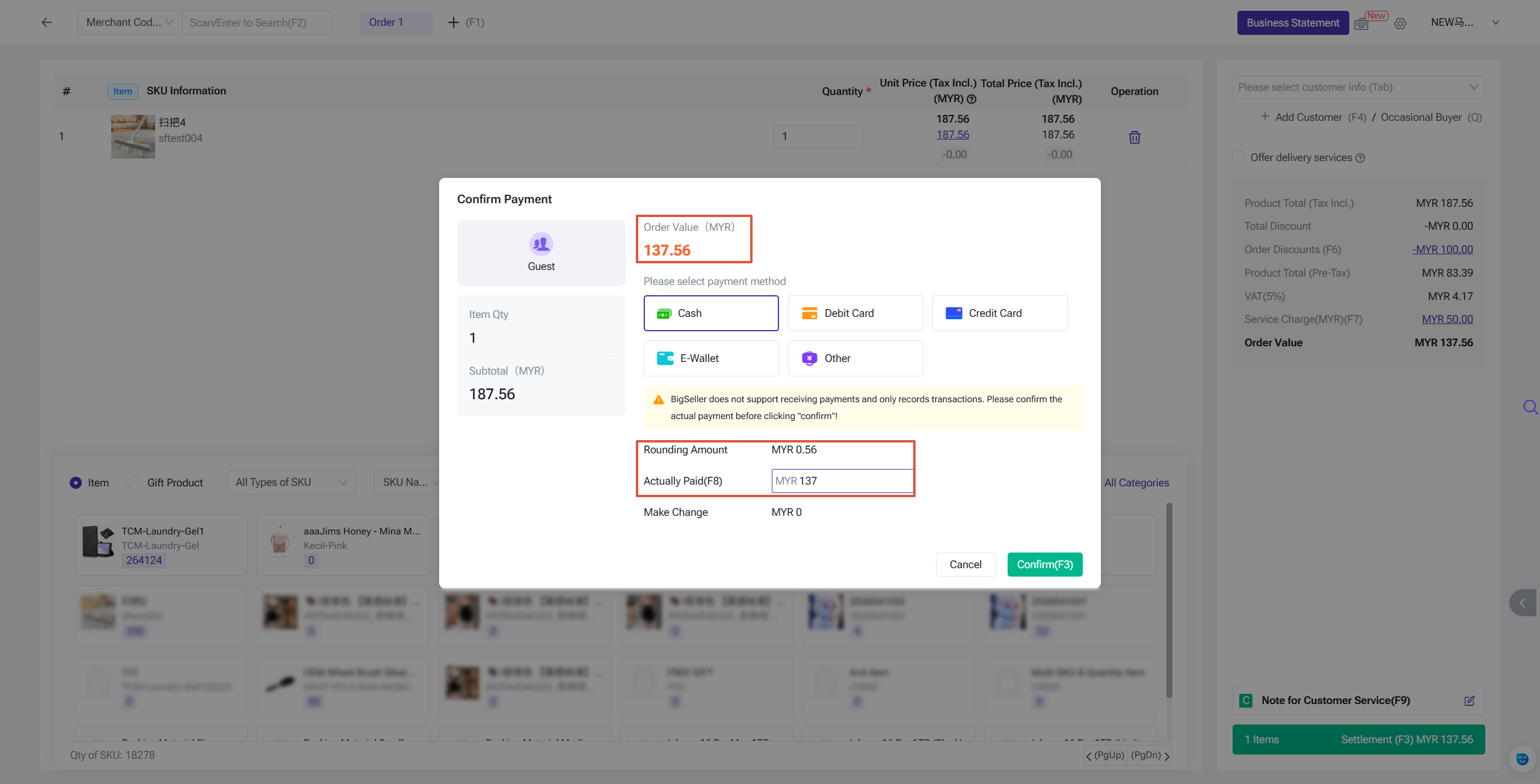
Checkout Page
The order amount displayed is the actual pre-rounding total. The rounding amount and the final amount collected are both shown on the checkout page. The final settlement amount also supports manual editing.
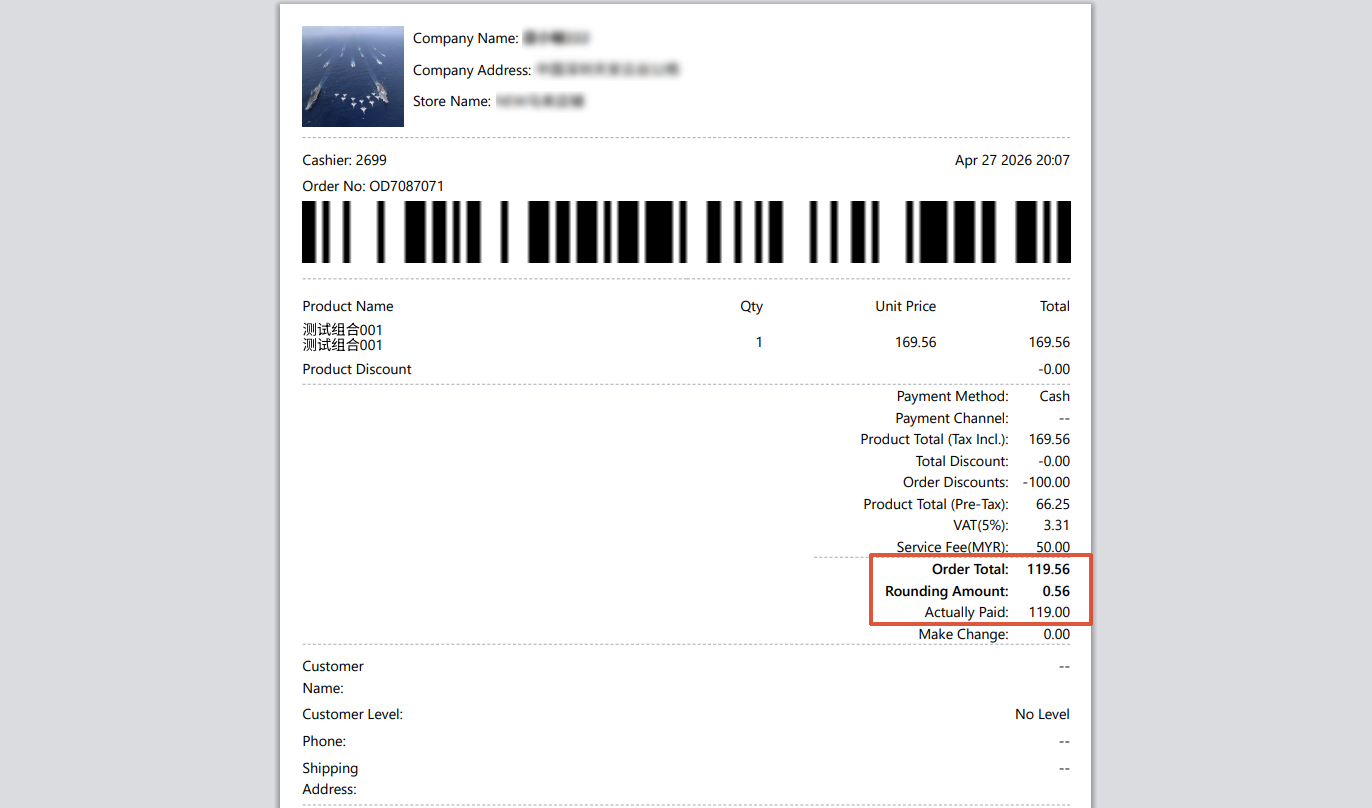
POS Receipt
The rounding amount will also be shown on the POS receipt for customer reference.
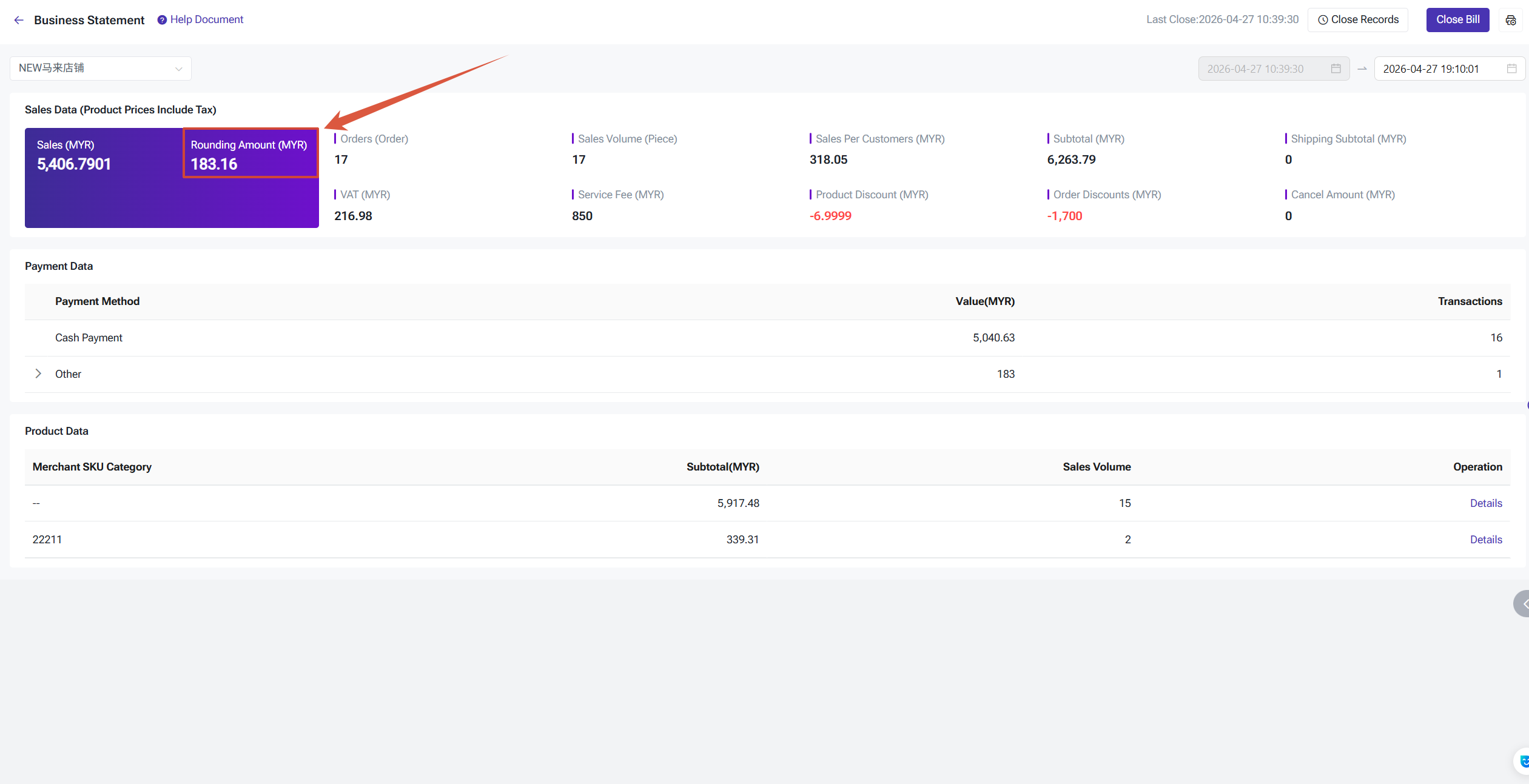
Business Statement
The corresponding rounding amount will also be reflected in the Business Statement for financial reconciliation.
Is this content helpful?
Thank you for your feedback. It drives us to provide better service.
Please contact us if the document can't answer your questions