How to Use Shopee & Lazada Review Management?
Copy link & title
Update Time: 26 Aug 2026 06:06
Product reviews are important references for customers' purchase decisions and sellers' product optimization.
With Review Management, BigSeller helps you centrally manage Shopee and Lazada product reviews, quickly analyze product performance, and respond to buyer feedback directly.
With BigSeller's Review Management, you can:
With Review Management, BigSeller helps you centrally manage Shopee and Lazada product reviews, quickly analyze product performance, and respond to buyer feedback directly.
With BigSeller's Review Management, you can:
- View reviews from multiple stores in one place;
- Quickly identify products that need attention;
- Respond to buyer feedback efficiently with AI-assisted tools.
Currently, Shopee & Lazada products are supported for this feature. TikTok product reviews are not supported due to the lack of available review APIs.
How to Use Review Management
Step 1: Sync Product Reviews
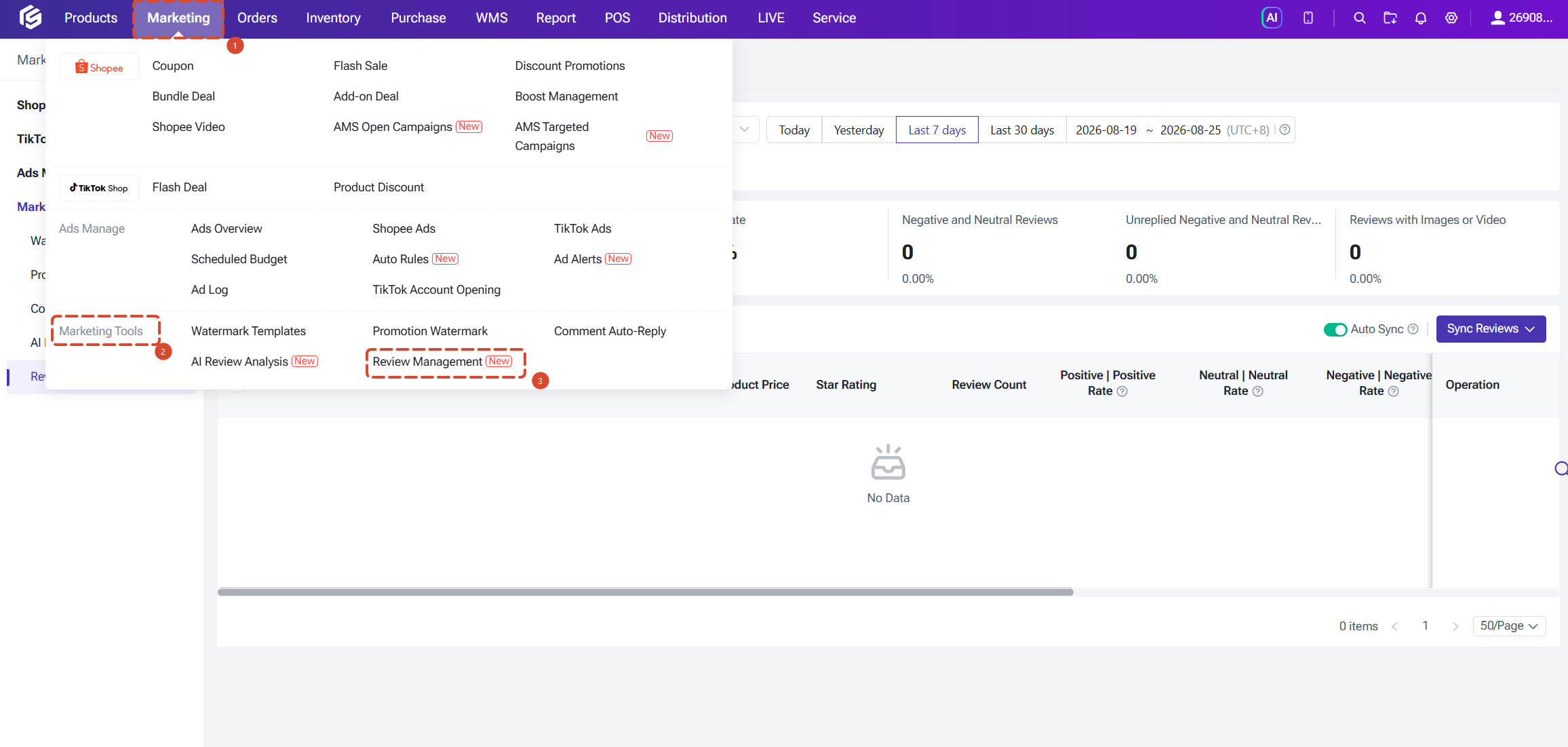
Go to Marketing > Marketing Tools > Review Management. Before viewing review data, you need to sync product reviews first.
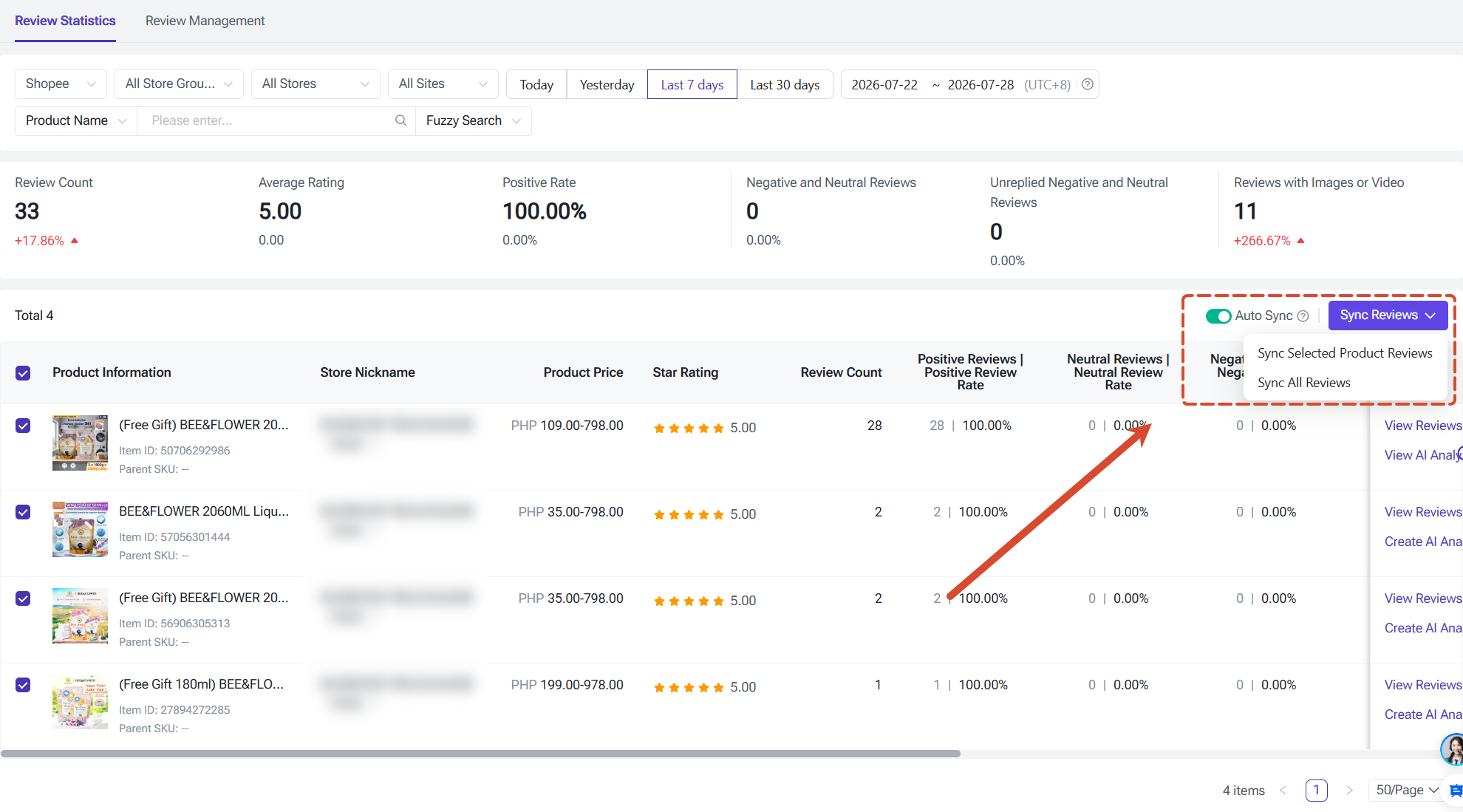
Click Sync Reviews. You can choose one of the following options:
- Sync All Reviews
Recommended when using Review Management for the first time or when you want to view reviews from all products.
The system will sync reviews from all online products based on your current filters. When syncing for the first time, BigSeller will sync historical review data from the past 30 days.
The system will sync reviews from all online products based on your current filters. When syncing for the first time, BigSeller will sync historical review data from the past 30 days.
- Sync Reviews for Selected Products
Recommended when you only need to check reviews for specific products.
You can also enable Auto Sync to keep your review data updated automatically. Once enabled, all stores will sync the latest data every 2 hours. Auto sync will be disabled if you do not log in for 7 days. This can help you stay updated with the latest buyer feedback.
Step 2: View Product Review Performance
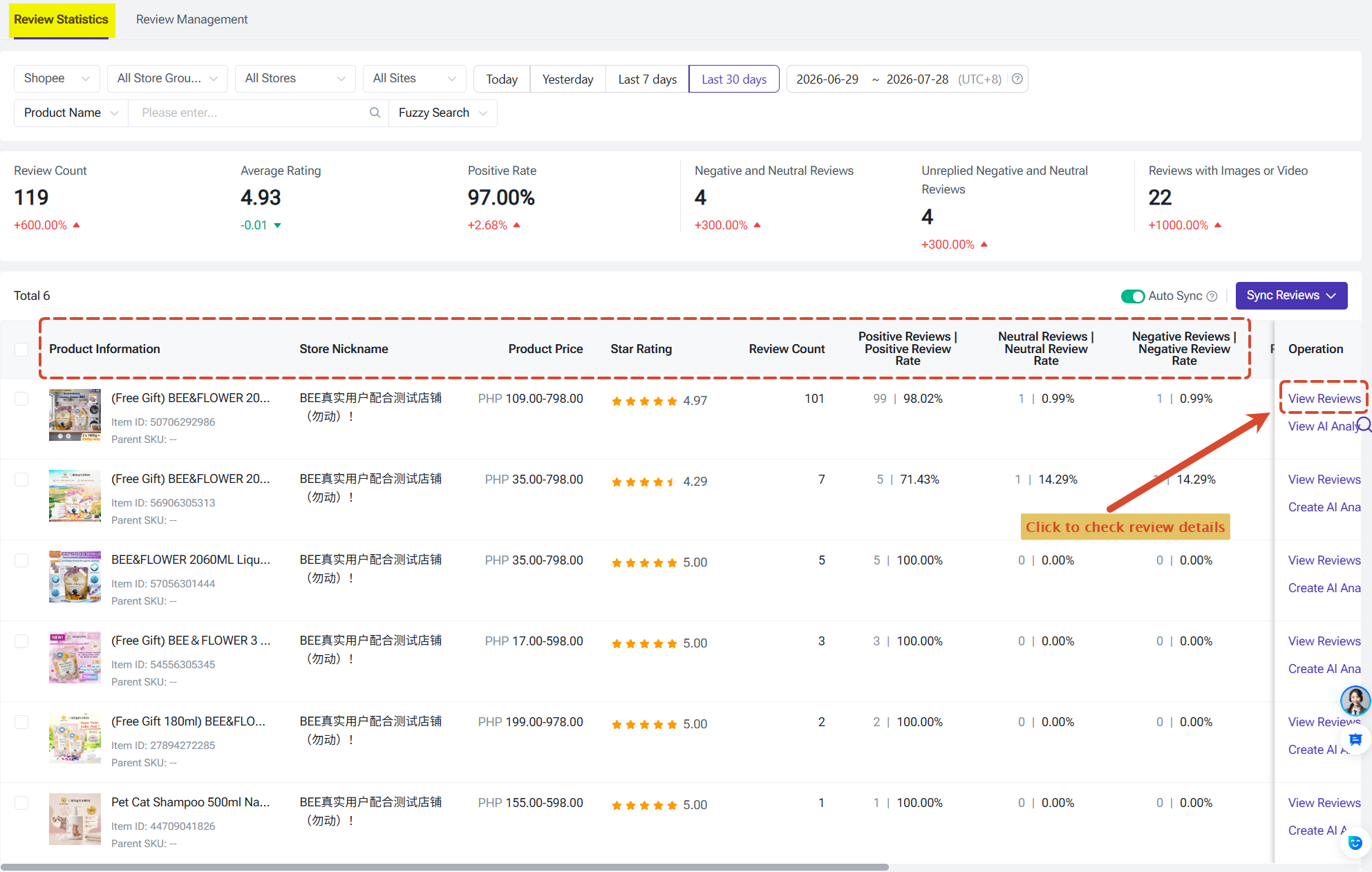
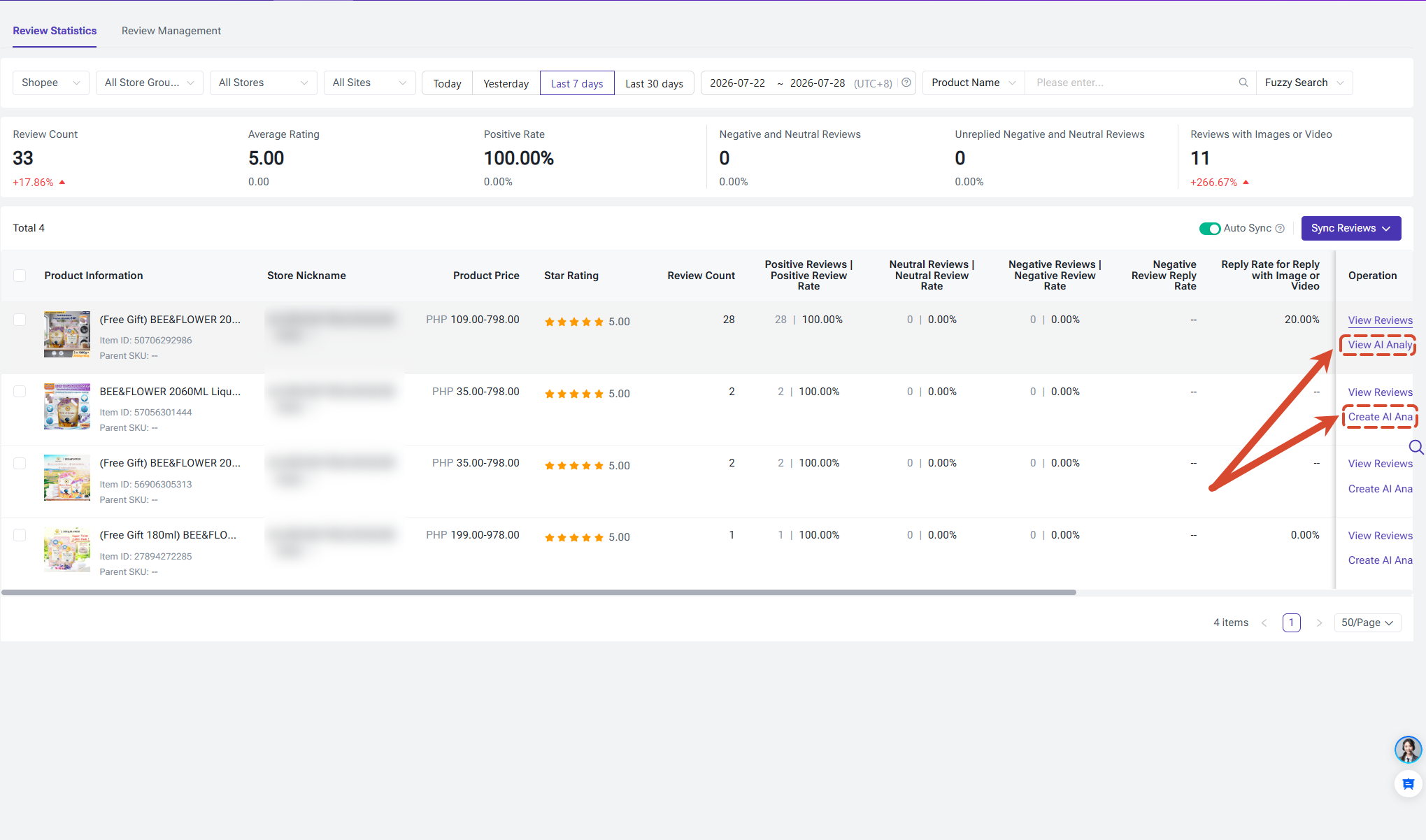
In the Review Statistics tab, you can view the overall review performance of your products.
The system provides key metrics including:
You can also enable Auto Sync to keep your review data updated automatically. Once enabled, all stores will sync the latest data every 2 hours. Auto sync will be disabled if you do not log in for 7 days. This can help you stay updated with the latest buyer feedback.
Step 2: View Product Review Performance
In the Review Statistics tab, you can view the overall review performance of your products.
The system provides key metrics including:
- Total reviews;
- Average rating;
- Positive review rate;
- Number of neutral and negative reviews;
- Number of unanswered neutral and negative reviews;
- Number of reviews with images or videos.
These insights help you quickly identify:
- High-rated products: Understand what customers appreciate about your products;
- Low-rated products: Discover potential issues with products or services;
- Unreplied negative reviews: Prioritize customer feedback that requires attention.
Click View Reviews for a product to go to the Review Management tab and view detailed buyer feedback.
Step 3: View and Reply to Buyer Reviews
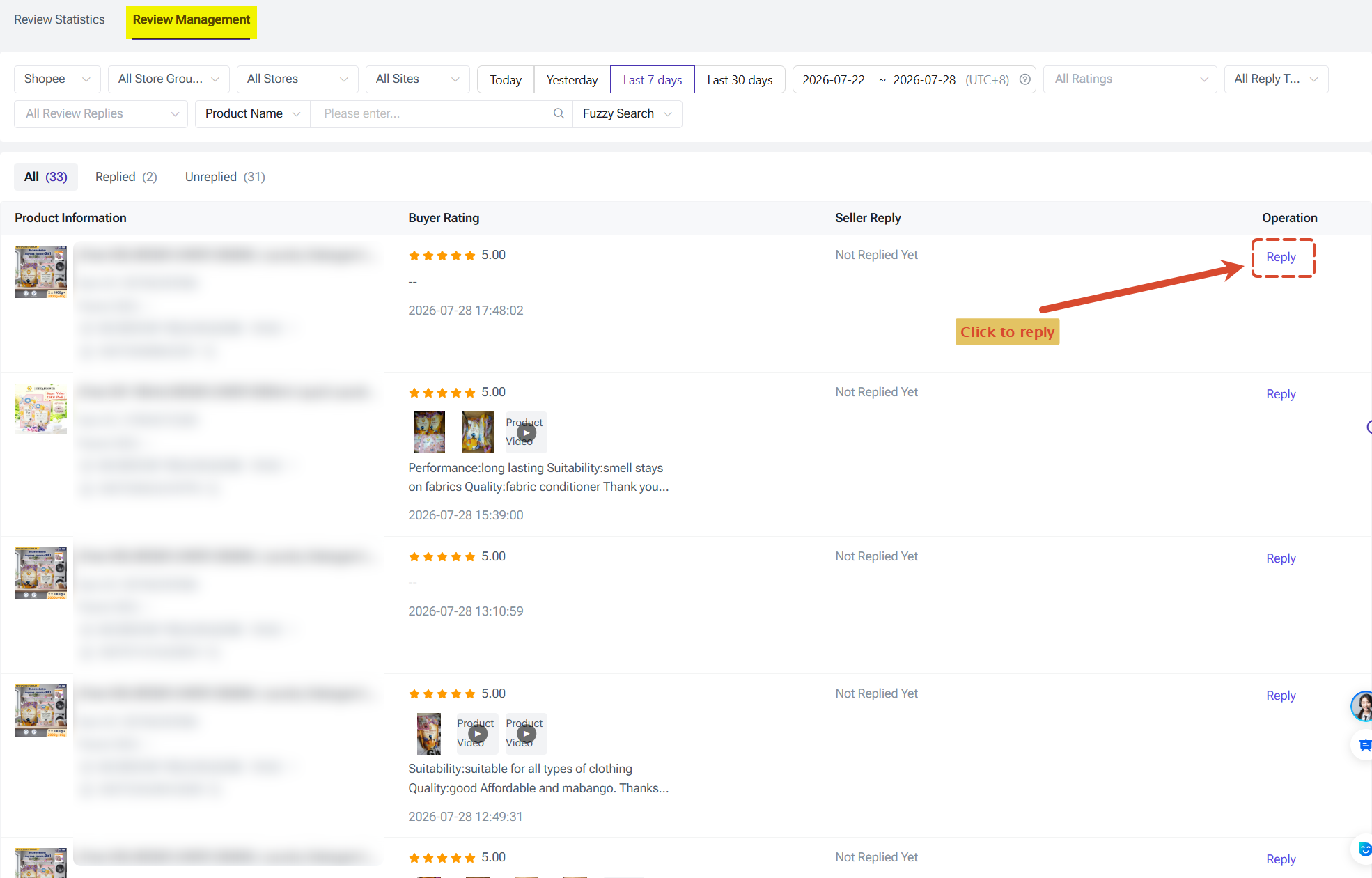
In the Review Management tab, you can view detailed buyer reviews and reply directly.
You can filter reviews by given options. This helps you quickly find reviews that need attention, such as unanswered negative reviews or reviews containing images and videos.
Review details include:
- Buyer rating;
- Review content;
- Images or videos uploaded by buyers;
- Review time;
- Seller reply records.
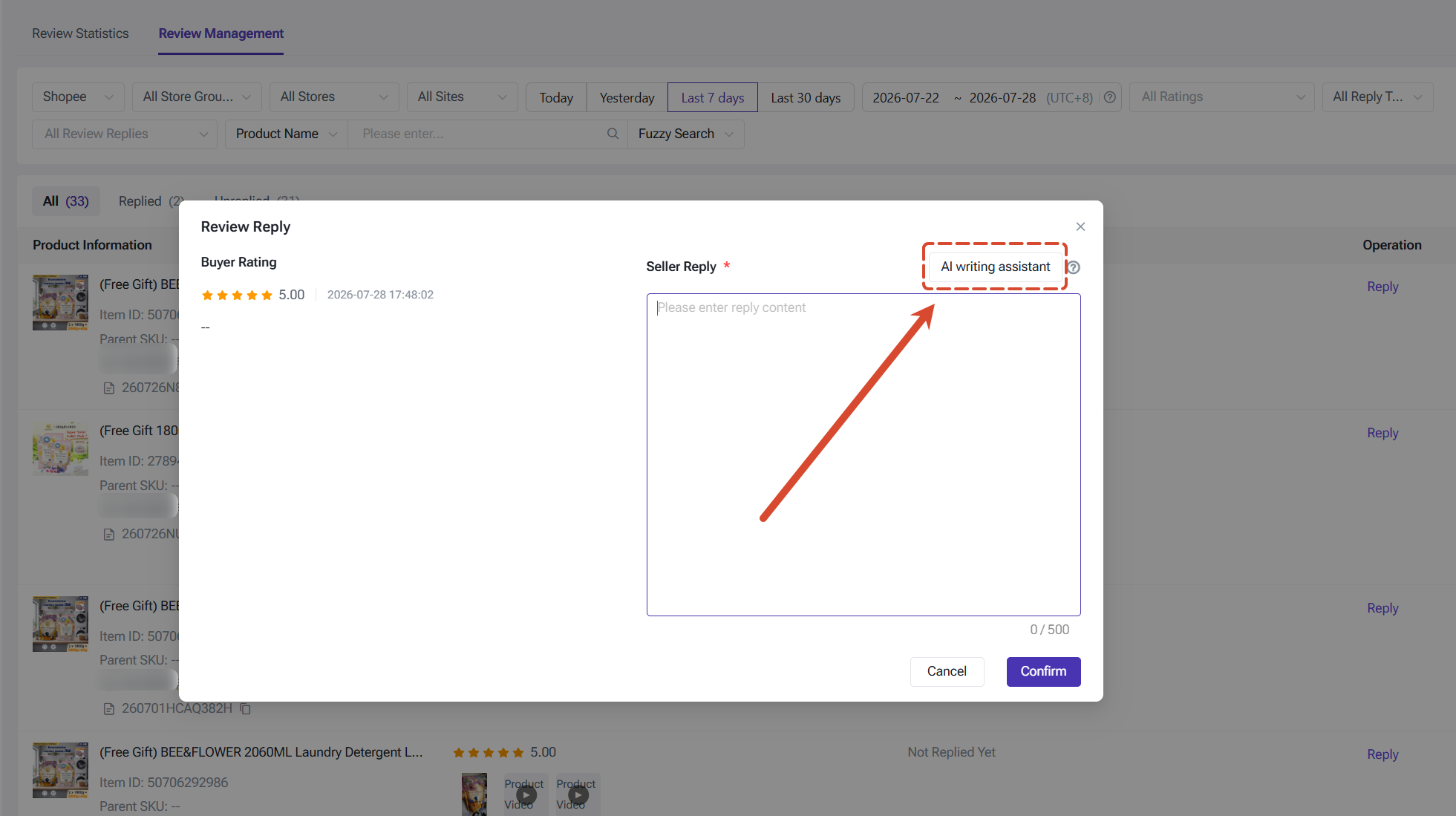
For reviews that have not been replied to, click Reply to enter your response and send it.
Notes:
- Reply content supports up to 500 characters;
- Reviews that already have a seller reply cannot be replied to again.
If you are unsure how to reply, click AI Reply. AI will generate a more suitable reply based on the buyer's review content and uploaded images, helping you respond faster and more efficiently.
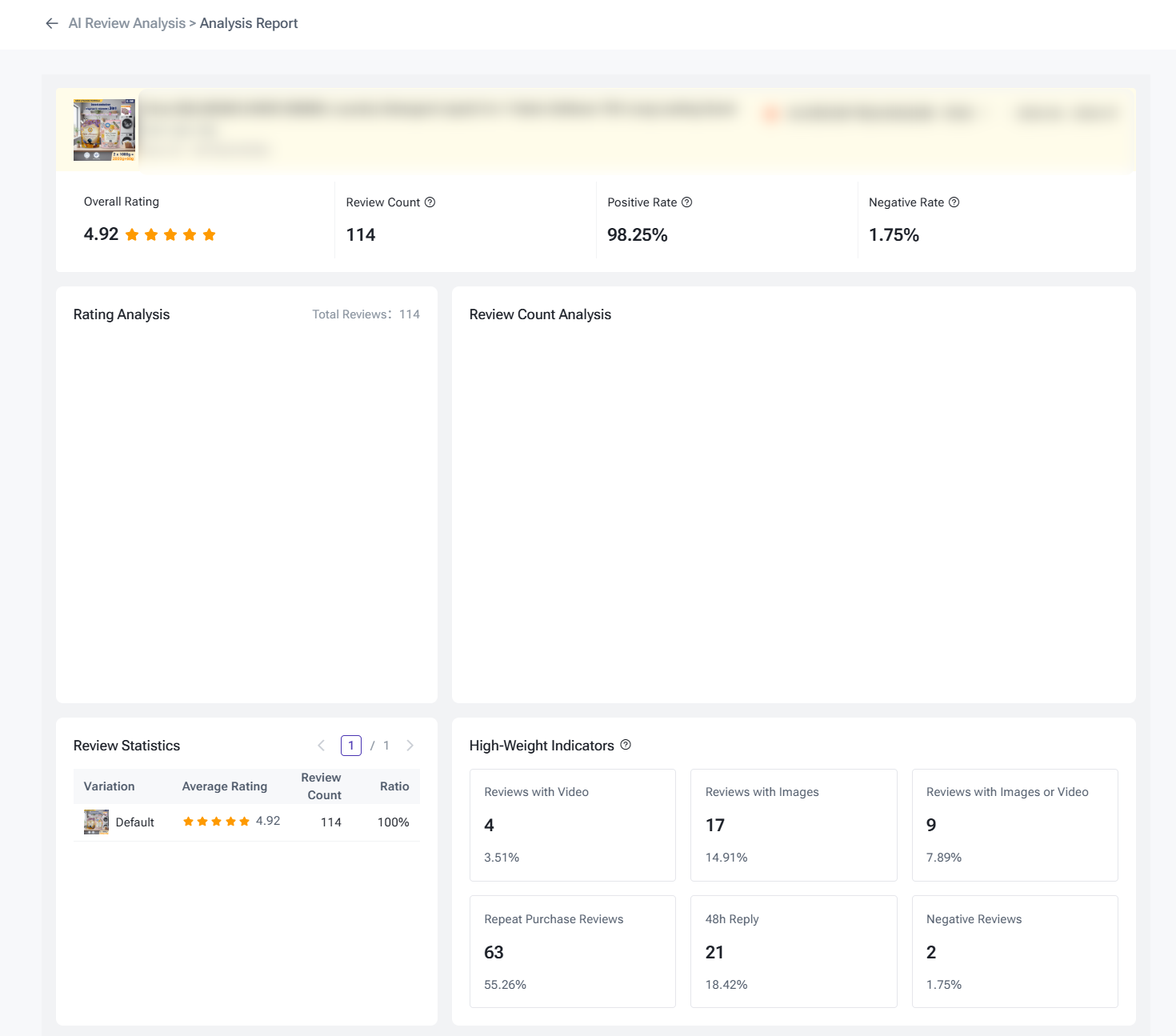
Besides viewing and replying to reviews, you can also use AI Review Analysis to gain deeper insights into customer feedback.
AI can help you identify:
- Key product advantages recognized by customers;
- Main reasons customers purchase your products;
- Common causes behind negative reviews;
- Possible product improvement directions.
By analyzing real customer feedback, you can better optimize your products, improve customer satisfaction, and increase sales conversion.
Is this content helpful?
Thank you for your feedback. It drives us to provide better service.
Please contact us if the document can't answer your questions