What is BigSeller AI Assistant?
Copy link & title
Update Time: 21 May 2026 08:39
To better address the operational needs of e-commerce sellers in the AI era, BigSeller has launched the AI Agent Assistant — a productivity tool designed to help sellers leverage AI for greater efficiency. It covers two core scenarios: product image generation and title & description writing, enabling you to quickly produce the visual and text content needed for listing.
The AI Assistant on BigSeller currently offers the following capabilities:
The AI Assistant on BigSeller currently offers the following capabilities:
- Image Designer: Generate product backgrounds, smart removal, marketing images, multi-purpose images, and more.
- Content Designer: Generate and optimize product titles and descriptions for any platform or language.
BigSeller's AI Assistant is powered by two industry-leading models: GPT-image-2 High and Seedream 5.0 lite. All AI Assistant features consume BigCoin. The table below shows the cost for each feature:
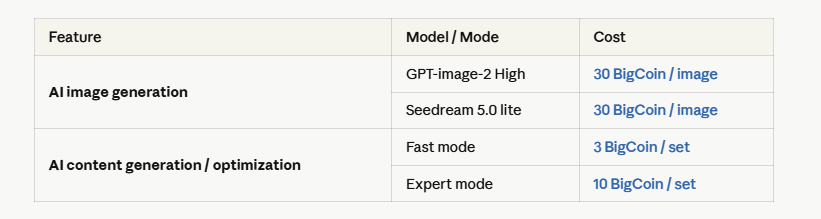
Need more BigCoin? Learn how to purchase BigCoin →What is BigCoin?
Need more BigCoin? Learn how to purchase BigCoin →What is BigCoin?
How to use
You can click the [AI] icon in the upper-right corner of any page to open the AI Assistant panel. The panel contains three main sections: Image Designer, Copywiter, and Task List.
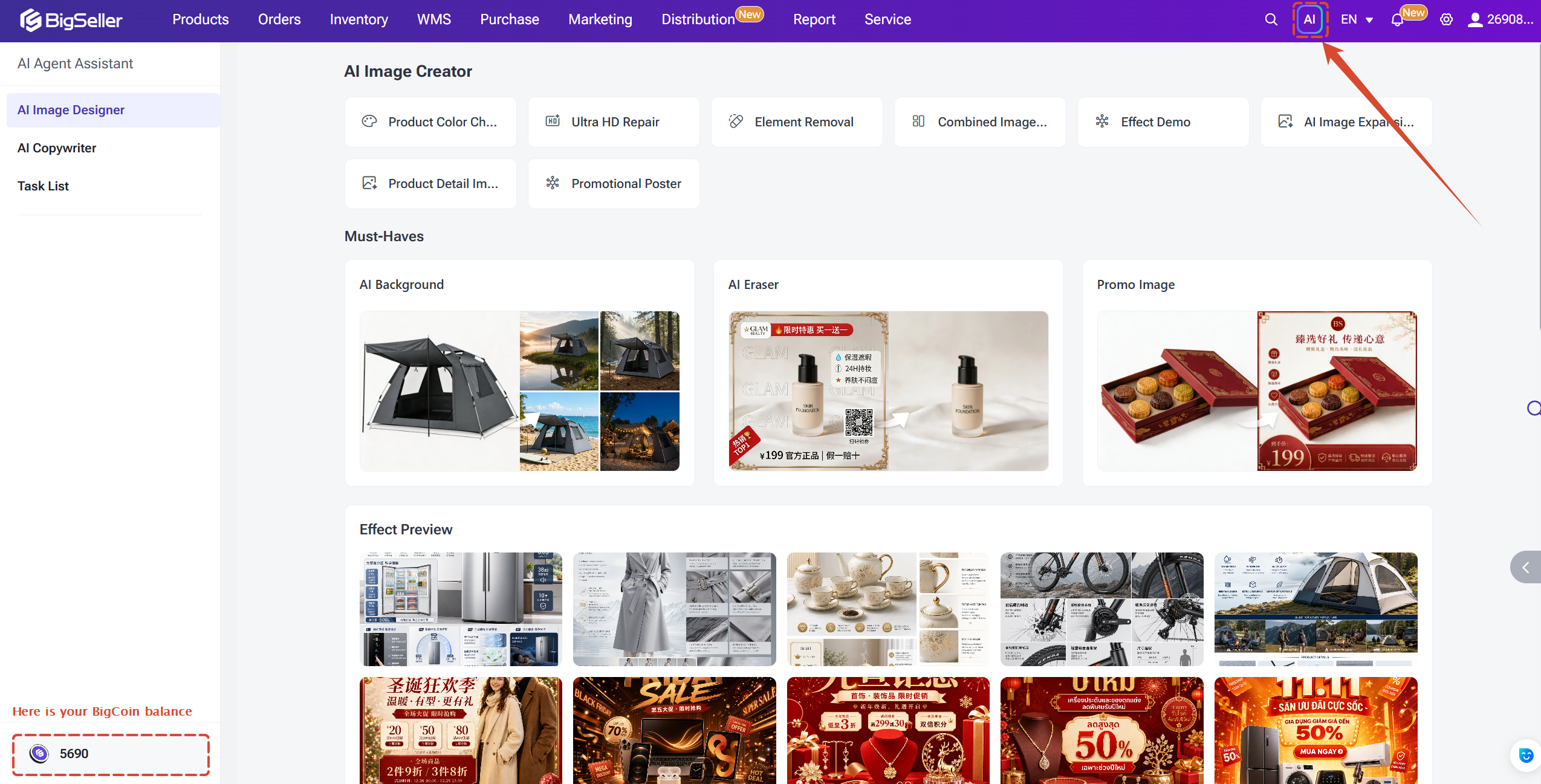
Image Designer
The Image Designer helps you quickly generate product hero images, scene images, and marketing visuals, as well as intelligently process existing images — such as replacing backgrounds or removing unwanted objects.
1) AI Image Creator
The set of AI Image Creator function supports a wide range of creative scenarios. You can create new images from existing images or text descriptions. The available sub-features are:
① Product color change: Change the color of the main subject in an image.
② Ultra HD repair: Enhance image sharpness to super-high-definition quality.
③ Element removal: Remove specific details or objects from an image while preserving the overall structure and background of the original.
④ Composite image generation: Merge an image containing core details into a primary image while retaining the style and context of the original.
⑤ Effect demo: Generate in-use scene images that show how a product looks in a real-life context.
⑥ AI image expansion: Expand the image frame (background) while preserving the style, context, and subject of the original.
⑦ Product detail images: Generate detail images from existing product photos, including hero shots, scene images, feature illustrations, and close-up detail shots.
⑧ Promo poster: Create promotional posters for your products automatically.

In each function, you can upload your target images, enter your requirements to gengerate the image you want. (Take AI Image Expansion as example)
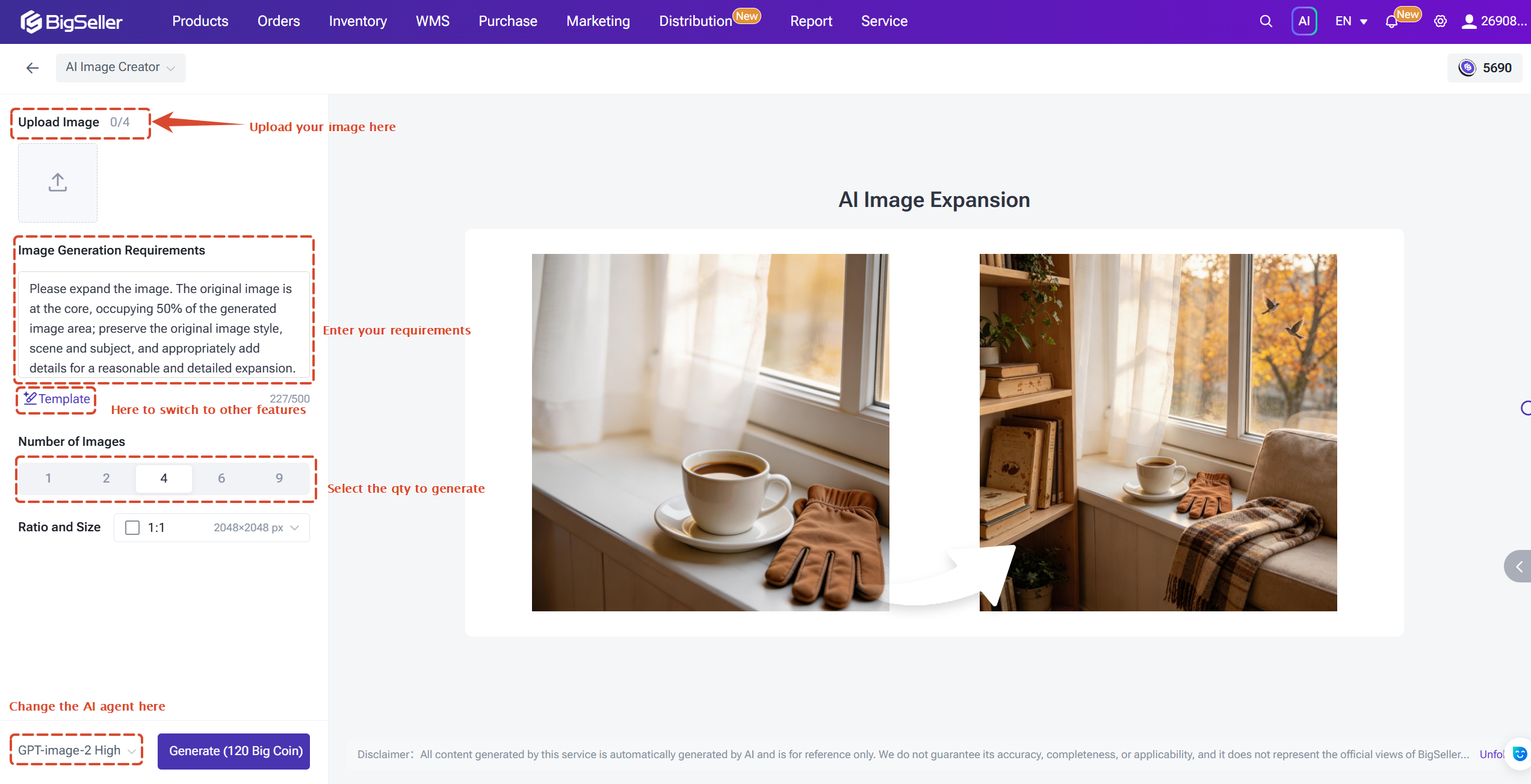
After generation, you can:
1) AI Image Creator
The set of AI Image Creator function supports a wide range of creative scenarios. You can create new images from existing images or text descriptions. The available sub-features are:
① Product color change: Change the color of the main subject in an image.
② Ultra HD repair: Enhance image sharpness to super-high-definition quality.
③ Element removal: Remove specific details or objects from an image while preserving the overall structure and background of the original.
④ Composite image generation: Merge an image containing core details into a primary image while retaining the style and context of the original.
⑤ Effect demo: Generate in-use scene images that show how a product looks in a real-life context.
⑥ AI image expansion: Expand the image frame (background) while preserving the style, context, and subject of the original.
⑦ Product detail images: Generate detail images from existing product photos, including hero shots, scene images, feature illustrations, and close-up detail shots.
⑧ Promo poster: Create promotional posters for your products automatically.
In each function, you can upload your target images, enter your requirements to gengerate the image you want. (Take AI Image Expansion as example)
After generation, you can:
- Optimize and debug — Enter feedback to refine the generated image and regenerate a new version.
- Edit image — The system redirects you to the image editing tool for further adjustments.
- Download — Save the generated image to your compute
2) Must-Haves
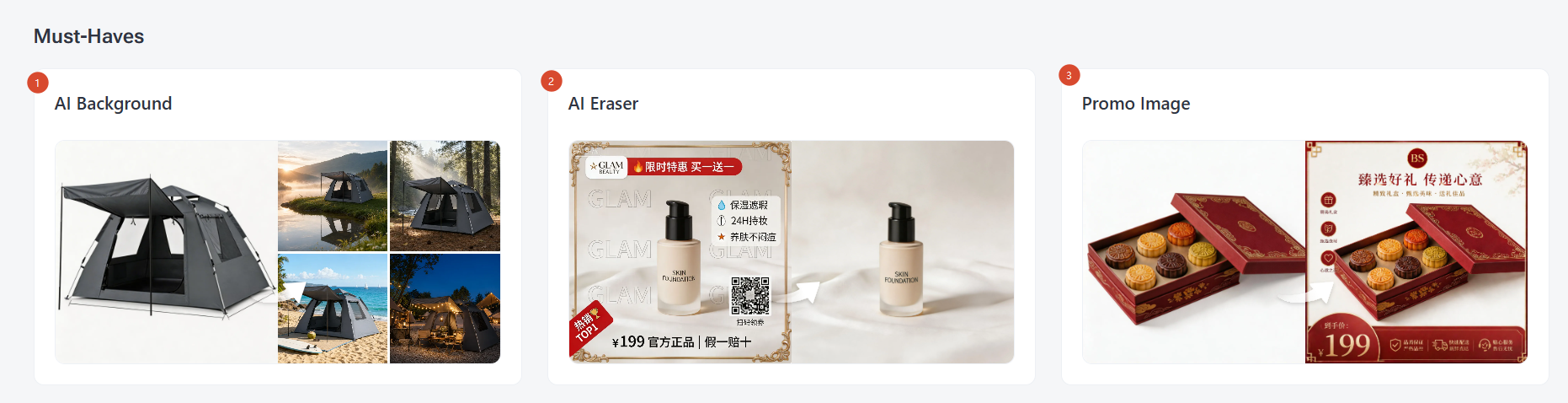
BigSeller also provide other essential must-have AI features for sellers.
① AI Background: Place products into a more suitable background to enhance the visual impact of your product images.
② AI Easer: Quickly remove watermarks and unwanted elements to restore clean, authentic product images.
③ Promo Image: Rapidly create platform-ready marketing images that highlight your selling points and promotional information.
Note: When generating marketing images, please follow the target platform's requirements for image dimensions, text ratio, backgrounds, borders, watermarks, etc. Non-compliant materials may affect your listings or advertisements.
AI Copywriter
AI Copywriter helps you quickly create or optimize product titles and descriptions. It is suitable for scenarios such as product listing, content optimization, and multilingual content creation.
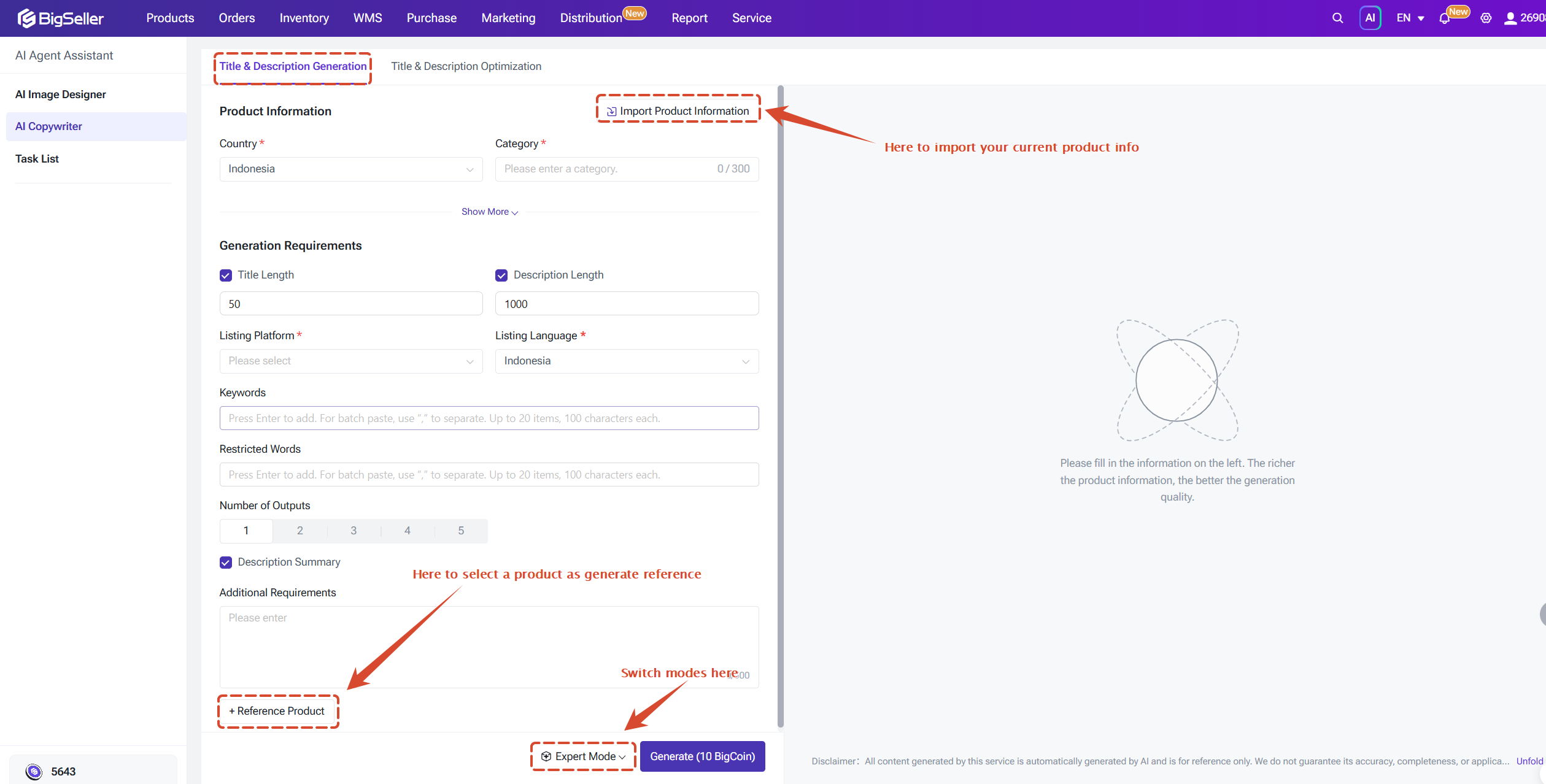
1) Generate titles and descriptions
You only need to provide product information and AI will automatically generate titles and descriptions based on your input. To use this feature, you can:
① Select the target country and category.
② Fill in product information — original title, original description, variants, attributes — or upload a product image, or import from a draft or online listing.
③ Configure character count, selling platform, listing language, keywords, restricted words, and any other requirements. You can also add reference products.
④ Choose a generation mode:
1) Generate titles and descriptions
You only need to provide product information and AI will automatically generate titles and descriptions based on your input. To use this feature, you can:
① Select the target country and category.
② Fill in product information — original title, original description, variants, attributes — or upload a product image, or import from a draft or online listing.
③ Configure character count, selling platform, listing language, keywords, restricted words, and any other requirements. You can also add reference products.
④ Choose a generation mode:
- Fast mode: Faster generation — ideal when you need a quick content draft.
- Expert mode: Higher-quality output — best when content quality is a priority.
⑤ Click Generate and review the results.
After reviewing the results, you can Copy or Edit the generated content.
2) Optimize existing titles and descriptions
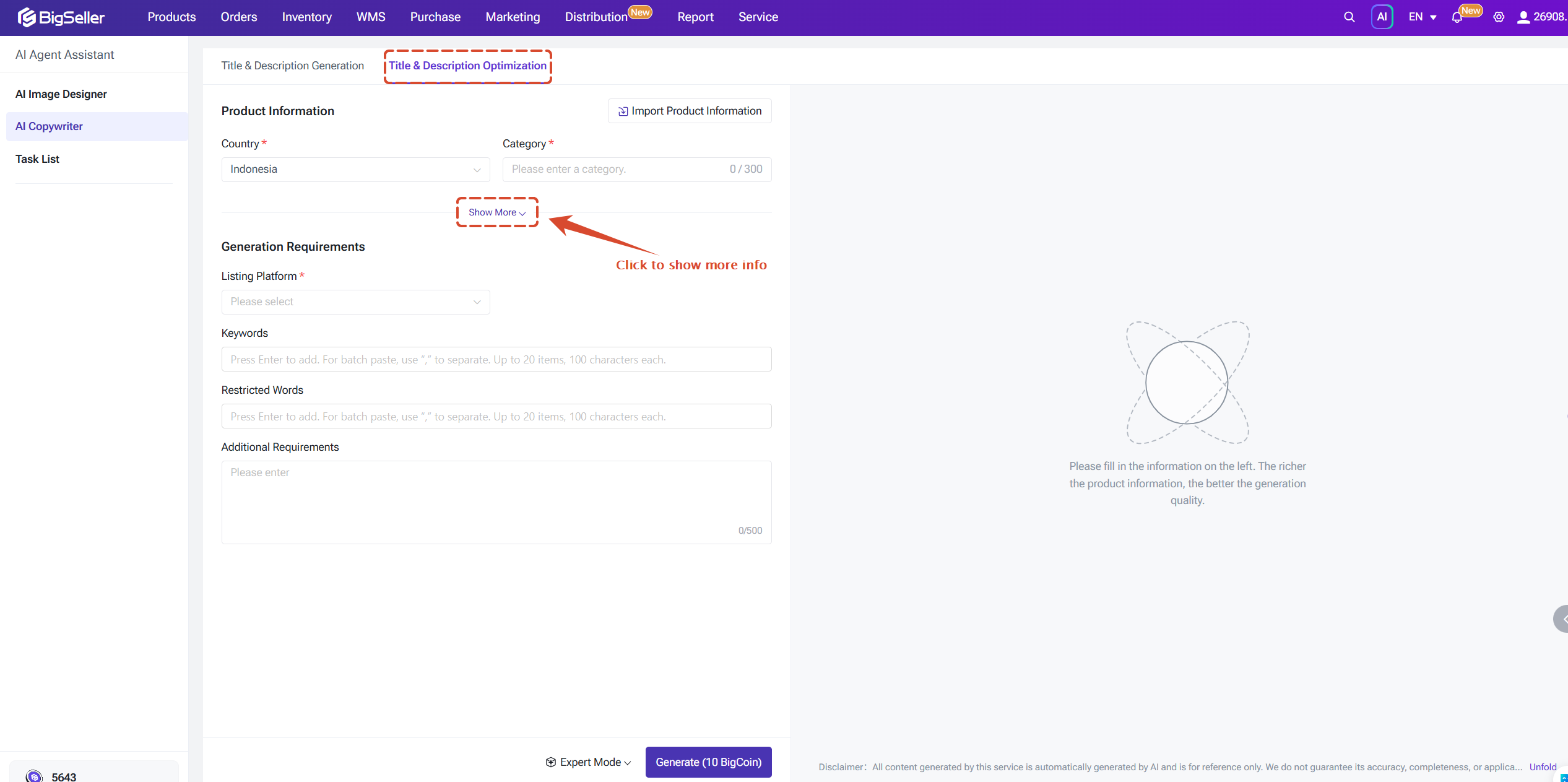
If you already have a product title or description, you can use AI to optimize it. This is useful in the following situations:
After reviewing the results, you can Copy or Edit the generated content.
2) Optimize existing titles and descriptions
If you already have a product title or description, you can use AI to optimize it. This is useful in the following situations:
- The title is not compelling enough
- The description is incomplete
- The phrasing sounds unnatural
- You need to add keywords or remove restricted words
- You want to highlight the product's selling points
- You need to rewrite the content in a style that better fits the target platform
Task List
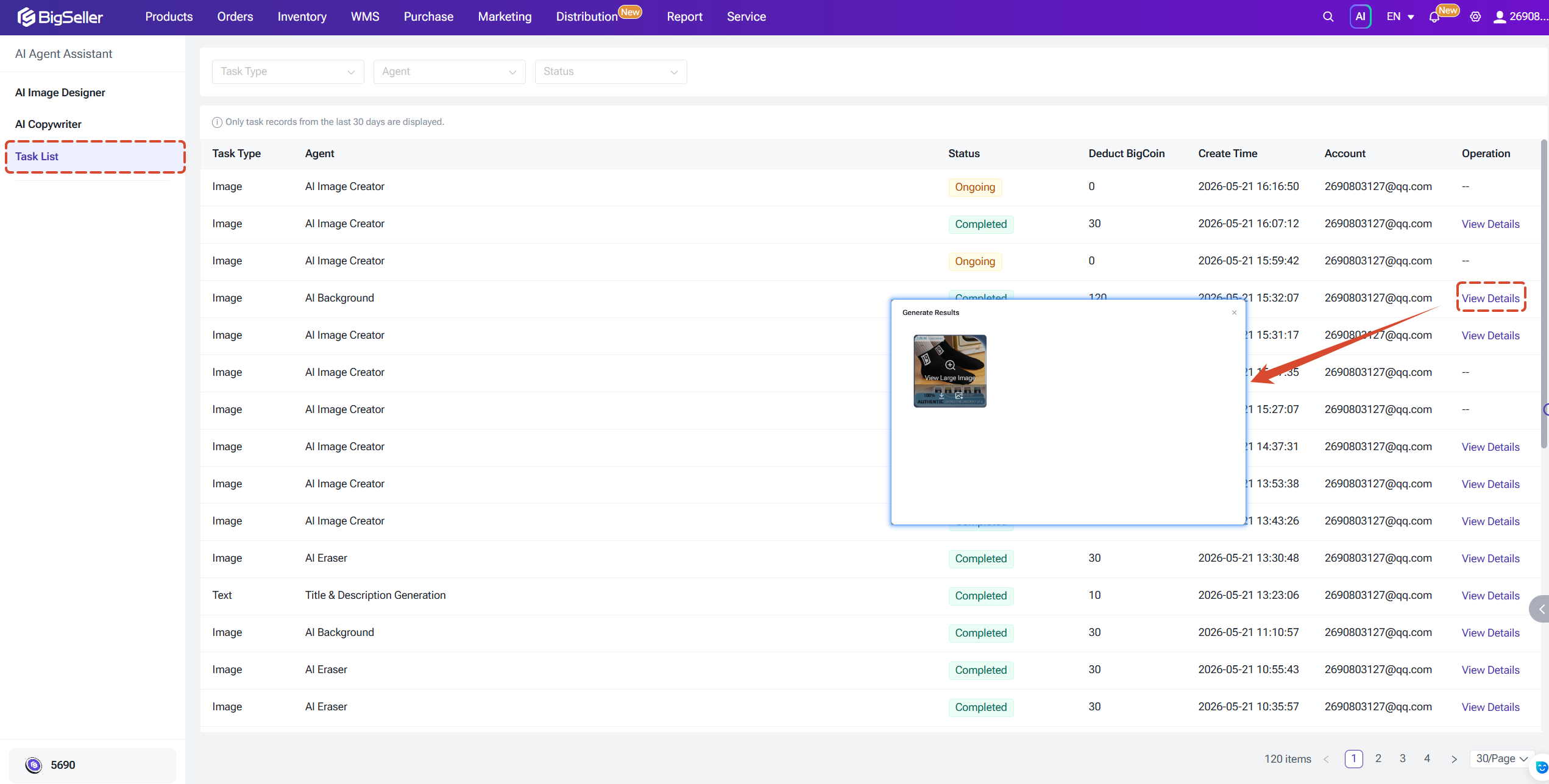
In the Task List, you can view details for each AI task, including:
- Task type and AI assistant used
- Task status
- BigCoin deducted
- Creation time
- Operating account
- Task detail inspection
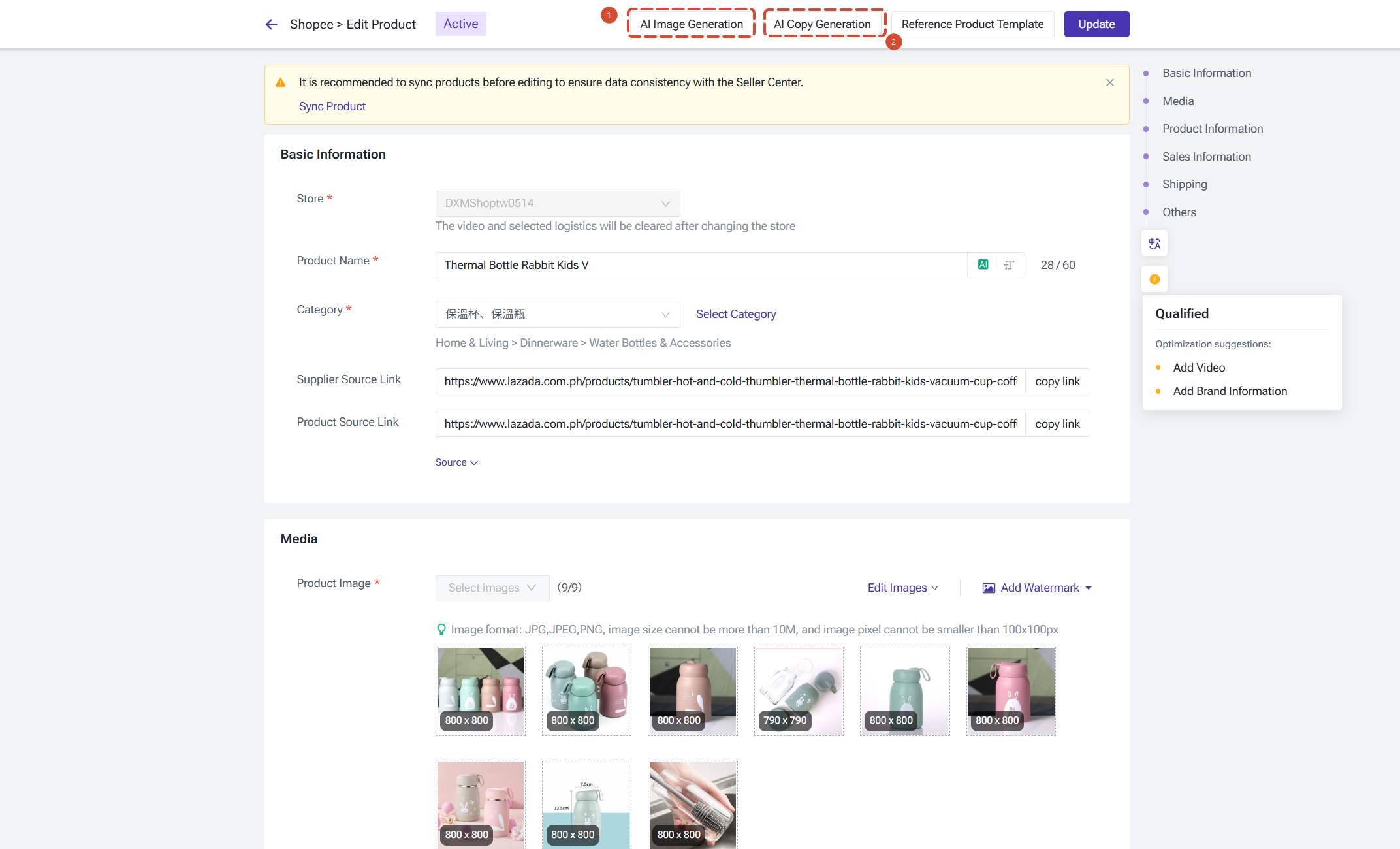
Beside the AI Agent Assistant, you can also use the AI features within the product edit page.
AI features are integrated directly into the product editing workflow. When editing a product in Drafts, Online Products, or when creating a new product, you can click the AI Image/Copy generation to quick enter the AI Assistant and experience.
Is this content helpful?
Thank you for your feedback. It drives us to provide better service.
Please contact us if the document can't answer your questions