Introduction to Merchant SKU Report
Update Time: 30 Dec 2025 05:41
1. All

Average Daily Outbound = Total of Sales Stock-out / Sale Days
Shipped Merchant Gross Profit = Shipped Merchant Valid Sales - Shipped Merchant Cost
Shipped Merchant Gross Profit Rate = Shipped Merchant Gross Profit / Shipped Merchant Valid Sales * 100%
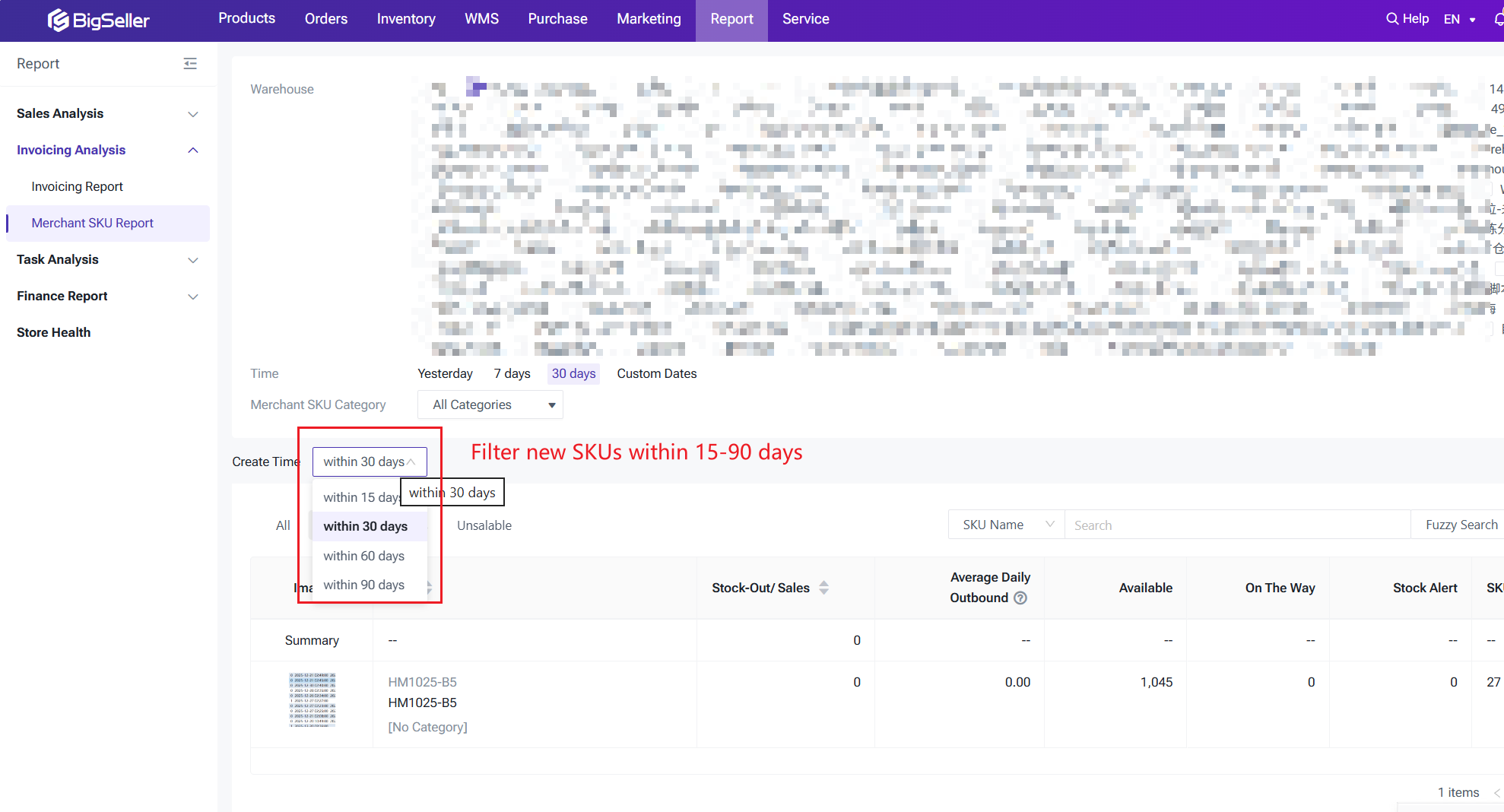
2. NEW SKU
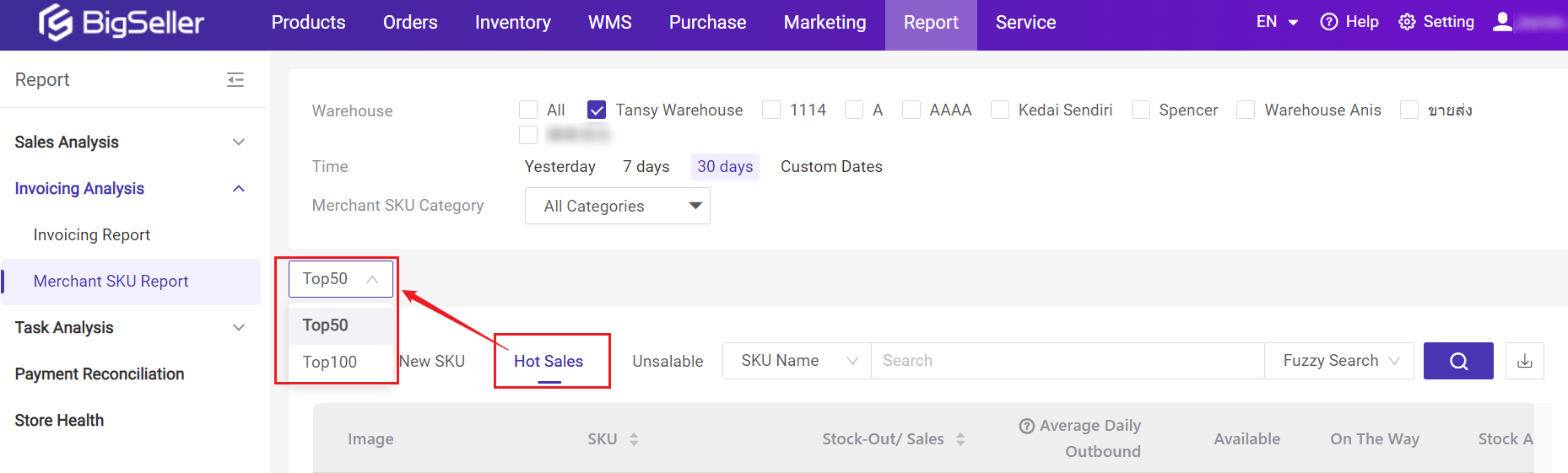
3. Hot Sales
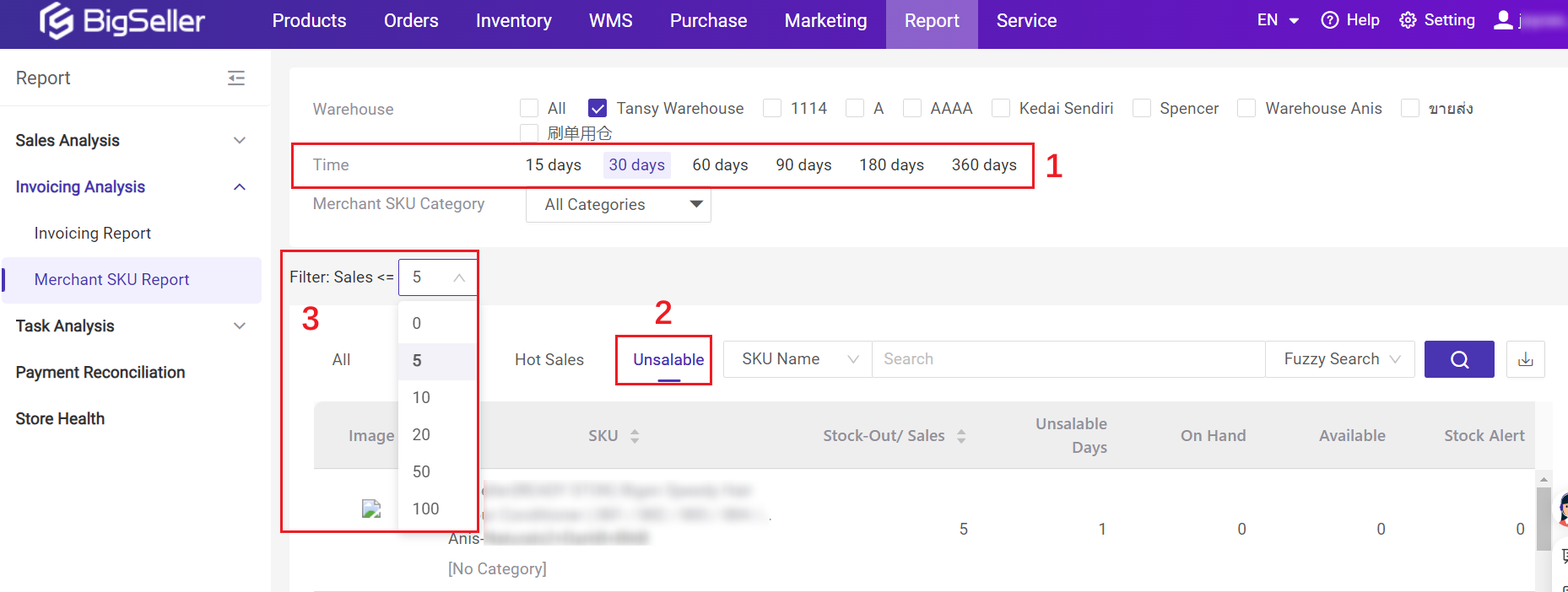
4. Unsalable
Within the currently selected warehouse and time range, the merchant SKUs with stock-out sales ≤ 0/5/10/20/50/100
*Only count merchant SKUs with available inventory or stock-out sales data.
The criteria for unsalable merchant SKU:
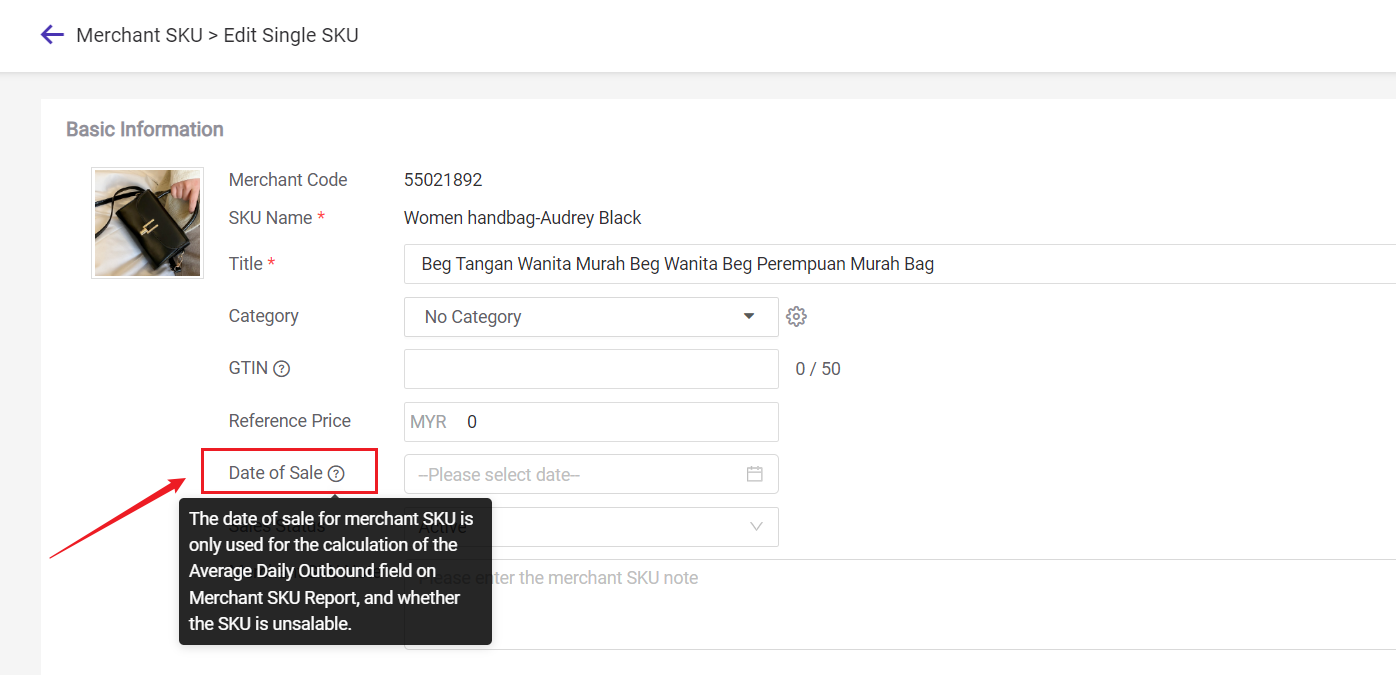
① If the merchant SKU does not have a [Date of Sale]
Within the selected time period, if the stock-out/sales quantity of merchant SKU is less than or equal to the sales quantity selected by the user, it is considered unsalable;
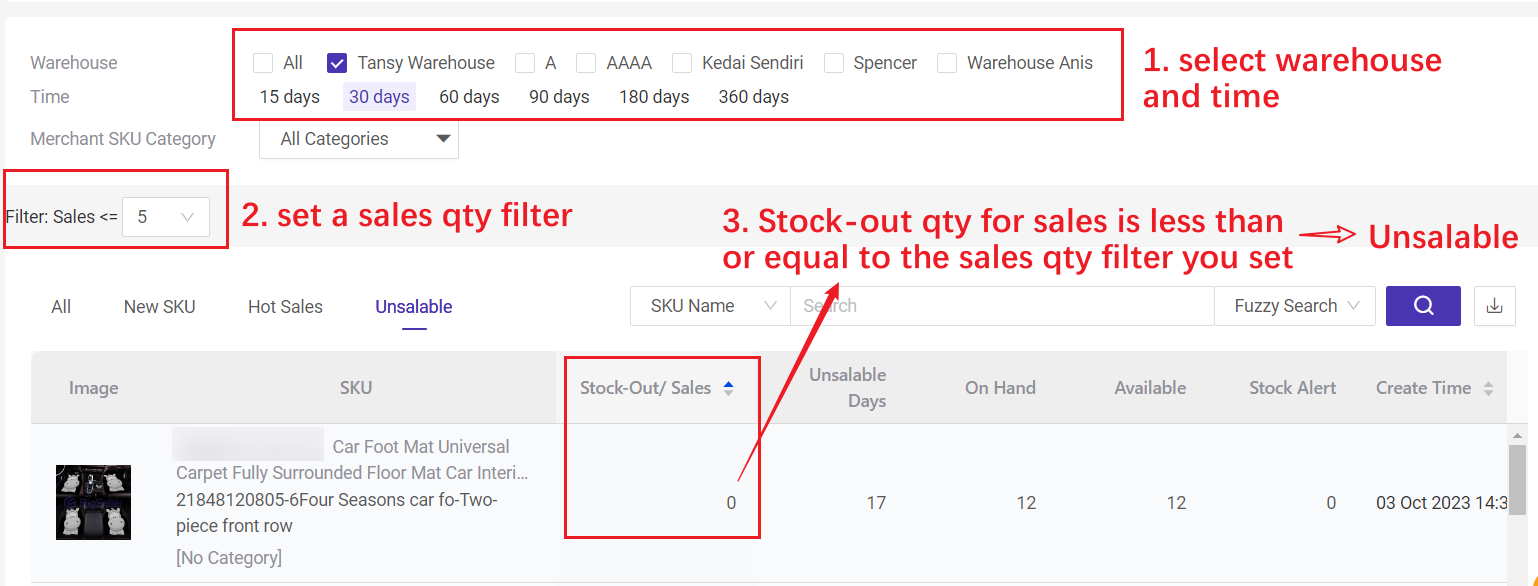
② If the merchant SKU has a [Date of Sale], it will be determined based on the sales days*.
1) If Sales Days ≥ Time Filter
Within the selected time period, if the stock-out/sales quantity of merchant SKU is less than or equal to the sales quantity selected by the user, it is considered unsalable;
2) If Sales Days < Time Filter
This merchant SKU will not be included in the unsalable list
💡 Tips
1. If the [Date of Sale] of merchant SKU is modified, the unsalable data will be recalculated the next day.
2. Sales days = current date (inclusive) - Date of Sale +1
3. Date of Sale: you can set it on Merchant SKU list.
Is this content helpful?
Thank you for your feedback. It drives us to provide better service.
Please contact us if the document can't answer your questions